
MakeSong Review: A Practical AI Music Platform for Songs and Music Videos
Overview: What Is MakeSong?
MakeSong is an online creative platform built for people who want to turn ideas, lyrics, and audio concepts into finished music content without learning a traditional production workflow. Instead of opening complex studio software, arranging instruments, recording vocals, and editing every section manually, users can begin with a simple text prompt or a set of lyrics and let the system shape the result into a complete track. For creators who publish regularly, this can save time during the songwriting, demo, and content-making stages.
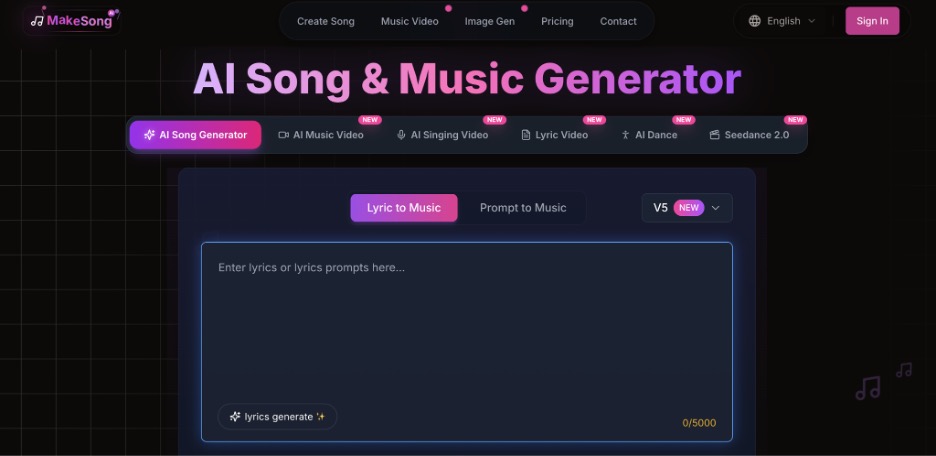
The center of the platform is the AI Song Generator, a tool designed to create songs from text descriptions or lyrics. A user can describe a mood, genre, topic, singer style, or structure, then generate music with vocals or instrumental direction. This makes MakeSong useful for creators who have a clear idea but do not have access to singers, session musicians, or production software.
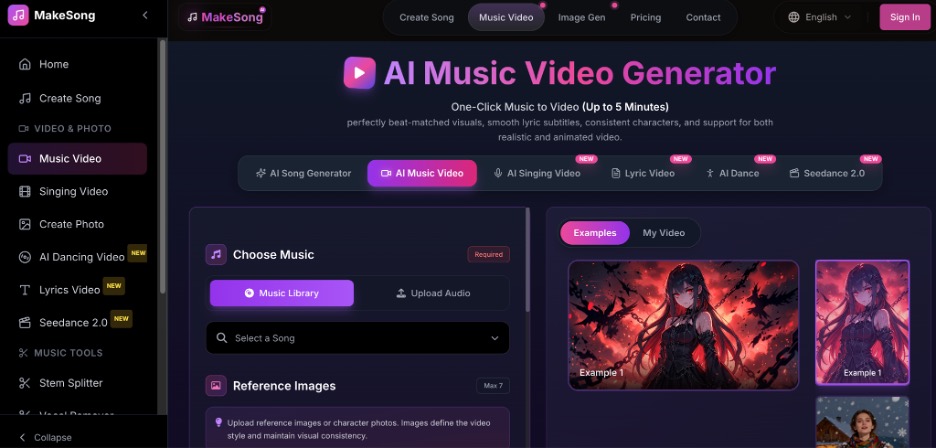
MakeSong also goes beyond audio. Its AI Music Video Generator helps transform a song or vocal track into share-ready visuals, including lip-synced or rhythm-based music video content. That matters because many modern music releases are not only heard; they are watched on TikTok, YouTube Shorts, Instagram Reels, and other short-form platforms. In that sense, MakeSong is not just a song maker. It is a lightweight creative pipeline for music, visuals, and social content.
Key Features That Stand Out
Text-to-Song Creation
The first major feature is text-to-song creation. Users can enter a short idea such as a summer dance track, an emotional piano ballad, a children’s learning song, or a high-energy rap hook. The AI interprets the prompt and turns it into a more complete musical result. This is helpful for brainstorming because it lets creators test several directions quickly.
Lyrics-to-Music Generation
The second feature is lyrics-to-music generation. If you already have written lyrics, MakeSong can help turn those words into melody, rhythm, and arrangement. This is a strong fit for writers who are comfortable with storytelling but need help with composition. By adding genre, mood, tempo, or vocal guidance, the user can steer the output closer to the intended style.
Flexible Music Style Options
Another useful feature is style control. MakeSong supports a wide range of musical directions, from pop, rock, EDM, hip-hop, country, jazz, and acoustic styles to customized creative prompts. This flexibility makes the platform useful for background music, social videos, demos, ads, podcasts, and personal songs.
AI Music Video Creation
The AI Music Video Generator is one of the more interesting parts of the platform. After creating or uploading a track, users can generate video content that matches the music. Depending on the creative goal, this can include lyric-style visuals, character-based music videos, dancing effects, or social-ready clips. For independent artists and content creators, this lowers the barrier to releasing a song with matching visual material.
Download and Editing Options
MakeSong also includes practical tools for finishing and reuse. Options such as MP3 or WAV downloads, commercial-use support on paid plans, private generations, song extension, cover creation, vocal removal, and section replacement make the platform more useful than a one-time novelty tool. These features help users revise, repurpose, or polish AI-generated music.
How to Use MakeSong
Step 1: Visit MakeSong
Using MakeSong is straightforward. First, go to makesong.com and choose the type of project you want to create. For a new track, start with the AI Song Generator or text-to-song tool. You can write your own lyrics, ask the platform to help generate lyrics, or describe the song you want in plain English.
Step 2: Add Song Details
Next, add creative details. The more specific the prompt, the better the output usually becomes. Instead of writing “make a pop song,” describe the emotional tone, audience, tempo, theme, vocal mood, and intended use. A prompt for a bright travel vlog song will lead to a different result from a dramatic cinematic trailer track.
Step 3: Generate and Adjust the Song
After entering the prompt or lyrics, select the style and available controls. Users can experiment with genre, mood, voice type, tempo, and instrumental direction. Then click generate and wait for the result. Once the track is ready, decide whether to download it, extend it, adjust the lyrics, or create another version with a refined prompt.
Step 4: Create a Music Video
To create a visual version, move to the AI Music Video Generator. Upload the song or vocals, add the required image, lyrics, or video prompt, and generate a music video. After reviewing the result, export the version that fits your platform best. For creators who post often, making several video variations can be a smart way to test which style performs better.
Pros of MakeSong
Fast Music Creation
One of the biggest advantages of MakeSong is speed. It can turn an idea into a usable demo much faster than a traditional production process. This makes it ideal for creators who need to publish consistently or test ideas before spending money on full production.
Beginner-Friendly Experience
Another benefit is accessibility. Users do not need music theory knowledge, studio equipment, or editing experience to get started. The interface is built around simple inputs, which keeps the creative process approachable for beginners.
Multiple Creative Tools in One Platform
MakeSong is also versatile. It covers song generation, lyric support, music video creation, audio editing tools, and export options in one place. That makes it more convenient than using separate platforms for writing, composing, visualizing, and repurposing music.
Useful for Commercial Content
The platform is also useful for commercial-minded creators, especially those producing content for YouTube, TikTok, ads, podcasts, learning channels, or brand campaigns. Being able to generate both songs and matching videos can make the production workflow smoother.
Who Is MakeSong Best For?
MakeSong is best for independent musicians who want fast demos, content creators who need original music for videos, marketers who need custom audio for campaigns, educators creating children’s songs or learning content, and social media users who want catchy tracks with visual support. It is also a good choice for beginners who have lyrics or ideas but do not know how to arrange a full song.
Final Verdict: Is MakeSong Worth Trying?
MakeSong is a strong option for anyone who wants to create music content quickly without sacrificing creative control. The AI Song Generator is useful for turning rough ideas into complete tracks, while the AI Music Video Generator gives creators a practical way to package songs for modern social platforms. It may not replace every part of a professional studio, but it can make the first draft, demo, and promotional content process much easier.
For creators who want to move from “I have an idea” to “I have something ready to share,” MakeSong is worth trying. Start with a simple prompt, explore a few styles, and you may find that your next song or music video is much closer than expected.


