
Top iPhone and Android Unlock Tools Compared and Reviewed
Users get locked out of their phones for many reasons, but phone unlockers can help regain digital access. Since the market is flooded with options, it’s important to choose a tool that offers collective solutions for Android and iPhone. Hence, this guide compares the top 3 options to help you determine whether Dr.Fone – Screen Unlock is the best choice.
Pat 1. What to Look for in Phone Unlock Software
To start with the Android and iPhone unlock tool comparison, know how you should choose the right tool:
| Factor | Why It Matters |
| Device Compatibility | Supports your phone brand and model. |
| Lock Removal Types | Removes screen locks, FRP, or activation locks. |
| Success Rate | Increases the chance of successful unlocking. |
| Ease of Use | Simple process for all users. |
| Data Protection | Helps avoid unnecessary data leaks. |
Part 2. Best Phone Unlock Software for iPhone and Android
To choose between 4uKey vs Dr.Fone or any other tool, here are the 5 options you can consider:
1. Wondershare Dr.Fone – Screen Unlock
With 22+ years of expertise, Wondershare Dr.Fone lets you remove screen and other locks from Android and iPhones, including tablets. Dr.Fone – Screen Unlock (Android) lets you remove multiple screen locks from 29 major brands and FRP from 18. It’s the only tool that supports FRP removal for TECNO, Infinix, & itel, and is the first one to introduce Samsung Android 16 FRP unlock.
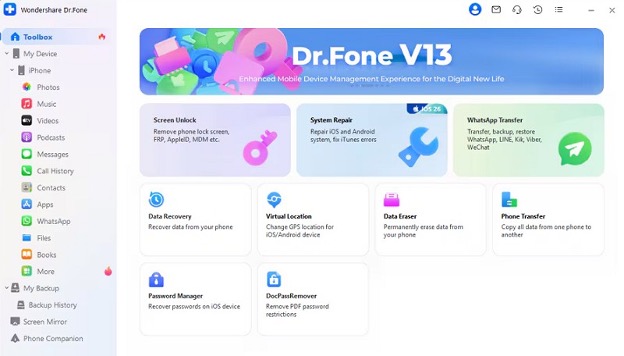
It also supports the latest models, including Wiko and Samsung devices, as well as Samsung Android 12 screen lock removal through regular weekly updates. In addition, Dr.Fone – Screen Unlock (iOS) lets you remove screen lock and iCloud Activation Lock without any expertise. Users can also use it to remove MDM or SIM restrictions and offer broad support for iPhone models.
Key Features
Here are some perks of the best phone unlock software for Android and iPhone lock removal:
| For Android | For iOS |
| ● Screen unlock for major brands is automated.
● Remove screen lock without data loss on Samsung & LG devices. ● FRP is AI-powered and can be done online for Samsung. ● Supports multiple US Samsung models and chipsets. ● Asks for codes for user security. ● Accessible on 1-5 Mobile devices and 2 PCs. |
● Supports major models and iOS versions like iOS 26.5-27.
● Can turn off the camera shutter and call recording sounds. ● Lets you bypass the iTunes encrypted backup password. ● Remove iCloud Account without any jailbreak. ● Comes with detailed guides and prompts. |
2. Tenorshare 4uKey
To explore the Dr.Fone competitor comparison, its iPhone unlocker lets you remove standard locks from iPhone, iPad, and iPod. Users can also use it to remove iCloud Activation, MDM, and Apple ID, but it requires a passcode and 2FA for iOS 11.4 and above for Apple ID removal. Whereas Android Unlock can remove the screen lock from 17 brands and FRP from 9, but has no Wiko brand support.
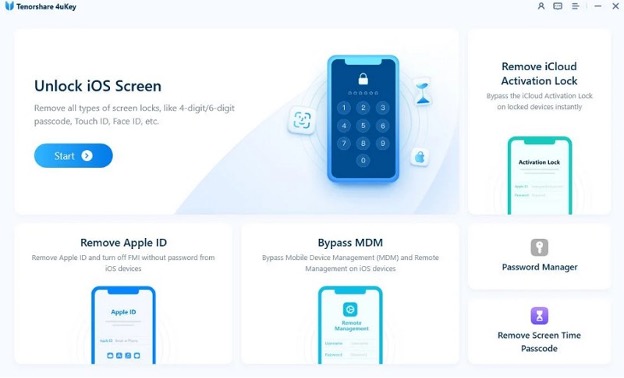
| For Android | For iPhone | |
| Pros | ● Remove FRP from Samsung S26/S25 devices.
● Free upgrades and technical support |
● Find stored passwords like Wi-Fi, etc.
● Comes with clear prompts and guides. |
| Cons | ● Only unlocks early Samsung devices without data loss.
● FRP bypass support is limited to Vivo Android 10-12 devices. |
● Needs manual effort for firmware installation.
● The screen lock removal feature sometimes fails on the latest iOS versions. |
3. iMyFone LockWiper
It’s another best phone unlock software where you can use Android unlocker to remove screen unlock from 21 major brands. Since it comes with Wiko brand support, you can remove FRP lock from it and 4 other Android brands, but it’s not AI-powered. On the other hand, LockWiper for iOS lets you remove screen lock and Apple ID or MDM in 3 simple steps. Nonetheless, it can remove Apple ID with passcode and 2FA for iOS 11.4 and later.
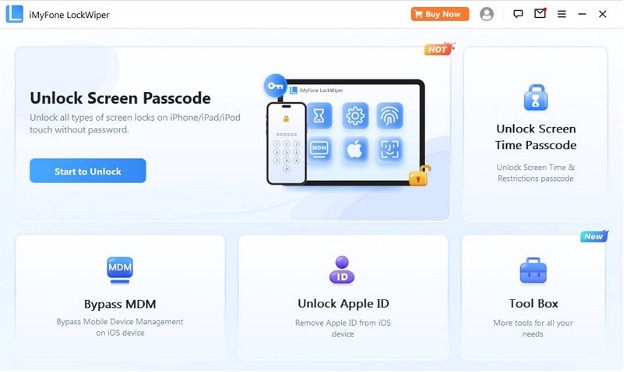
| For Android | For iPhone | |
| Pros | ● Can reset Android Phones & tablets in 5 minutes.
● 2 modes for FRP removal. |
● Smooth MDM removal
● 24/7 email & chat support |
| Cons | ● Only unlock the Samsung screen without data loss.
● Limited to Android 15 support only. |
● Guides can confuse beginners.
● Accessible on 1-5 devices only. |
Part 3. Comparing the Best Phone Unlock Tools [Android and iPhone]
To compare LockWiper and 4uKey vs Dr.Fone, review the mentioned table and choose the right phone unlocker:
| Metric | Dr.Fone | 4uKey | LockWiper |
| Android | |||
| Android Screen Unlock Brands | 29 | 17 | 21 |
| Android FRP Brands | 18 | 9 | 4 |
| Wiko Support | Yes | No | Yes |
| TECNO/Infinix/itel FRP | Yes | No | No |
| Android 16 Support | Yes | Limited | Android 15 |
| Samsung Online FRP | Yes | No | No |
| iPhone | |||
| Success Rate | Highest | Moderate | Moderate |
| Apple ID Removal Flexibility | High | Moderate | Moderate |
| Ease of Use | Highly guided | Moderate | Moderate |
Part 4. How Dr.Fone Screen Unlock Helps Regain Device Access?
Wondershare Dr.Fone is the preferred choice for screen and other lock removal for iPhone and Android. So, to test its claims or determine its ease of use, review the mentioned guide to unlock the screen lock from Android and iPhone:
Guide to Use Dr.Fone – Screen Unlock (Android)
Here is how you can unlock the screen lock from most Android brands:
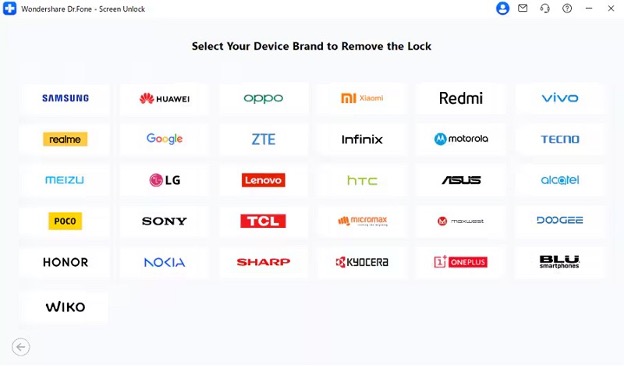
Step 1. Pick the Android Model for Screen Lock Removal
Choose any Android model after you pick the “Unlock Android Screen” option from the “Screen Unlock” tool for Android.
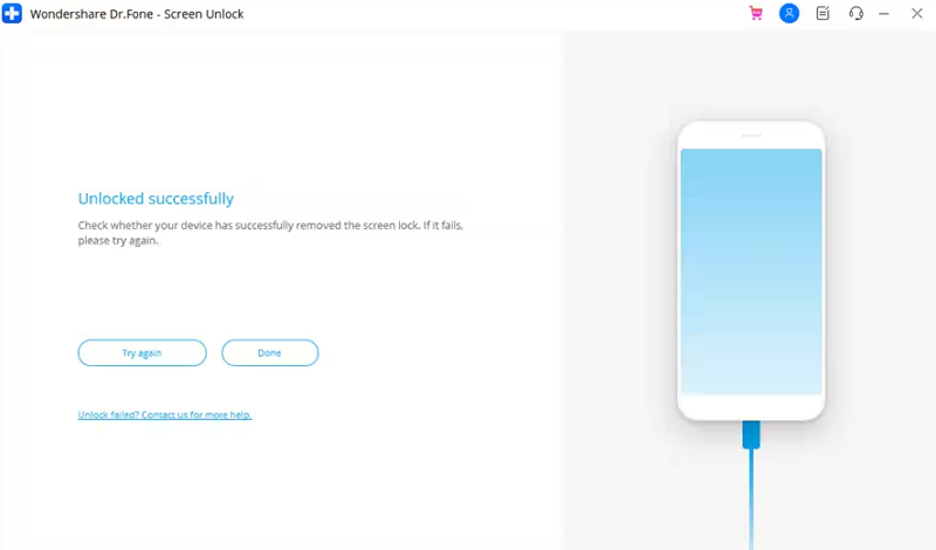
Step 2. Access Special Mode with Dr.Fone Android
When the tool automatically enters “Special Mode,” it begins removing the screen lock; tap “Done” once the process finishes.
Manual to Use Dr.Fone – Screen Unlock (iOS)
Based on the iPhone unlock tool comparison, here is how Dr.Fone unlocks the iOS screen:
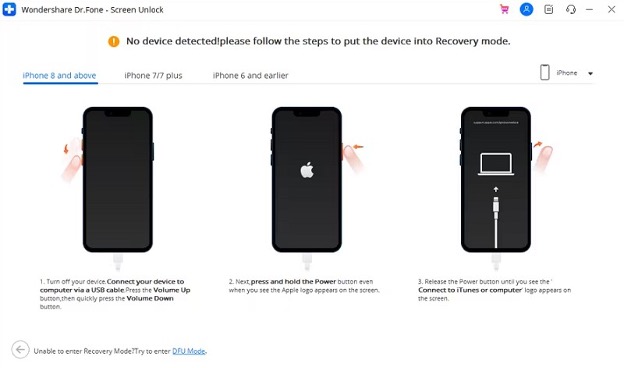
Step 1. Start to Unlock iOS Screen with Dr.Fone
When you pick the “Unlock iOS Screen” option from the “Screen Unlock” tool, press “Start,” and access the Recovery Mode.
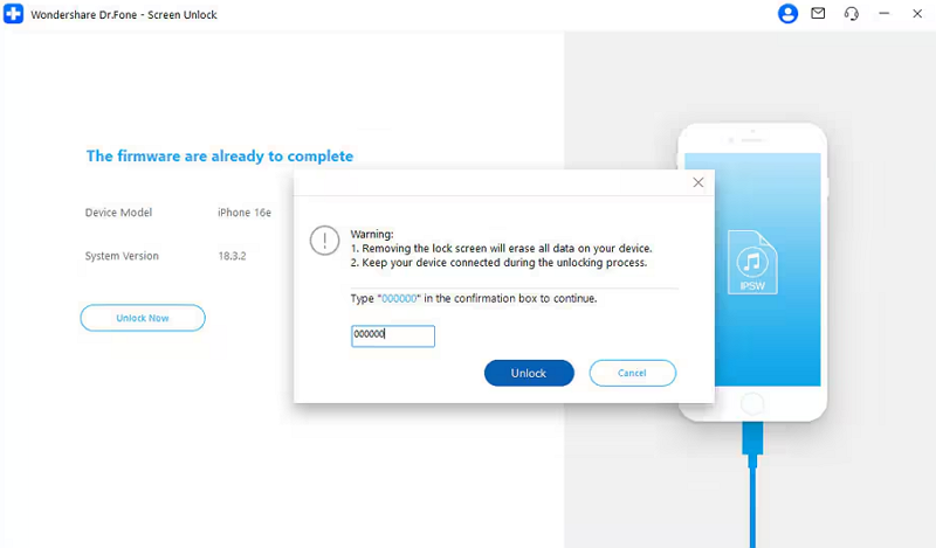
Step 2. Add Special Code to Unlock iOS Screen
Confirm the device details, download the firmware, and add the “000000” code to start the “Unlock” process.
Conclusion
To sum up, Dr.Fone – Screen Unlock is the best Android and iPhone unlocker thanks to its extensive device coverage. From Android 16 to iOS 26.6-27, this tool offers simple unlock solutions with detailed guides. Moreover, its broad lock removal support makes it suitable for both Android and iPhone users.


