
FRP Bypass for Second-Hand Android Phones: Legal and Safe Methods
Introduction
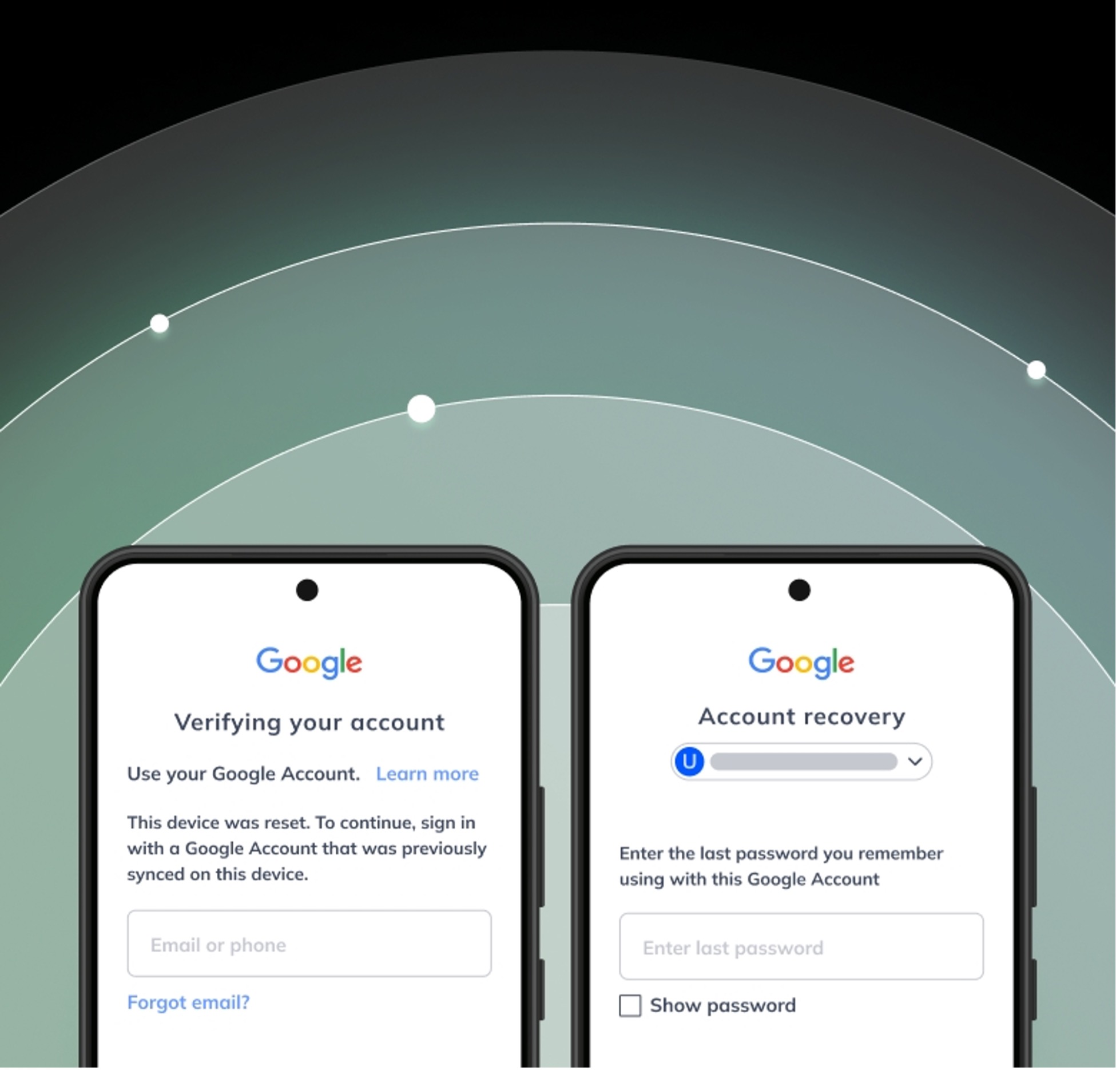
The Factory Reset Protection (FRP) is an Android feature that helps safeguard a device from unauthorized use following a factory reset. This feature is among the major causes of problems with second-hand devices, particularly when the previous owner’s Google account remains connected. Also, it can be challenging to regain access to the phone in the event of a Google account login information being forgotten.
This article describes the process of FRP bypass, the reasons why it becomes visible on second-hand Android phones, the legit and protected methods to deal with it. It highlights recovery via official channels as well as legitimate ways that allow users to regain access without breaking security standards or putting the device at risk.
What Is FRP Lock on Android Phones?
Factory Reset Protection, or FRP for short, is a security measure from Google that came along with Android versions 5.1 and newer. What it does is safeguard user data, it makes sure that the phone cannot be set up and used after a factory reset, if the person trying to set it up does not have the original Google account.
The process of Factory Reset Protection
Once a Google account is logged into an Android device, FRP gets turned on without needing the user’s permission. After performing a factory reset, the phone will ask for the Google account username and password.
Why second-hand phones stuck on FRP
If the previous owner of the second-hand phone forgot to take out their Google account before selling or resetting the phone, the new owner will most likely find themselves stuck on the FRP lock screen.
Is FRP bypass legal for second-hand phones?
FRP bypass is only legal when the phone user is the owner of the device. It includes situations where you are the owner, the owner has given you their permission, or you are attempting to access your phone after a factory reset.
Situations that may be illegal
The act of bypassing FRP is illegal when one uses it to open stolen devices, gain unauthorized access, or sell phones that have been unlocked without the proper consent. Such acts are a breach of security measures and may result in legal penalties.
Importance of proof of purchase
The best thing to do is to have proof of buying items such as receipts, IMEI checking records, or even chatting with the seller. These papers confirm ownership and help those who want to get their devices cleaned up properly.
Safe Methods to Remove FRP Lock on Android
Ask the previous owner to remove the Google account
By far, the simplest and the most secure way is to get in touch with the previous owner and ask them to remove their Google account from the device. They also have the possibility to go to the Google account dashboard and remove the device, which will instantly turn off the FRP lock.
Recover the original Google credentials
When the phone is yours, visiting the official Google account recovery is the best option to change the password or recover the account. Sometimes, a security window of 24 to 72 hours may be enforced by Google during which the device cannot be used for setup.
Use official manufacturer support
On visiting an authorized service center such as Samsung or other brand-approved repair providers, you will be asked for IMEI details and proof of ownership before the device can be unlocked safely and legally.
Recommended Solution for Beginners: Dr.Fone – Screen Unlock (Android)
Designed for beginners, Dr.Fone Screen Unlock (Android) is a simple and effective solution that makes FRP removal a breeze through a step-by-step guided process. Its AI-powered FRP bypass feature enables users to get rid of Google account verification after the factory reset without needing technical skills of a high level. The software supports one-click guided workflows where users just plug the device, choose the brand/model, and follow the directions on the screen to unlock.
The major highlights are the capability of removing FRP lock to major brand phones (Samsung, Xiaomi, Oppo, Vivo, Realme, Motorola, etc), compatibility with the freshest Android versions, and a recovery method that is well-structured and minimizes the user configurations. The program also serves as a screen unlock tool for various types of locks, such as PIN, pattern, password, fingerprint, and face, thus becoming a versatile recovery device for locked Androids.
Steps to bypass FRP lock using Dr.Fone
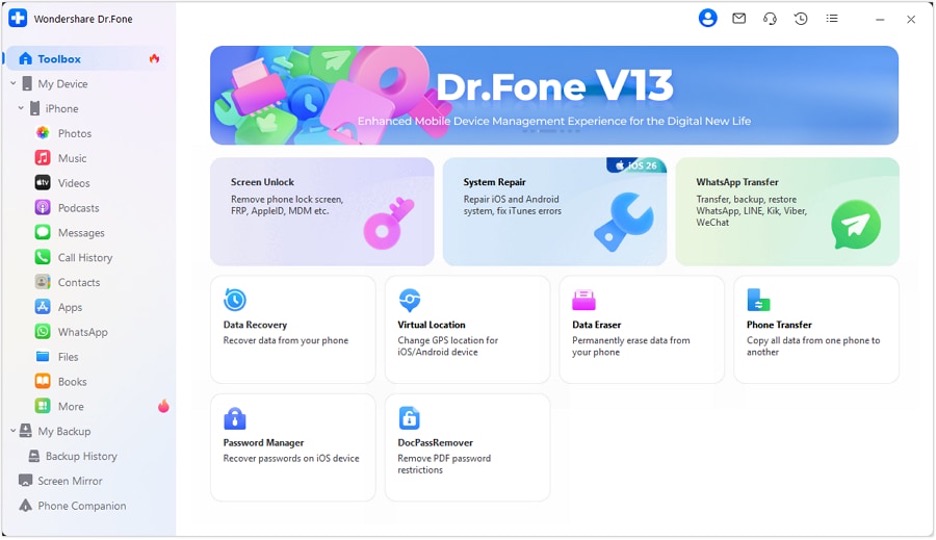
Step 1: Open Wondershare Dr.Fone – Screen Unlock, connect your Samsung device, then go to Toolbox > Screen Unlock and select Android.
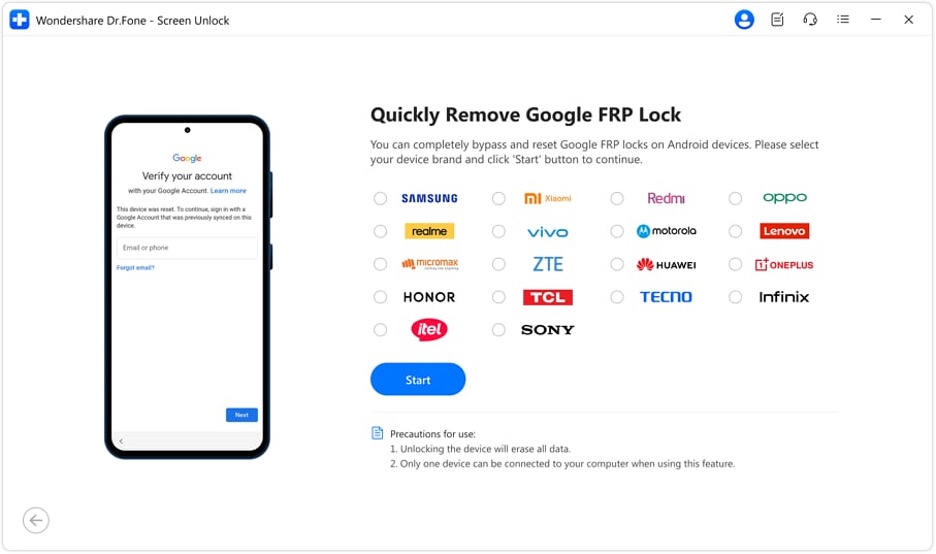
Step 2: Choose Remove Google FRP Lock, then select Device Brand and click Start to continue.
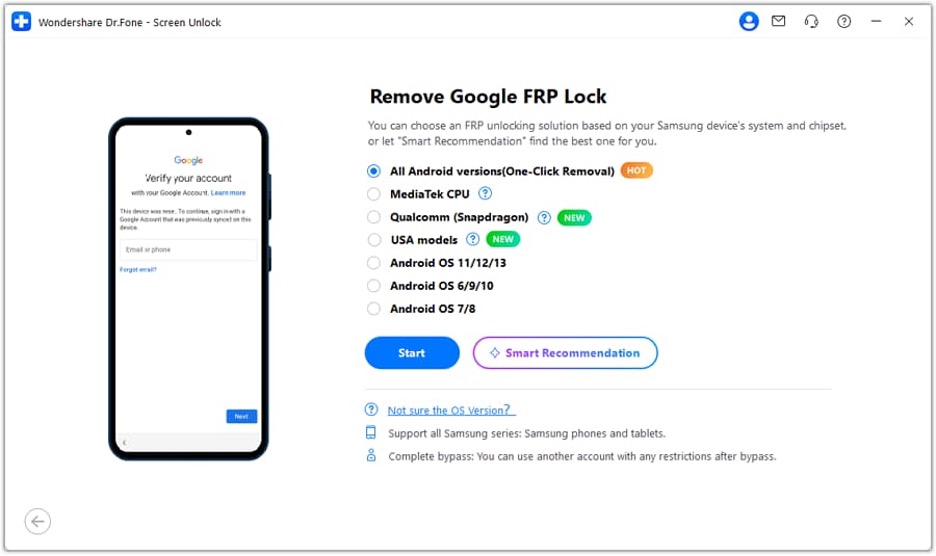
Step 3: Select “All Android versions (One-Click Removal)”, then follow the instructions and open Emergency Call, dial *#0*# to access the hidden menu.
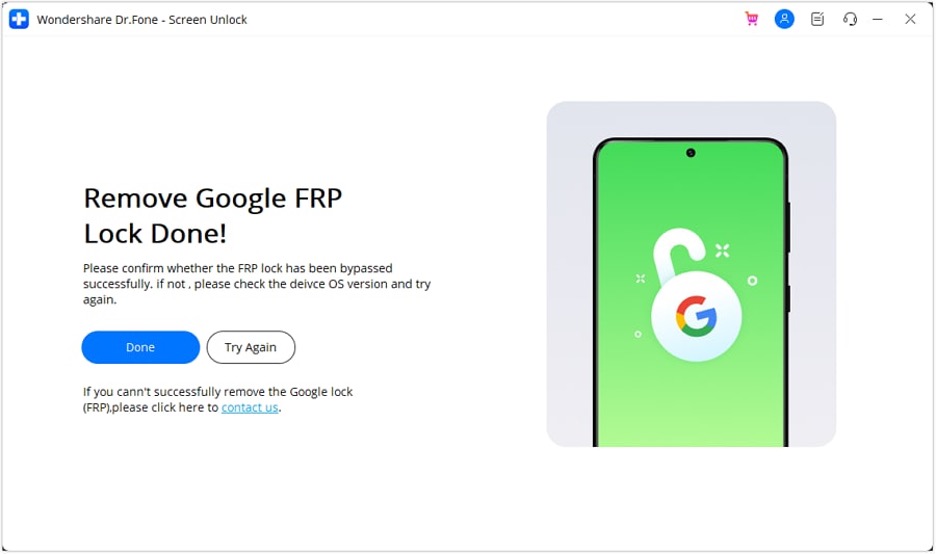
Step 4: Enable USB debugging when prompted, authorize the connection on PC, and wait for the tool to remove the FRP lock successfully.
Common Problems During FRP Bypass
FRP bypass stopped working after Android update
One of the significant problems is failure after a system upgrade. New security patches often block the use of older methods to bypass, and mismatches between tools and updated versions of Android can also be factors that prevent the removal of FRP.
Phone stuck on Google’s verification screen
Lots of users experience a problem that their device just stays on the Google verification screen. The main reason behind this is to follow wrong instructions during the operation or not perform a complete factory reset that completely removes the existing account data.
Google account still appears after unlocking
Sometimes, even after the bypass attempts, the original Google account still appears. In these situations, it is mainly due to the resumption of the device from factory default not being thorough or the background sync and cache operations that keep restoring the account data.
Tool compatibility problems
Another common issue is a tool mistakenly not working because of unsupported Android versions or the absence of USB drivers. If the software is unable to recognize the device properly, then the FRP procedure will not be successful.
Conclusion
FRP locks add an excellent security measure for Android mobiles. It is always a little confusing for users of second-hand phones or those who forget their Google credentials. Having said that, in the majority of cases, the best and most secure way remains the official recovery methods, e.g. recovery of a Google account, the help of a previous owner, or a call to service centers authorized by the manufacturer.
For those who need a method that is more explanatory, software like Dr.Fone Screen Unlock (Android) could make the unlocking task a lot easier by providing detailed instructions and supporting many different devices.


