
Watch Instagram Without Account Access: What Android Users Need to Know
Want to watch Instagram without an account on your Android phone? You can access some public profiles, posts, and Reels without signing up or logging in. However, Instagram restricts certain features, including Stories, comments, and extended browsing.
Android users can explore public Instagram content through mobile browsers, search engines, and compatible third-party viewers. Browser-based downloaders also provide options for saving supported public media.
This guide explains how to browse Instagram without an account, what works on Android, and how to protect your privacy.
Quick Answer: How to Watch Instagram Without an Account on Android
You can explore certain public Instagram content without creating an account using several methods:
- Direct profile links: Open a public Instagram profile through Chrome or another Android browser.
- Search engines: Use Google to discover publicly indexed Instagram posts and profiles.
- Hashtag searches: Find Instagram content related to specific topics.
- Anonymous viewers: Browse supported public content through compatible third-party websites.
- Instagram downloaders: Save accessible public photos and videos for offline reference.
These methods have limitations. Instagram may display login prompts, restrict playback, or prevent certain pages from loading.
Private Instagram accounts remain restricted to approved followers. No legitimate anonymous viewer can bypass these privacy settings.
What Android Users Can and Cannot Access
Browsing Instagram without an account differs from using the platform while logged in.
What You Can Do
Depending on Instagram’s restrictions, Android users may be able to:
- View public profile pictures, usernames, biographies, and follower counts.
- Open certain public posts and Reels through direct links.
- Read available captions and comments.
- Discover public content through Google searches.
- View supported public Stories through third-party viewers.
- Download accessible public media using compatible browser-based tools.
Availability varies by browser, content type, region, and Instagram’s current restrictions.
What You Cannot Do
Without an Instagram account, you generally cannot:
- Like posts, comment, or follow users.
- Send direct messages.
- Access private profiles or restricted Stories.
- View Close Friends content.
- Use personalized Instagram feeds.
- Browse indefinitely without encountering login prompts.
Even publicly accessible content may become unavailable during anonymous browsing.
Method 1: View Public Instagram Profiles Through Chrome
The simplest approach is opening Instagram directly through your Android browser.
Step 1: Open Your Browser
Launch Chrome, Firefox, Samsung Internet, or another compatible browser.
You do not need to install the Instagram app to attempt public profile browsing.
Step 2: Enter the Profile URL
Type a public Instagram profile address into your browser:
https://www.instagram.com/username/
Replace “username” with the account’s actual handle.
Step 3: Browse Available Content
If Instagram permits access, you may see the profile picture, biography, follower information, and selected public posts, Reels, and Stories from public profiles. Direct browsing may let you view Instagram without logging in for quick checks, but only on public accounts.
Some Reels and posts may open directly through their individual URLs.
Step 4: Understand Login Restrictions
Instagram frequently displays login prompts when visitors attempt additional browsing.
These prompts may appear immediately or after several interactions. There is no guaranteed number of posts you can access without signing in.
Direct browsing is useful for checking public profiles, but it may not support extended viewing.
Method 2: Find Instagram Content Through Google
Search engines provide another way to discover Instagram posts without creating an account.
Search Public Instagram Profiles
Open Google on your Android phone and enter a targeted query in the search bar to find Instagram content without creating an account, such as:
site:instagram.com “travel photography”
This searches indexed Instagram pages associated with travel photography.
You can replace the topic with a creator’s name, business, location, or interest.
Discover Posts Through Hashtags
Hashtags can help identify public Instagram content.
For example:
site:instagram.com “#streetphotography”
Search results may contain public profiles, posts, or Reels.
However, Instagram may still require a login when you open individual results.
Find Content Shared Elsewhere
Creators sometimes publish the same photos or videos on websites, blogs, or other social platforms.
Searching for a creator’s name or post caption may reveal publicly accessible alternatives.
Search engines cannot guarantee access to deleted, private, or recently published content.
Method 3: Watch Public Instagram Stories Anonymously
Instagram Stories are more difficult to access without an account because Instagram generally requires users to sign in through its official interface.
Third-party viewers may provide access to certain publicly available Stories.
How Anonymous Instagram Story Viewers Work
Compatible viewers retrieve supported public Story content and display it through their websites.
For Android users, Grabfy.com provides browser-based tools for accessing supported public Instagram media without requiring Instagram login credentials.
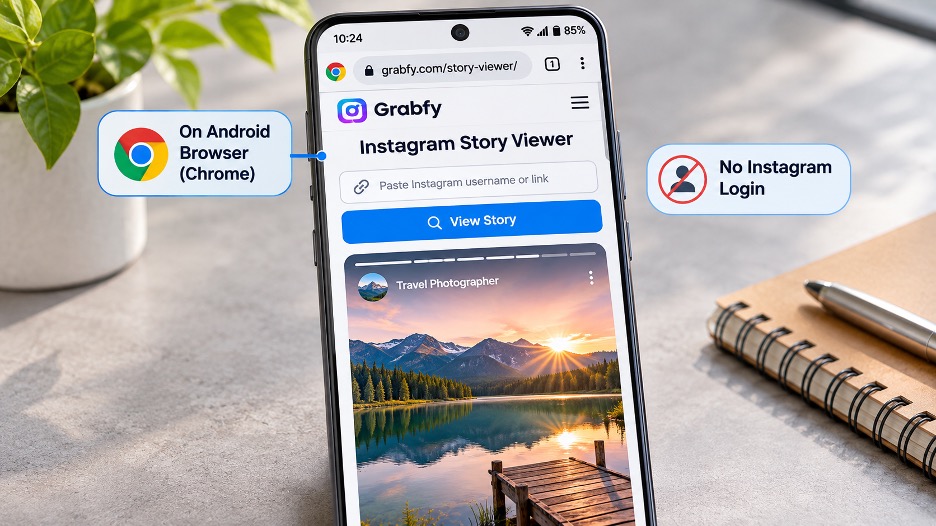
This approach can be useful when users want to explore available public content without installing additional applications.
Grabfy also provides a dedicated Instagram Story Viewer for supported public Stories.
Can Someone See That You Watched Their Story?
Instagram normally shows Story creators information about viewers who watch through logged-in accounts.
A third-party viewer that does not use your Instagram account may allow public Story access without associating the activity with your username, so the account owner is typically not notified through Instagram’s viewer list.
However, anonymity depends on the service’s operation. Websites may still process technical information such as IP addresses.
Anonymous viewers cannot access private Stories or Close Friends content.
Method 4: Save Public Instagram Content on Android
Sometimes browsing is not enough. You may want to save a tutorial, preserve your own published content, or keep an authorized video for offline reference.
Browser-based downloaders offer a convenient option for supported public Instagram media.
How to Download Public Instagram Posts
Android users can download supported public Instagram content through compatible mobile browsers without installing a separate application.
To download supported content:
- Find a public Instagram photo, Reel, video, or Story.
- Copy its URL using the available sharing options.
- Open the appropriate browser-based downloader.
- Paste the Instagram link into the input field.
- Select the available download option and save the file.
Downloaded media generally appears in your Android Downloads folder or Files app.
What Instagram Content Can You Save?
Supported public Instagram formats may include photos, Reels, video posts, Stories, and carousels.
For users who want to keep these different types of public content for offline reference, Grabfy supports a browser-based downloading process that works on Android without installing a separate application.
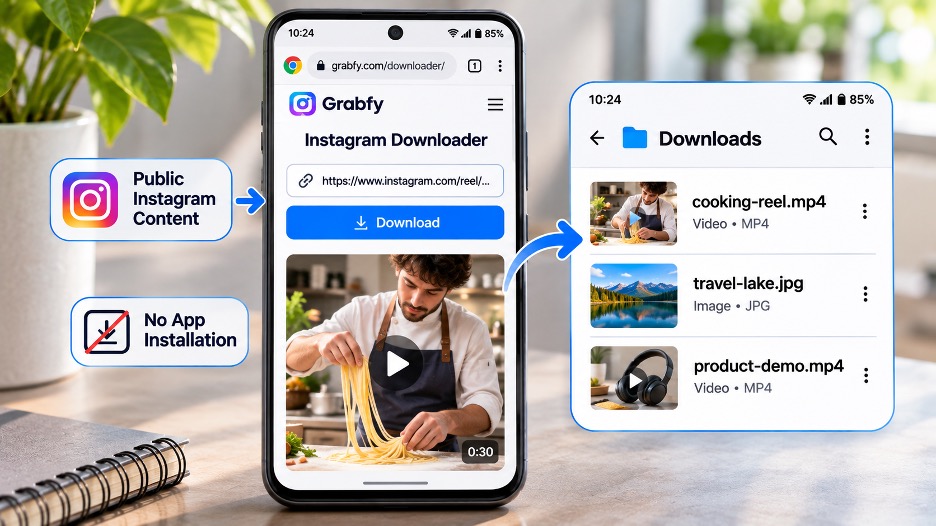
For example, Grabfy’s Instagram Video Downloader allows users to save supported public videos through their URLs.
Carousel posts may require downloading individual photos or videos.
Available file quality depends on the source media and Instagram’s processing. Downloaders cannot restore details already lost through compression.
Privacy, Safety, and Copyright Considerations
Avoid Sharing Instagram Passwords
Be cautious when unfamiliar websites request Instagram credentials, verification codes, or unnecessary permissions. Some third-party apps may also stop working after Instagram updates, even if they previously supported anonymous browsing.
For public content, prioritize services that do not require account login.
Respect Private Instagram Accounts
Private accounts restrict access to approved followers.
Websites claiming to unlock private profiles or reveal hidden Stories without authorization should be treated with skepticism.
Understand Copyright
Public Instagram content is not automatically free to republish.
Before editing, distributing, or commercially using someone else’s material, obtain appropriate permission or establish another valid legal basis. Rights belong to the original creators, and viewer or downloader sites are not affiliated with Instagram.
Protect Your Browsing Privacy
Anonymous viewing does not guarantee complete online privacy.
Third-party websites may process browser details, IP addresses, and usage information, even when a service accesses publicly available Instagram content without requiring a password or registration.
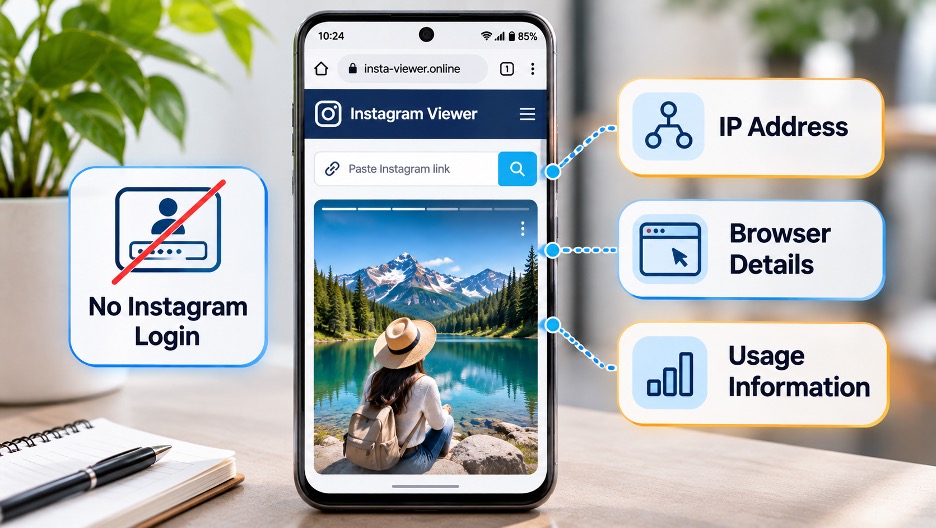
Review privacy practices and Instagram’s terms before using unfamiliar services.
Frequently Asked Questions
Can I watch Instagram Reels without an account?
Some public Reels can be opened through direct links or search results. Instagram may still restrict playback.
Can I view private Instagram profiles anonymously?
No. Private content requires the account owner’s approval.
Can Instagram users see who viewed their profile?
Instagram does not provide a general list of profile visitors, so account owners cannot see who visited their public profile through Instagram’s standard profile features. Story viewing has separate visibility features.
Why does Instagram keep asking me to log in?
Instagram restricts certain browsing activities for visitors who are not signed in.
Does Airplane Mode hide Instagram Story views?
Airplane Mode is not a dependable anonymity method. Viewing activity may synchronize when connectivity returns.
Do I need an Android app to download Instagram videos?
No. Compatible browser-based downloaders can save supported public videos with no login required and without installing a dedicated application.
Final Thoughts
Android users can watch some Instagram content without an account by opening public profile links, searching through Google, or using compatible third-party viewers.
Direct browsing works for occasional profile checks, while browser-based tools offer additional options for supported public Stories and downloadable media.
Whichever method you choose, remember that private content remains restricted, Instagram’s access rules can change, and creators retain rights to their original work.


