How Creators Clean and Upscale Their Video Content
Content creators often find themselves stuck with messy video files that they cannot use. You might have a great video clip from a past project, but it has a distracting logo in the corner. This happens frequently when you want to reuse your own content across different social media platforms. Learning how to remove watermark from video helps you keep your branding consistent and clean. It allows you to present a professional look to your audience without having to film everything from scratch.
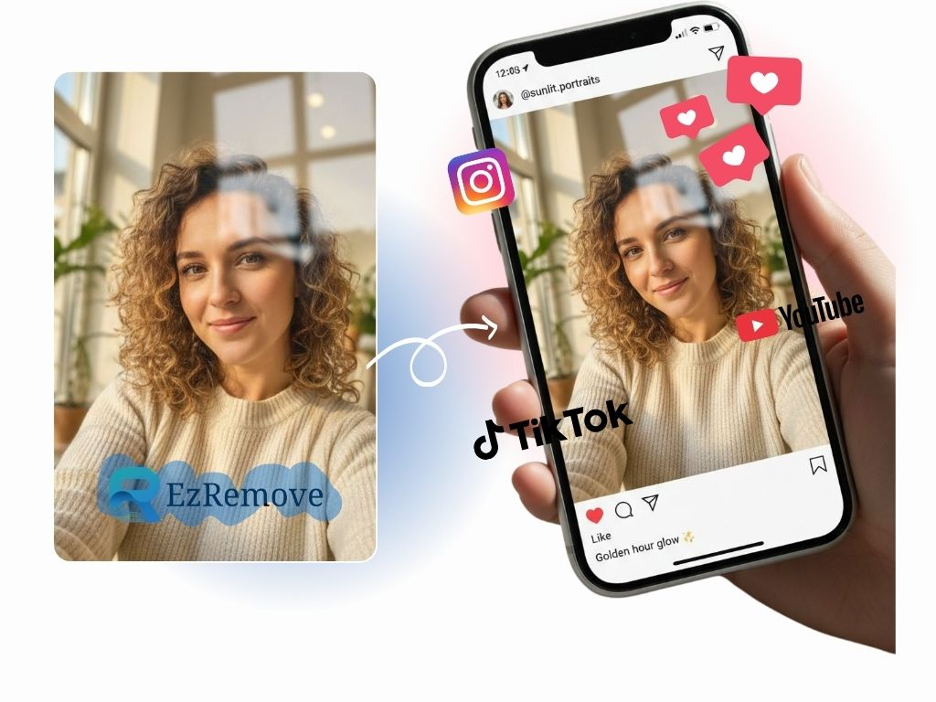
Sometimes the footage you find in your archives is small or looks blurry on modern screens. This is where an ai image upscaler becomes a vital tool for your creative process. It lets you take a still frame or a low-resolution graphic and make it look sharp and clear. You can then use these high-quality assets in your new projects without worrying about pixels or blur. These tools work together to help you save time and maintain a high standard of quality for your channel or business.
Real World Scenario 1: Social Media Cross Posting
Many creators start their journey on one specific platform like TikTok or Instagram. When you create a video inside those apps, they often add their own logo to the file when you download it. If you try to post that same video on a different app, the algorithm might notice the other platform’s logo. This can lead to your video being shown to fewer people. It also looks a bit messy to have multiple logos overlapping on the screen.
By using a cleanup tool, you can strip away those platform-specific marks. This makes the video look like it was filmed specifically for the new platform you are using. It gives you a clean slate to add new text or stickers that match the current app’s style. This strategy is essential for creators who want to grow their reach without spending double the time on filming. You can focus on making one great piece of content and then share it everywhere with a clean and professional look.
Real World Scenario 2: Reviving Archival Footage
Documentary filmmakers and long-form creators often need to use old footage. You might find a perfect clip from five or ten years ago that fits your current story perfectly. However, older videos were often filmed in lower resolutions that look terrible on 4K monitors. These clips might also have old timestamps or TV station logos burned into the corner. These elements distract the viewer from the story you are trying to tell.
Creators use specialized tools to remove these old marks first. Once the distracting elements are gone, they often need to fix the resolution. An upscaler can take a still frame from that old video and enhance the details. It can make a blurry face look recognizable or turn a fuzzy background into a clear scene. This process allows you to blend old and new footage more smoothly. Your viewers will appreciate the clarity, and your project will feel much more cohesive.
Real World Scenario 3: Fixing Client Deliverables
If you work as a freelance editor or a social media manager, you often receive files from clients. Sometimes these clients only have the final version of a video and they have lost the original project files. The video might have an old website address or a phone number that is no longer in use. You cannot simply ask them to film it again because that would be too expensive and time-consuming. You need a way to fix the existing file so it is ready for current use.
In this case, you can use a removal tool to hide the outdated information. You can then place the new contact details over the cleaned area. If the client provides a small logo that needs to be enlarged for a big screen, you can use an upscaler to make it look crisp. This makes you look like a hero to your client. You solved a difficult problem quickly and saved them the cost of a new production. It is a practical way to handle the common mistakes that happen in business.
Benefits of Using AI-Powered Tools
Using these tools provides several major benefits for any type of creator. The first benefit is the professional appearance of your work. A video with a random logo or a blurry image looks amateur. When you take the time to clean up your visuals, your audience trusts you more. They see that you care about the details and that you put effort into your presentation. This trust is what helps you build a loyal following over time.
Another benefit is the massive amount of time you save. In the past, removing a watermark required frame-by-frame editing in complex software. It was a task that only professional editors could handle. Now, AI can do this work in a fraction of the time. This allows you to spend more time on the creative parts of your job, like writing scripts or engaging with your fans. You get to work faster and smarter.
Cost efficiency is also a huge factor for small creators. You do not need to hire a professional VFX artist to fix a simple mistake in your video. You also do not need to buy expensive stock footage if you can fix a clip you already own. These tools are often very affordable and easy to use. They put professional-level power into the hands of anyone with a computer or a smartphone. This levels the playing field for creators who are just starting.
Practical Workflow for Cleaning and Enhancing
To get the best results, you should follow a specific order when working with your files. First, you need to identify all the areas in your video that need cleaning. Look for logos, text, or small objects that distract from the main subject. Once you have a plan, you can start the removal process. You simply upload your file and select the parts you want to disappear. The software will then analyze the surrounding pixels to fill in the gap naturally.
After the video is clean, you might notice that some parts of the frame look a bit soft. If you need to use a specific frame as a thumbnail or a featured image, this is the time to upscale it. You can take a screenshot of the cleaned video and run it through an enhancement tool. This will sharpen the edges and add detail that was missing. Finally, you can bring the cleaned video and the sharp images back into your editing software to finish your project.
Comparison of Methods
| Feature | Manual Editing | AI Tools |
| Speed | Very Slow | Very Fast |
| Difficulty | High | Low |
| Cost | Expensive | Affordable |
| Consistency | Hard to Maintain | Very Consistent |
| Accessibility | Professionals Only | Everyone |
Final Recommendation for Creators
If you want to grow your brand, you must focus on the quality of your output. Do not let a simple watermark or a low-resolution image hold you back. Using these tools is a smart way to manage your content library. You can fix old mistakes, repurpose your best work, and ensure that every video you post looks its best. It is about making the most of the resources you already have.
Start by looking through your old videos and see what could be improved. You might find a hidden gem that just needs a little bit of cleaning. Once you see the difference that a professional finish makes, you will never want to go back to posting messy files. These tools are simple to use and provide immediate results. They are a necessary part of any modern creator’s toolkit. Focus on your story and let the technology handle the cleanup.
