
How Refinderly Helps SEO Teams Check Indexing and URL Status
Publishing a page does not guarantee that it can be found through Google. A URL may remain outside the search index even when it opens normally for visitors. Browsers can create another blind spot by following redirects automatically and displaying a working destination instead of the response returned by the original address. As a result, SEO teams may overlook unindexed content, moved pages and technical errors across their websites or backlink placements.
Refinderly helps specialists examine complete URL lists instead of checking each page and recording the findings manually. Its tools provide structured data about Google indexation and HTTP responses for submitted addresses. Teams can use the results to review their own content, examine pages containing backlinks and identify URLs that require further attention. Completed reports can also be exported to Excel or Google Sheets and shared within a Refinderly workspace, making URL checks easier to include in regular SEO reporting and quality control.
Why a Page That Opens Normally Can Still Have SEO Problems
A successful browser visit answers only one question: whether some content eventually appeared on the screen. It does not confirm that the exact URL is present in Google’s index or that the server responded in the expected way. These are separate signals, and either one can reveal a problem that remains invisible during a quick manual review.
For example, a published article may load without difficulty but still be marked as Not indexed. Until Google adds that exact page to its index, it is not eligible to appear in search results. This also matters for link building. A backlink can remain visible on a publisher’s website while the article containing it is absent from the index, limiting the placement’s expected SEO value.
Redirects create a different issue. When an old URL returns 301 or 302, a browser commonly follows it and opens the destination automatically. If that destination responds successfully, the original address may appear healthy even though it no longer serves the requested page directly. Other URLs may return 4xx or 5xx errors, fail because of a connection problem or stop resolving altogether.
Checking a few pages individually may be manageable. With hundreds of content URLs, landing pages or backlink placements, the same process requires repeated searches, technical checks and manual record-keeping. A useful URL audit therefore needs to examine two distinct points: whether each exact address appears in Google’s index and what HTTP response its server returns.
Refinderly Turns URL Lists Into Actionable Indexing Data

Checking pages one after another creates unnecessary work when an SEO project involves an entire content library or backlink portfolio. With Refinderly Index Checker, a specialist can submit the relevant URLs together and receive an individual indexation verdict for each exact address. This makes it possible to review articles, landing pages and pages containing backlinks within the same run rather than searching for every URL separately.
Refinderly accepts up to 10,000 URLs per run on every plan. The checker evaluates each submitted address individually because indexation applies to a specific URL, not automatically to the website as a whole. Even small formatting differences matter: /page and /page/ are treated as separate addresses, just as a search engine treats them.
Before processing begins, duplicate URLs are removed so the same address is not checked and billed twice. Results appear in the table as they become available, allowing the team to begin reviewing completed rows while the rest of the run continues. Each URL receives an Indexed, Not indexed or Error result together with its check time. Completed tasks remain available in the account, so users can return to an earlier report without maintaining a separate offline record.
Once the check is complete, the results can be exported to Excel or sent directly to Google Sheets. A sharing setting also allows the report to be made available to other members of the Refinderly workspace, which is useful when SEO specialists, link builders and account managers need access to the same findings.
Although every plan accepts up to 10,000 URLs in one run, the available credit balance determines how many completed verdicts can be paid for. Indexed and Not indexed each use one credit because both provide a conclusive answer. An Error result is free because the check did not produce a verdict.
How Refinderly Helps Protect Content and Backlink Investments
Creating an article, building a landing page or securing a backlink requires time and money. The work does not deliver its intended SEO value merely because the final page has been published. If Google has not indexed the exact URL, the page cannot appear in search results, and a backlink placed on it cannot contribute the value expected from an indexed publication.
Index checks can therefore support several stages of an SEO campaign. A content team can review newly published articles, while an in-house specialist can monitor priority landing and product pages. Link builders can examine guest posts, paid placements and earned mentions instead of assuming that every live publication is present in Google. Agencies can export the findings for client reports and process URLs from different websites or campaigns in the same run.
Refinderly keeps the outcome simple without presenting indexation as a performance score. Indexed means that the submitted URL was found in Google’s index at the time of the check. Not indexed means that the check was completed but the exact page was not found. Error is used when Refinderly could not obtain a verdict. This separation helps teams identify which pages are visible to Google, which require further investigation and which may need to be checked again.
An Indexed result should still be interpreted within its limits. It confirms that the page was found in the index, but it does not guarantee rankings, impressions or organic traffic. Refinderly checks the live Google index rather than receiving an official verdict through a Google API, because such an API is not available. In rare cases, the result may therefore differ from data that has only just been refreshed in Search Console.
Used as part of regular quality control, these checks give businesses a clearer view of whether the pages behind their content and backlink spending remain eligible to appear in search. They do not replace SEO analysis, but they help ensure that important investments are not evaluated solely on the basis of publication.
Indexing Is Only One Part of URL Quality
Google indexation and HTTP status describe different aspects of a page. An index check shows whether an exact URL can currently be found in Google’s index. It does not report what happens when a browser or another service requests that address from the server. A separate HTTP check is needed to determine whether the URL responds successfully, redirects elsewhere, returns an error or fails to establish a connection.
An Indexed verdict does not necessarily mean that the address currently returns a 200 response. A page may have changed since Google last processed it, or its original URL may now redirect to another location. The reverse is also true: a server can return 200 for a page that Google has not indexed. Successful access confirms that the server completed the request, not that the page is eligible to appear in search results.
Redirects also require context. A 301 may be intentional after a website migration, while the same response on a current landing page or backlink destination could indicate an outdated URL. Seeing the original status allows an SEO specialist to determine whether the redirect matches the project’s plan rather than treating every 3xx response as either automatically correct or automatically harmful.
Neither result confirms the presence of an agreed backlink. A page can return 200 and appear in Google while the expected link or anchor is missing. That requires a separate backlink check. In the same way, checking HTTP responses cannot replace index verification, because a server has no authority to report whether Google includes a page in its index.
Reviewing both reports gives a team a more complete picture of its URL list. Index data shows whether Google can surface each submitted page, while HTTP data reveals how the server responds when the same address is requested.
Refinderly Shows the Original HTTP Response Before the Browser Hides It
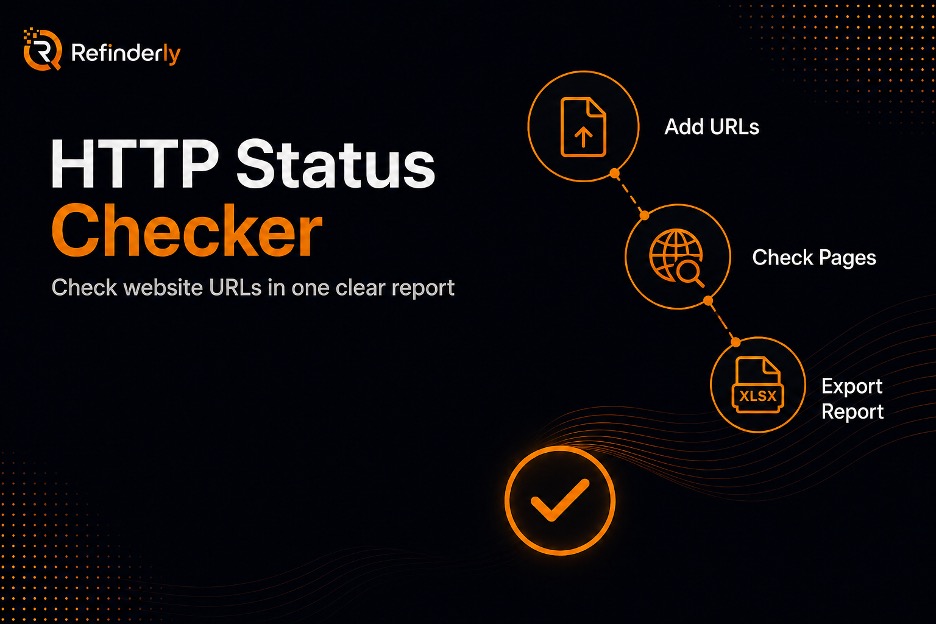
The Status Checker gives SEO teams a bulk view of how their submitted URLs respond at the server level. Its most important distinction is that Refinderly does not follow redirects. If an address returns 301, 302, 307 or 308, that original response appears in the report instead of being replaced by a 200 code from the final destination.
This matters because browsers typically follow redirects automatically. An old URL can therefore appear to work even though visitors are being sent somewhere else. By keeping the first response visible, Refinderly allows the user to decide whether the redirect is expected. A planned 301 after a website migration may be correct, while an unexpected redirect on a current landing page, external resource or backlink placement may require attention.
The same approach is useful during technical SEO audits and reviews of larger link lists. Teams can check existing pages before a migration, repeat the check after launch and confirm whether old addresses return the intended response. Internal and external links can be reviewed for moved or unavailable destinations. Link builders can also examine a publication URL before paying for a placement and check it again after the article goes live.
Results are grouped into familiar HTTP categories. 2xx codes indicate that the request was completed successfully, 3xx identifies redirects, 4xx covers unavailable or rejected requests, and 5xx points to server-side failures. When no HTTP code is returned, Refinderly reports the type of connection problem instead of placing every failure under a generic label. Possible results include DNS, Timeout, TLS, No connection and Blocked.
Refinderly reports only on URLs supplied by the user. It does not crawl a website to discover pages, build redirect chains, identify the final destination or repair technical issues. The report shows the original response for each submitted address so the appropriate next step can be determined by the SEO or development team.
Where Refinderly Fits Into Recurring SEO Checks
URL checks are most useful when they become part of an established SEO process rather than a one-time reaction to lost traffic. A team can begin with a focused list of important articles, landing pages, product pages and backlink placements. Checking these addresses together creates a consistent record that can be reviewed after publishing, during reporting or when a technical change affects the website.
The first stage is to identify which exact URLs are present in Google’s index. Pages marked Not indexed can be separated for further investigation instead of remaining unnoticed among successfully indexed content. The team can then check the HTTP responses of the same addresses or related URLs to distinguish successful responses from redirects, client errors, server errors and connection failures. These reports answer separate questions but can be used together when diagnosing why a priority page is not delivering the expected SEO value.
Completed data can be exported to Excel or Google Sheets and passed to the person responsible for the next action. An SEO specialist may review an indexing issue, a developer may investigate an unexpected response, and an account manager may include the findings in a client report. This separation keeps technical evidence attached to the relevant URL without expecting every team member to repeat the original check.
After an Index Checker run is complete, Refinderly also allows the saved URL list to be checked automatically each week. The system compares the latest verdicts with the previous results and sends an in-app notification only when something changes, such as an indexed page dropping out or a previously missing page returning to the index. If all verdicts remain the same, no notification is sent. Each automatic Indexed or Not indexed result uses one credit, while an Error remains free.
This recurring option applies only to Index Checker. Status Checker runs are started manually, and Refinderly does not automatically compare separate status reports or schedule repeated HTTP checks.
Why Refinderly Works for Both Focused and Large URL Lists
SEO workloads vary considerably. A content owner may need to review a small group of recently published articles, while an agency or link-building team may be responsible for thousands of URLs across several websites and client campaigns. Refinderly supports both situations without requiring large lists to be divided into a sequence of small checks.
Index Checker accepts up to 10,000 URLs in a single run on every plan. Each Indexed or Not indexed verdict uses one credit because the check produced a conclusive answer. An Error does not use a credit, as no indexation verdict was delivered. Exact duplicates are removed before processing and billing, preventing the same URL from consuming credits more than once. Free starting credits are issued after email confirmation, giving new users an opportunity to evaluate the checker with pages from their own projects.
Status Checker also processes up to 10,000 URLs per run, but it does not deduct credits regardless of the number of submitted addresses. Access is included with the Advanced, Business and Business+ plans. Each team can run one Status Checker job at a time, while tasks in other Refinderly products remain available and can continue separately. The tool should therefore be described as a no-credit plan feature rather than a completely free service.
This flexibility suits several types of SEO work. Content project owners can inspect selected articles and landing pages, while link builders can review publication URLs across multiple placements. Agencies can prepare reports for different clients, and PBN teams can check pages distributed among several sites rather than focusing on a single website. Specialists managing multiple sites can combine addresses from different domains in the same run.
The practical advantage is not simply the maximum list size. Refinderly allows teams to use the same workflow for a focused group of priority pages and a much larger portfolio, while keeping the billing rules and results clear for every submitted URL.
Use Refinderly to Make URL Checks Part of the SEO Workflow
URL checks are most valuable when their results lead to clear decisions. Refinderly brings indexation and HTTP data into a structured workflow so teams do not have to rely on disconnected searches, browser visits and manually updated spreadsheets. Index Checker shows which exact pages were found in Google, while Status Checker records the first response returned by each submitted address.
Together, these findings help specialists decide where further investigation is needed. A Not indexed page may require an examination of its content, internal links or technical settings. A 3xx response can be compared with the intended redirect plan, while a 4xx, 5xx or connection failure can be sent to the person responsible for the website. Because the reports can be exported to Excel or Google Sheets, the findings can move directly into an existing audit, client report or development task list.
Refinderly does not repair broken pages, change redirect rules or submit content to Google for indexing. It also cannot guarantee rankings or organic traffic. The platform provides current results for the supplied URLs, leaving SEO teams and developers to interpret those results and choose the appropriate response.
New users can create an account, confirm their email and apply the starting credits to an index check using pages from their own website, content portfolio or backlink list. Teams that need bulk HTTP status checks can access Status Checker on the Advanced, Business and Business+ plans, where runs of up to 10,000 URLs do not deduct credits.

