
What Causes Live Sports Apps to Show Different Scores
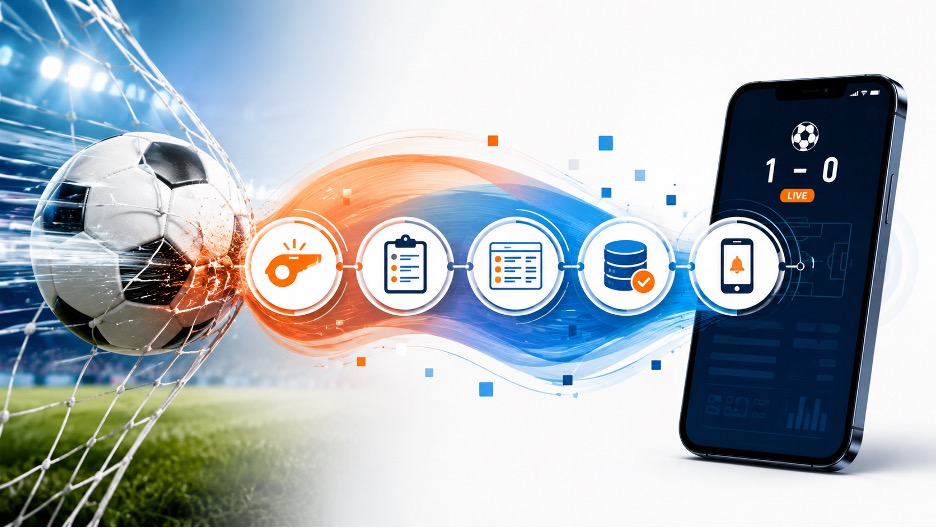
Two sports apps can show different scores without either one being dishonest or broken. One may have received a confirmed event first, another may be waiting for a feed refresh, and a third may already be correct inside the app while its Android notification is still delayed. The useful question is therefore not simply, “Which app is right?” It is, “At which stage did the information diverge?” Once the score’s route is separated into stages, most mismatches become easier to explain.
A live-score screen sits at the end of a chain, rather than beside the field. A measurement study of sports live data feeds describes information moving from the match into a specialist feed, through databases and content-delivery systems, then onward to the website serving the viewer. Each handoff can add processing time. Two apps may also use different providers, update schedules, cache rules, or methods for deciding when an event is confirmed.
From Match Event to On-Screen Update
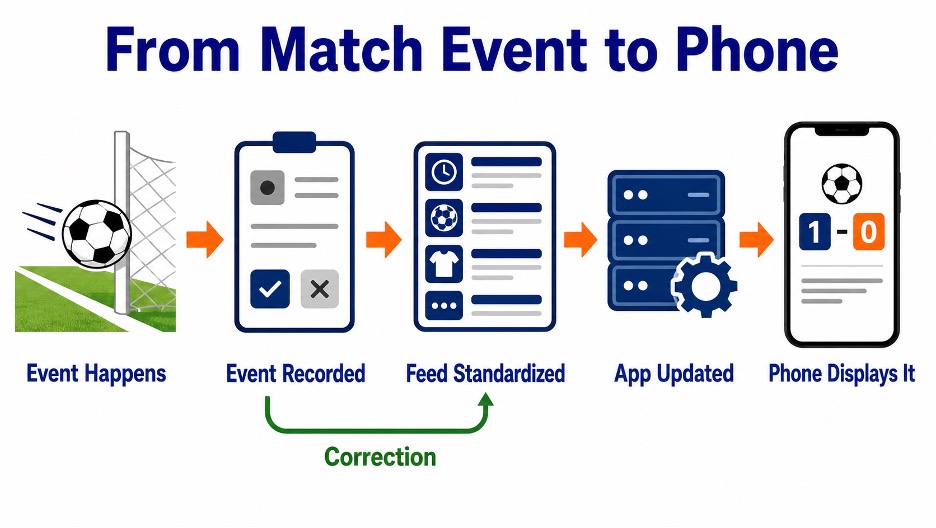
Four timings are often confused: when something happened, when it was recorded, when an app received it, and when the phone showed it. A screen can accurately display the newest data available to that service while still lagging behind another service connected to a different route.
Consider someone following a game through Lucky Rebel, whose broad homepage offers a Sports option. A goal, point, card, or substitution does not travel directly from the venue to that screen. It may first be entered or detected, checked against the match state, normalized into a consistent format, passed to a platform, cached, and then rendered. Another service may confirm the same event later, poll its source at a different moment, or temporarily display an unconfirmed change.
Lucky Rebel’s layout shows where sports information can be accessed, but it does not reveal the private supplier, refresh interval, correction policy, or delivery protocol behind that information. The same limit applies when judging any live sports interface from the outside. A faster screen is not automatically more accurate, and a later screen is not automatically wrong. The useful comparison begins with timestamps and event status, not assumptions about the technology operating behind the page.
The difference becomes clearer when raw events are separated from interpretation. A sport-by-sport discussion of in-game data mentions shot quality, turnovers, first-serve percentage, unforced errors, possession, and expected goals. Those indicators can describe how play is developing, but they are not identical to official score events. Two interfaces may select, calculate, label, or refresh such statistics differently, even while agreeing on the score.
The Five Stages Behind a Live Score
A practical diagnostic sequence follows the score from the match to the phone:
- The event happens. The ball crosses the line, a point ends, or an official makes a call.
- The event is recorded. A human operator, tracking system, or official source registers it. Some incidents require confirmation or review.
- The feed standardizes it. Names, timestamps, event types, and match status are converted into data an app can use.
- The app processes it. The service receives the feed, updates its database or cache, and decides what to show.
- The phone presents it. The open screen refreshes, or the operating system delivers a notification while the app is in the background.
A correction creates a separate path. The original record may be amended after review, such as a scorer attribution changing or an event being overturned. An app that updates later may therefore be showing the corrected record, while an earlier alert preserves the first version.
Match clocks can disagree for another reason: one interface may show the venue clock, another may calculate elapsed time locally, and some sports stop or adjust time under specific rules. A difference of a few seconds does not necessarily indicate a different score source. That is a data revision or timing convention, not the same problem as a slow notification.
Correction, Refresh, or Notification Delay?
Start by comparing the app screen with its own alert. If the score is current when the app opens, but the notification arrived late, the event probably reached the service before the phone displayed the message. Background restrictions, power-saving behavior, app state, network loss, or manufacturer-specific controls can affect that final step. Threema’s explanation of delayed notifications on some Android devices describes how aggressive background limits can postpone incoming messages, even when the sending service is functioning normally.
If the screen itself is behind, reopen or manually refresh it, then compare the event time rather than the clock shown on the phone. A stale cache or missed connection may recover immediately. If the score changes twice, check whether the sport permits reviews or statistical corrections before assuming a technical fault. If two services remain different for several minutes, compare an official competition source when available.
The key distinction is provenance. A score, an interpreted statistic, an app refresh, and a push alert are separate outputs with separate clocks. Record what changed, where it changed first, and whether it was later revised. Finding which clock is late tells you far more than declaring one app “faster” after a single goal, and it prevents a temporary correction from being mistaken for a permanent reliability problem.


