
Seedance 2.5 Review For A Handset Promo Clip
Launch posts already have the handset still. What they lack is a short move that keeps the label readable, and that is the job for seedance 2.5.
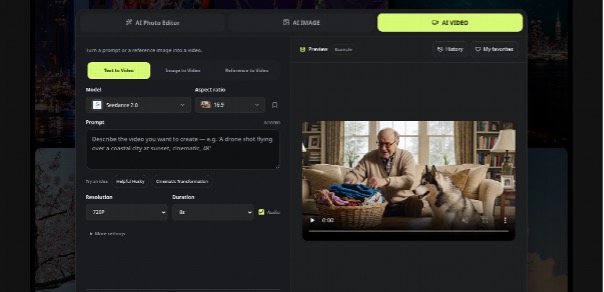
A desk can set the product photo beside the finished clip and ask whether the phone stayed the same object for the whole move. SeedVideo shows a credit quote before you generate, so the review can stop on a bad quote instead of paying for a reshoot that only needed one push-in.
Why The Product Still Comes First
Image-to-video takes the uploaded photo as the first frame, and it can take an optional last frame when the ending pose matters. The aspect ratio follows that source image. If the post slot is vertical, crop the retail photo before upload. A wide table shot will stay wide, and the phone will sit small in the frame no matter how carefully you describe a close-up.
Text prompts and reference mode offer selectable ratios, but those are a different request. Image mode and reference mode cannot share one generation. On a handset story that split is useful. The still already holds the color, the camera island, and the wordmark. The clip only has to add one believable change: a slow approach, a hand setting the phone down, or light moving across the glass.
One action is easier to judge than a prompt that also asks for a crowd, a spinning logo, and a second product. SeedVideo is an independent platform for this ByteDance model, and the studio is not the model maker. The review question stays local. Did the move keep the handset you uploaded, or did it invent a different device.
Prepare The Still And Then Generate
The published path has three moves. A phone desk can run them from a still it already owns, without inventing extra buttons or a location day.
Choose Image Mode For The Handset
Select image mode when the composition is already in the photo. Upload a still you have rights to use, and remove any extra file that fights the look. A sharp, uncluttered product shot makes the phone easier to separate from the table. If you only want to explore a scene you do not have yet, text mode is the other door. Do not stack image mode and a pile of reference clips in the same request, because the two modes stay apart.
Write One Move With A Sound Cue
Describe the main action first, then framing, light, and sound. Tell the model how the shot progresses: the camera approaches the phone, or a hand turns it toward the window. Keep the timing believable. Native audio can follow a written sound note, such as a soft table tap and room tone, with no speech. Review the sound with the picture. A product post fails when the noise fights the move, even if the phone still looks right.
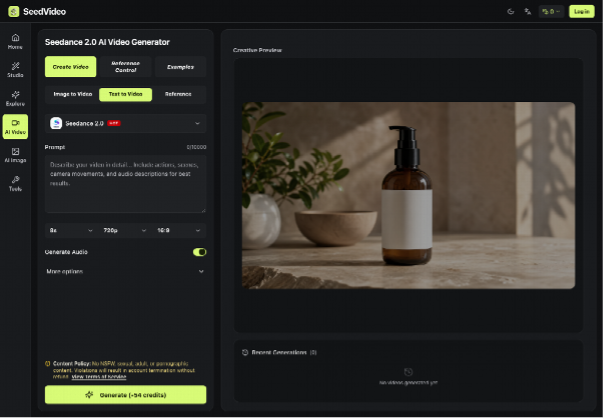
Then choose the output settings and read the credit quote before you generate. Preview the motion, the subject, and the sound. Download a useful file as MP4 or MOV, or change one detail and compare another draft. A useful comparison keeps the same still and the same action, and it changes only camera speed or the sound note.
Check The Label Through The Full Clip
Play the file from the first frame to the last. A pretty opening second is not the review. Handset posts get caught on the wordmark, the camera island, and the frame edge, because those are the parts a reader can compare with the retail photo in one glance.
| Check | Pass | Reject |
| Wordmark | Same letters, same place on the glass | Letters warp, slide, or vanish |
| Body edges | Camera island and frame stay put | Extra buttons or a melted corner |
| Sound | Room tone matches the move | Speech or noise the prompt did not ask for |
The page’s own samples are marked 720P, 10 seconds, and audio on. That size is a practical check for a device post: long enough for one push-in, short enough to watch twice before anyone schedules a reshoot. If the opening looks fine and the last second does not, the pass fails the table.
Reject A Pass When The Logo Drifts
Watch the whole clip for a changed camera island, an extra object, or a jump in light. If a hand is in frame, watch the fingers as well. If the wordmark drifts or the glass edge crawls, reject that pass. Do not publish it and hope the caption hides the error. Change one weakness in the next prompt, such as “keep the wordmark still,” instead of adding more detail everywhere. Save the strongest file and note what you held constant.
Where 720p Checks And 1080p Delivers
The current controls offer 480p, 720p, and 1080p. A lower resolution can check an early idea when you are still deciding whether the move is worth a higher file. Look at 1080p before the post ships if the wordmark is small. Small type that looks acceptable at 720p can break once the clip sits next to a sharp retail photo.
Image-to-video locks the aspect ratio to the source, so the crop is a decision you make before the quote, not after. Leave a little space around the phone if a caption will sit on the clip later. Exact prices, a legal line, and a logo that must match the brand file belong in the editing app after download. The generator is the stronger tool for the move itself. It is the wrong place to typeset the offer.
On SeedVideo, native audio is part of the same pass. Review timing and clarity with the picture, then open the file in the editor you already use for device posts. If the sound is late or the room tone swells over the wordmark moment, treat that as a failed check and adjust the sound note, not the whole product description.
Mistakes That Waste A Device Post
Most wasted credits on this job come from a prompt that asks the model to redesign the phone, not from the lack of a studio. These are the misses worth catching before a second paid pass.
- Image mode and reference mode combined in one request, which the generator does not accept as a single run.
- A prompt full of competing events, so the phone, a crowd, and a logo animation fight for the same ten seconds.
- An uncropped photo that leaves the handset as a small object in a wide frame.
- Another generation that changes five things at once, so you cannot tell which edit caused the drift.
Each miss costs time twice. Someone waits on the quote, then someone watches a clip that cannot be posted. A cleaner loop is one still, one action, one change, and a full-length check against the table above. If the label is unreadable, stop. A reshoot is the right spend only when you need a real hand, a real store, or a line of type the picture must carry.
Keep The Clip Or Book The Reshoot
SeedVideo fits a phone desk that already has a sharp product still and needs one camera move with a readable label. Read the quote, run the pass, and keep the file only if the wordmark, the body, and the sound survive the full clip.
Book the reshoot when the story needs a person the still does not contain, or when the offer text has to be exact inside the picture. Add that type in the editor after a clean download. The motion pass does not replace the retail photo. It puts that photo in motion when the photo is already the right device.
If the quote is high for a ten-second check, drop the resolution for the trial pass and spend the higher file only on a move that already held the label. That is a review decision, and it is available before anyone calls a studio.
Related Posts
-
 The Barometer in Your Pocket: How Smartphone Altimeter Data Is Quietly Becoming Evidence in Slip, Trip, and Stairwell Fall Cases
-
 Before You Build the Art: How Visual Prototyping Can Protect an Indie Game From the Wrong Direction
-
 Cryptocurrency XRP investors are using Quid mining
-
Tongits Star vs. GameZone: Exploring the Differences Between Two Popular Platforms