
Eight Android App Categories in Daily Use
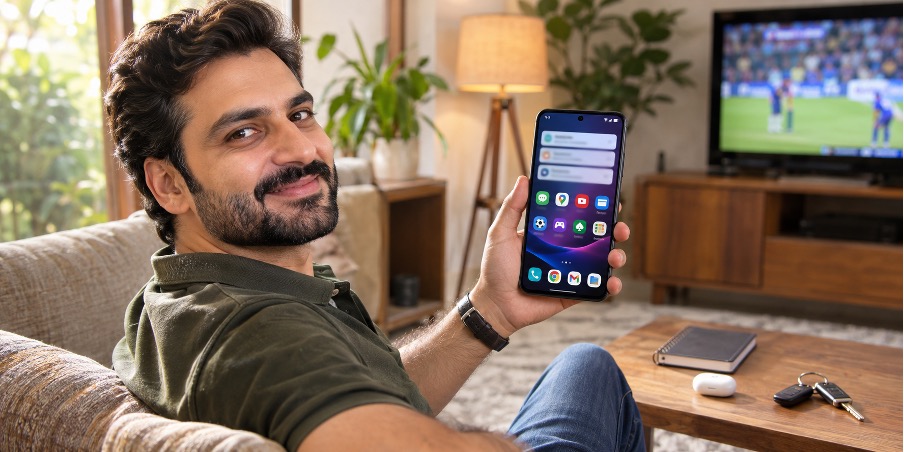
By Friday, a new Android phone has old chats, three games and more alerts than expected. One map is still missing for the road out of town. During a cricket match, a score notification may pop up over a betting page opened after searching for betting app in pakistan, briefly covering the odds on screen. The same screen serves eight kinds of app, but each asks something different of the phone.
1. Messaging and the missing address
At eight, a group chat starts arguing about where to meet. The address was posted yesterday, above fifty messages and three photos. Search beats scrolling. Pinned messages spare the same hunt the next morning. Muting the group need not silence a direct call.
After a phone transfer, old messages might return without every photograph or voice note. Better to notice before resetting the previous handset.
2. Navigation beyond the last signal
An hour outside town, the phone loses its mobile signal. The driver still sees the next turn because the map was downloaded the night before. Live traffic updates are no longer available, and bus departure times won’t refresh.
There’s another catch. If a road closed that morning, the saved map may still show it as open. That’s worth knowing when driving somewhere unfamiliar.
3. Streaming after an unexpected call
The phone rings halfway through an episode. Ten minutes later, the video opens at the beginning instead of where it stopped. The subtitles have switched off too. White captions can be hard to read against a bright scene without a dark outline.
Downloads bring another surprise. Two episodes of similar length may take very different amounts of storage, depending on picture quality. Some saved videos also expire. Before a long train journey, an episode can be opened with mobile data off to make sure it still plays.
4. Finance and the notification pile
The café accepts the card, but the banking app still says “pending”. Later, the completed payment appears with the café’s name. Payment alerts can stay on while discount offers are muted.
Fingerprint login is quick. The amount might already be visible on the lock screen.
| Category | Everyday job | Detail to notice |
| Messaging | Find conversations | Search and muting |
| Navigation | Follow a route | Offline areas |
| Streaming | Watch and resume | Captions and storage |
| Finance | Review payments | Alert settings |
| Sports | Check a match | Scorecard details |
| Games | Play short sessions | Saves and controls |
| Betting | Follow markets | Odds and bet slip |
| Productivity | Edit and plan | Offline syncing |
5. Sports scores without the guesswork
At 78 minutes, a football alert says 2–1. Who scored? The match page has the minute and scorer. In cricket, 146/5 means little without the over or target.
A wicket can change live betting odds before the score app sends an alert. The feeds are not always in step. The scorecard may name the dismissed batter before the notification arrives.
6. Games in a short queue
A puzzle opened in a coffee queue needs to remember its last move. Racing games are fussier. Turn the phone sideways and a steering button may sit under a thumb. Some titles download extra files after installation.
Casino games place stakes and balances beside the action, where small figures must stay legible. Multiplayer matches need a steady connection.
7. Betting markets on a narrow screen
At 146/5 after 18 overs, a cricket page might show prices for the match winner and total runs. Scroll down and there’s a market for the next wicket. Odds can change between deliveries, while suspended markets may show no price.
The bet slip lists the selection, stake and odds. Roulette uses a betting grid, while an instant casino game may need just one main button. Balance and possible payout appear separately.
8. Productivity when a connection drops
A note edited on the train stays offline until the signal returns. Back at home, the laptop still shows the older version. The latest changes appear once the app syncs.
Shared shopping lists can have the same delay. One person adds milk, but the other doesn’t see it straight away. Meeting reminders also need to update across devices.
After the first week
On Friday afternoon, a payment receipt, a team lineup and six suggested videos may all reach the lock screen in quick succession. Android can separate app notifications, sometimes by category; menus vary by device. A saved map or episode is worth opening before leaving Wi-Fi. The apps that earn their place usually prove it in ordinary moments.


