
Phone Coverage Cannot Repair A Missing Scene Turn
A phone can capture sharp faces, steady movement, and convincing low-light colour while the scene itself remains impossible to cut. The actor crosses the room, the product is shown, and every line has coverage. In the edit, nobody can tell where the pressure came from or why the character changed direction. The camera recorded activity, not a turn.
Coverage begins with a simpler test: can the team state the scene’s geography, pressure, and change before choosing a lens or camera move? If those three things are vague, more angles will document the uncertainty rather than solve it.
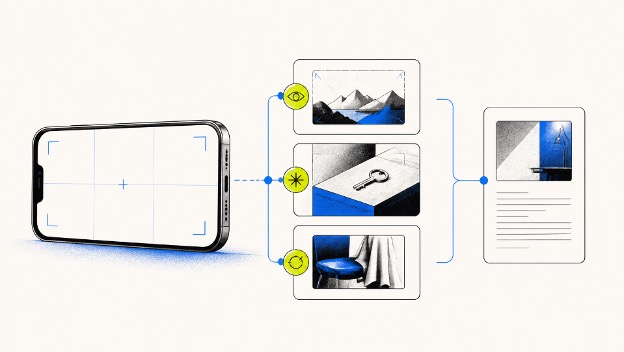
Establish Geography Before Planning Any Coverage
Geography is more than a location name. It tells the audience where the door, counter, window, other character, and important object sit in relation to the performer. If a delivery rider enters a repair shop and suspects the technician has swapped a phone, the counter is not background. It separates the customer from the evidence.
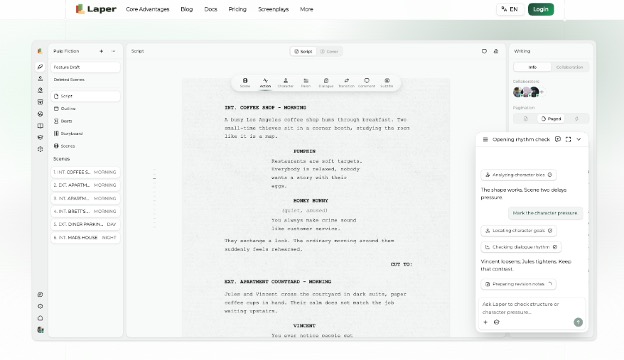
In Laper, use an AI Script Writer only after writing the scene heading correctly and identifying the two or three spatial facts the conflict needs. The rider can see the opened package but cannot reach it. The technician stands between the counter and the exit. A second customer hears the accusation. Those facts give a phone operator screen direction and eyelines to preserve.
Use Movement To Reveal The Power Shift
Do not choreograph walking merely to keep a frame busy. Let movement alter access. The rider steps around the counter and sees the serial number. The technician closes the door. The waiting customer raises a phone to record. Each action changes what can happen next and gives the camera a reason to reframe.
A simple floor sketch can expose contradictions before shooting. If the package is visible in the wide shot but supposedly hidden from the rider, the screenplay and blocking disagree. Correct the action or the geography on the page rather than hoping a close-up will conceal the gap.
Name The Pressure That Forces A Choice
Pressure is the condition that makes delay costly. In the repair-shop scene, the rider may have five minutes before a delivery penalty, while accusing the technician in front of a customer could damage both businesses. Without that conflict, the serial number is only information. With it, checking the number becomes a choice with consequences.
Give the pressure a visible clock or witness when appropriate, but do not explain everything in dialogue. A sequence of incoming delivery alerts, the waiting customer’s attention, and the technician reaching for the package can carry urgency. The writer should know which pressure matters even if the character never names it.
Define The Turn In One Sentence
State what the character believes at the beginning and what they decide by the end. “The rider enters certain the technician cheated him and leaves choosing to protect the shop after discovering his own dispatch label caused the mix-up.” That sentence gives the scene a before and after. It also reveals that a confession, not just a serial-number insert, must land.
If the sentence contains several unrelated changes, the scene may be carrying too much. Split the material or choose the decisive turn. A short mobile video benefits from compression, but compression works only when the audience can still follow cause, discovery, and choice.
Let Sound Carry Pressure Before Adding Angles
Phone-first production often treats sound as a technical problem to solve later. At script stage, sound can do dramatic work. A delivery alert can shorten the rider’s available time, a door lock can change the room’s safety, and the witness’s recording tone can turn a private dispute into public risk. Name the sound because it changes the choice, not because the scene needs atmosphere.
This decision may also reduce coverage. If the rider hears the lock while looking at the serial number, the audience can register new pressure without another explanatory insert. The operator still needs usable recording, but the screenplay has supplied a reason to hold the reaction rather than cutting away to generic detail.
How To Plan Three Decisive Shots Around The Turn
Start with roughly three shots, each answering a different dramatic question. The first establishes geography and pressure. The second reveals the fact that changes interpretation. The third holds the choice and its consequence. These are not mandatory shot sizes; they are jobs the coverage must perform.
Orient. Put the rider, technician, counter, package, and witness in one readable space. A stylish close-up fails this job if it hides who can see or reach the package.
Reveal. Bring the dispatch label and matching serial number into the same visual idea. Two isolated inserts provide facts, but they do not show who discovers the connection.
Turn. Hold on the rider stopping the witness from posting and admitting the mistake. A final product shot cannot replace the character’s choice.
If the three-shot draft cannot show who discovers the label, ask an AI Movie Script Writer to challenge that job within the actual scene rather than produce a generic shot list. Laper stores ordered shots inside scene scope, with subject, framing, camera position or movement, action, and dramatic purpose available as explicit decisions. The director still chooses what the phone should capture.
Test The Sequence Without Production Polish
Read the three shots as thumbnails or simple blocking notes. Can someone unfamiliar with the script identify where the package is, who learns the new fact, and what decision follows? If the explanation requires dialogue copied beneath every frame, the visual sequence may not be carrying its share of the scene.
Laper separates storyboard shots from generated image tasks and assets. That distinction lets a team reject a beautiful image without losing the shot’s purpose. Revise the composition, reference, or asset while keeping the scene turn visible.
Know The Limits Of Shot Count Guidance
Three decisive shots are creative guidance, not a hard software maximum. A conversation may need reaction coverage, a moving action may need another angle, and safety or continuity can require alternatives. When a plan grows beyond six shots, reconsider whether each addition clarifies geography, pressure, or the turn.
Run A Phone-First Check Before The Camera Rolls
Before the actors arrive, stand in the real location with the phone. Frame the orienting shot, walk the reveal, and hold the turn. Check whether the background, available light, and operator position preserve the relationships written on the page. Record a rough rehearsal and watch it once without sound. This is a staging check, not a claim about image quality.
Laper keeps the scene and ordered shot intentions together, giving the crew one place to test those decisions. Performance truth and handheld style still emerge in rehearsal and review. Keep one alternate only when it protects a named risk. The pre-camera win is simpler: every recorded angle has a dramatic job, and the editor receives a scene that already knows where it changed.


