
Smart Game Booster Review 2026: Does It Really Boost FPS?
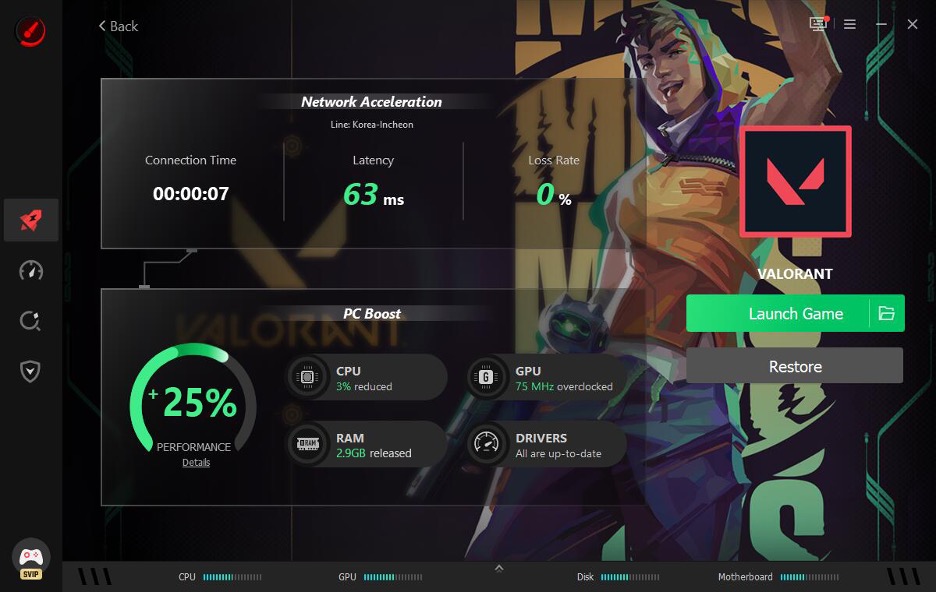
I was playing Valorant, and every few minutes I kept getting destroyed by random lag spikes. My ping would jump, and my FPS would tank right when I was in a fight. So I went looking for something that could actually help fix my setup, and that’s when I found a tool called Smart Game Booster from iTop Inc.
This review covers my honest experience with version 6 and whether it genuinely boosts FPS or just makes big promises like a lot of other “optimizer” software out there.
What Is Smart Game Booster
Smart Game Booster is a user-friendly and highly efficient optimization utility tailored for PC gamers, designed to provide a smoother and more seamless gaming experience. It combines system tweaks, GPU overclocking, network acceleration, and security scanning into one program. The latest update adds a Network Acceleration feature with over 500 game servers worldwide, which is what I was most curious about.
My First Impressions After Installing It
The installer is about 88MB and works on Windows 7 through Windows 11. Setup took less than two minutes on my machine. The interface looks clean and modern, unlike some older booster tools I tried years ago. I appreciated that everything was laid out clearly without needing a tutorial.
How I Actually Used Smart Game Booster
Getting started was easier than I expected, and this is exactly how I did it.
Step 1
Open the Smart Game Booster official website. After downloading and installing the app, I launched it on my Windows PC and let it scan my system specs automatically.
Step 2
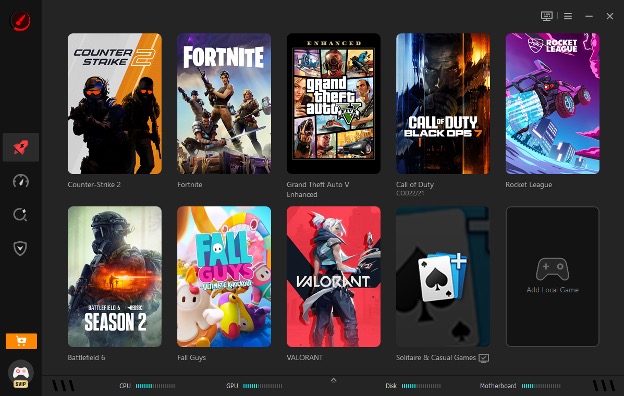
Simply select a title from the game list—like Valorant, for example. Doing this allows you to simultaneously enhance your PC performance and internet connection, optimizing your CPU, GPU, RAM, and network with just a single click.
Step 3
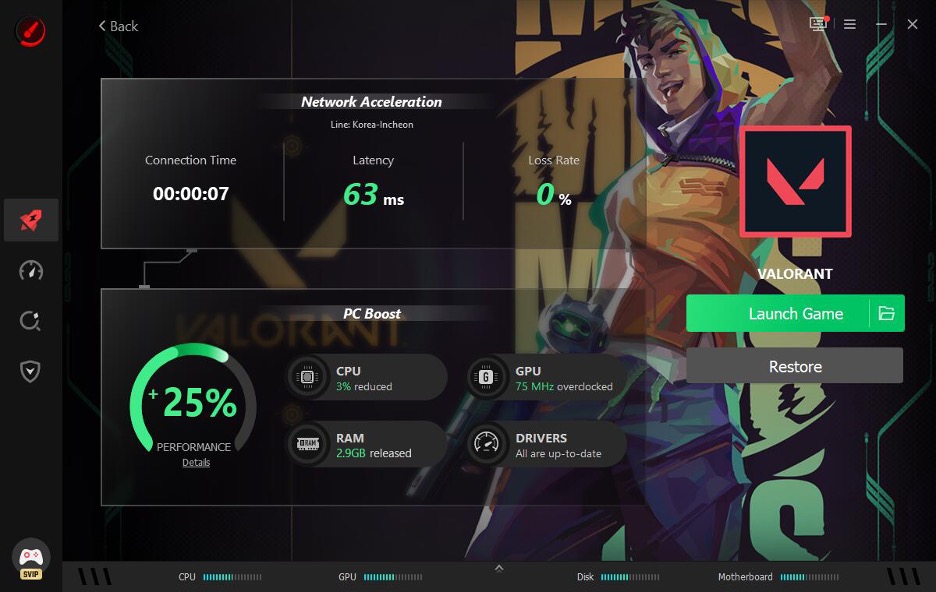
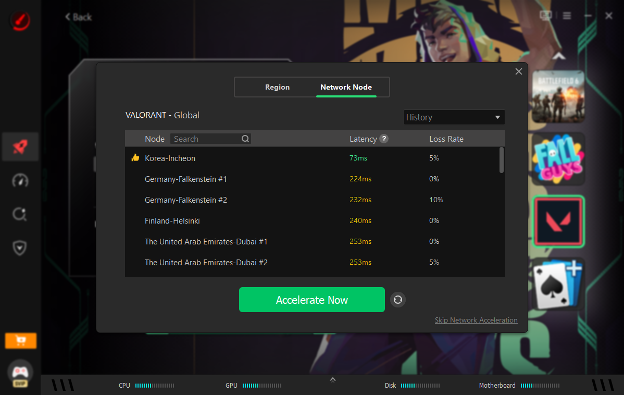
For Network Acceleration. I opted for a nearby server line for lower latency. It was this segment that really made the difference in online lag. After that, I can enjoy high-FPS and low-ping gaming.
Does It Really Boost FPS
Here’s where I want to be honest, not just hype things up. My FPS in Valorant went from averaging around 140 to a steadier 165-170, with fewer dips. That’s a real improvement, but it’s not some magical doubling of performance. The Super Boost feature claims up to 30 percent improvement through GPU and VRAM overclocking, and my results landed somewhere in that range depending on the game.
Ping-wise, I saw a noticeable drop during peak hours, when servers are usually congested. It wasn’t dramatic every single time, but during busy evenings the difference was clear enough to notice mid-match.
Pros I Noticed
- Genuinely easy to use even for non-technical gamers
- Safely overclock the GPU and VRAM for a risk-free performance upgrade.
- Network Acceleration helped during peak-hour congestion.
- Can I Run It database covers 160000+ games and thousands of GPUs and CPUs, which is handy before buying new titles.
- The built-in customizable overlay can track live FPS, CPU/GPU temperatures, and usage rates without leaving the game.
Cons Worth Mentioning
- FPS gains vary heavily depending on your hardware and game.
- Some features, such as network acceleration, require a premium plan.
- Background scanning can briefly use more CPU during initial setup.
- Not a replacement for actual hardware upgrades if your PC is genuinely outdated.
Who Should Try This Tool
If you’re gaming on a mid-range PC and dealing with random stutters or annoying ping spikes during peak hours, this tool is worth testing. If you already have a high-end rig with a stable wired connection, you might not notice as dramatic a difference. It’s best suited for casual to semi-competitive gamers who want a quick optimization layer without having to dig through Windows settings manually.
Final Verdict
Smart Game Booster isn’t a miracle fix, but it does deliver measurable improvements, especially around network stability and background resource management. My experience showed real FPS gains and reduced ping during busy hours, which matters a lot for competitive titles like Valorant.
If you’re tired of random lag ruining your matches, it’s worth giving this tool a try yourself. You can download this Game Booster directly and test it on your own setup to see the difference firsthand.


