
WhatsApp CarPlay Launches: A Native App Experience for Drivers
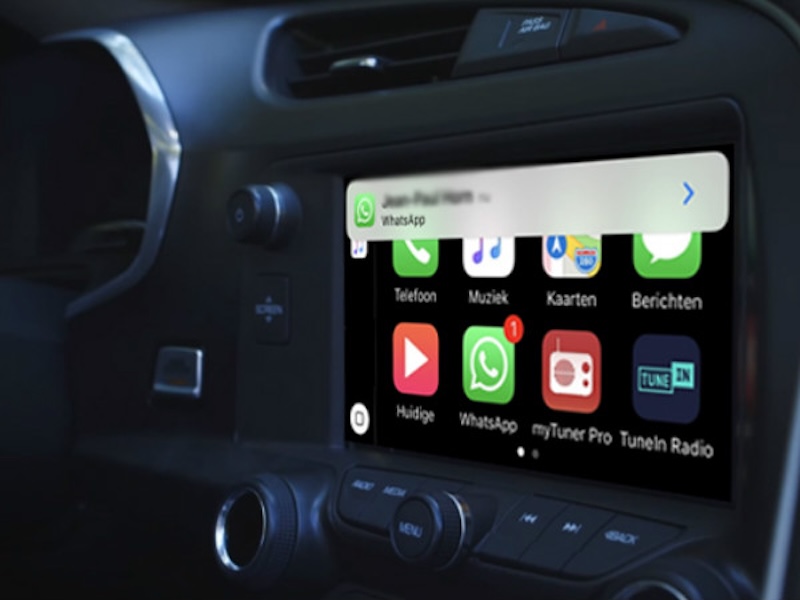
Following its recent expansion to Garmin smartwatches, Meta’s globally dominant messaging platform is shifting its focus to the dashboard. The highly anticipated WhatsApp CarPlay native application has officially entered the beta testing phase, transitioning from a strictly voice-reliant integration into a dedicated, visual interface designed specifically for drivers.
From Siri Integration to a Native Interface
Previously, the WhatsApp CarPlay experience was heavily restricted. The platform lacked a native user interface, forcing drivers to rely entirely on Apple’s Siri to dictate messages, read incoming texts aloud, or initiate calls. Users could not visually browse their recent conversations or manage their chat lists.
With the latest beta update rolling out via Apple’s TestFlight, the new WhatsApp CarPlay application changes this dynamic. The app now features a tailored interface that supports both light and dark modes. It delivers basic messaging and calling functionalities carefully structured to minimize driver distraction.
Chat Lists and Smart Filtering
Upon launching the WhatsApp CarPlay app from the dashboard, users are immediately presented with a dedicated chat list displaying recent conversations from the past 20 to 25 days. To ensure road safety, the app intentionally restricts users from opening and reading entire chat histories.
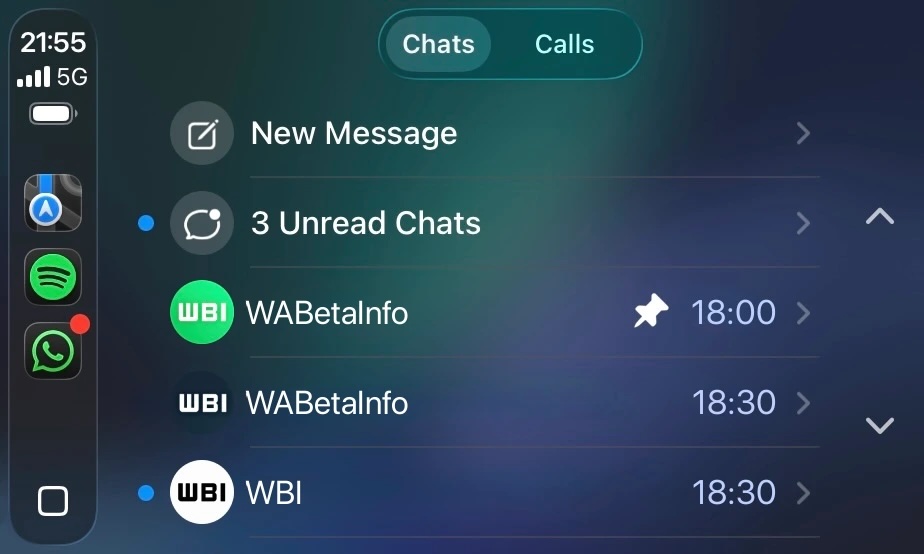
Instead, the chat list provides essential, glanceable context. It displays the contact’s name, the time of the latest interaction, and indicators showing whether a chat is muted or pinned. Unread messages are clearly marked with a blue dot, and a convenient filter allows users to view only unread chats. If a desired contact is not immediately visible, drivers can tap the always-present “New Message” option to reach anyone in their address book.
Contact Details, Call History, and Favorites
The native WhatsApp CarPlay interface greatly simplifies how drivers manage their communications on the road through three main sections:
-
Contact Information: Tapping a contact from the chat list opens a streamlined profile screen showing their name and icon, alongside prominent buttons to instantly send a message or start a call.
-
Detailed Call History: A dedicated second tab organizes all incoming, outgoing, and missed WhatsApp calls. This allows drivers to quickly identify who called and return a missed call with a single tap, rather than navigating complex voice menus.
-
Favorites Tab: The third tab in the WhatsApp CarPlay app is dedicated to “Favorite” contacts. Synced directly from the user’s smartphone settings, this feature ensures that a driver’s most important contacts are instantly accessible without requiring them to scroll through a lengthy chat list.
Beta Availability and Future Rollout
Currently, the native WhatsApp CarPlay app is available exclusively to beta testers enrolled in the iOS beta program via the TestFlight app. Because the software is still in its testing phase, users may encounter minor bugs, and certain functionalities may evolve. The development team is strictly focusing on core interactions to maintain driving safety, meaning not all mobile app features will be ported over. Once the beta phase concludes and the software is deemed stable, it will be released publicly on the App Store.
Feature Overview: WhatsApp CarPlay Beta
| Feature | Description in the CarPlay Interface |
| Native Interface | Dedicated UI supporting both light and dark modes, replacing the Siri-only experience. |
| Chat List | Displays recent chats (20-25 days) with visual indicators for unread (blue dot), pinned, or muted conversations. |
| Safety Restrictions | Prevents reading full chat histories on the dashboard screen to minimize driver distraction. |
| Call History Tab | Centralized list of all incoming, outgoing, and missed WhatsApp calls for quick redialing. |
| Favorites Tab | Quick-access list of VIP contacts synced directly from the user’s iPhone settings. |
| Current Availability | Limited to iOS beta testers via Apple TestFlight. |


