
Stop Buying New Gear: How AI Video Upscaling Can Breathe New Life into Your Old Content Library
Introduction
It is not essential to buy a new camera worth $2000 if you want to get better videos. Many creators believe that improved quality can only be achieved through better equipment. When a video looks old, people immediately think of buying new gear. Meanwhile, very valuable videos, old YouTube uploads, product demos, webinars, and testimonials are still in 480p or 720p simply because they don’t look “modern” anymore.
This article reveals a clever way; instead of hardware upgrading, you can upgrade your footage. Here you will find out what AI video upscaling is, why it is more economical than buying new equipment, and how it can change your existing content library into crisp, high-resolution works that you can use on the latest platforms.
The Hidden Value in Your Old Content Library
Instead of springing to buy new equipment, you should first consider the treasure that is your content library. Here are some valuable examples to consider:
- The YouTube videos you posted a long time ago but still receiving views
- Marketing ads you no longer use but which once worked in generating leads
- Recordings of courses full of valuable knowledge
- Demos of your products where your offers are clearly shown
- Videos made by a phone that capture candid, real-life moments
It’s not your content that is the problem; it’s the resolution. Videos of grainy, low-quality can make even the most interesting ones look old-fashioned. The good thing is that with a variety of AI upscaling tools at your disposal, you can revive those videos without sacrificing their original character to a modern, high-definition finish. It is essentially your content, but at a higher level.
Why Traditional Fixes Don’t Work
Many creators believe that re-editing the footage, adding sharpening filters, or cropping is enough to fix the old video, but these tricks have nothing to do with increasing the resolution. Simply re-editing the footage will only change the sequence of the frames, a sharpening filter will give more prominence to the noise, and when the video is cropped, the visible area is reduced, which gives the impression of even lower video quality.
The hidden costs of reshooting
If a new shot is started as a continuation, it seems like a choice, but there will be serious costs involved:
- Equipment: Cameras, lenses, and rigs
- Lighting: Proper setups to match previous footage
- Actors or talent: Extra fees if reshooting people
- Time and effort: Planning, filming, and editing from scratch
Why traditional upscaling fails
Traditional upscale uses interpolation, which involves stretching pixels to fit higher resolutions. The output? Disappointing, blocky images that have no resemblance to the present day.
AI video upscaling: smarter reconstruction
AI technology is different from conventional technology. It studies your video and subsequently fabricates the missing details, thus producing genuine high-resolution pictures. The implication is that your 480p or 720p videos can be made to look clean and professional, hence suitable for today’s HD or 4K screens, without having to invest in new equipment or reshooting actors.
How AI Video Upscaling Actually Works
AI video upscaling is more than just pixel stretching; it is a technology that examines your video and intelligently recreates the missing details. Today’s AI algorithms essentially go through the footage to extract the information, patterns, and characteristics of the scene in order to generate missing details:
- Texture pattern: It can identify various surfaces and backgrounds to bring out their natural look and freshness.
- Edges: The AI helps in only the parts that are sharp, such as the edges of objects, letters, and graphics, to make them look better and cleaner visually.
- Motion consistency: It makes sure that the movement between consecutive frames is natural, thus, no jitters or ghost effects are seen.
- Facial details: It retains the features, including eyes, expressions, and other subtle characteristics for a real look.
Advantages of AI upscaling
- Sharper lines: Objects, text, and graphics are made so crisp and clear that they are very easy to see, which in turn helps bring out a professional look.
- Less compression artifacts: From the removal of pixelated spots and areas that looked blocky, the result is a nicer and more pleasurable video to watch.
- Realistic skin tones: Facial characteristics such as color and detail are brought back to a natural state, thus enhancing the overall beauty of the film.
- Smoother motion: It constantly allows the continuation of movement in scenes that are fast without any stuttering or blurring.
Upgrading Your Old Videos Without Buying New Gear
If you seriously want to update your old footage, you can do it in a much smarter way than by buying super expensive cameras or filming the scenes again. Vmake provides a real-life solution for creators, agencies, and eCommerce brands that want to turn their old videos into sharp, high-resolution ones.
Enhance your videos with Vmake AI Video Enhancer
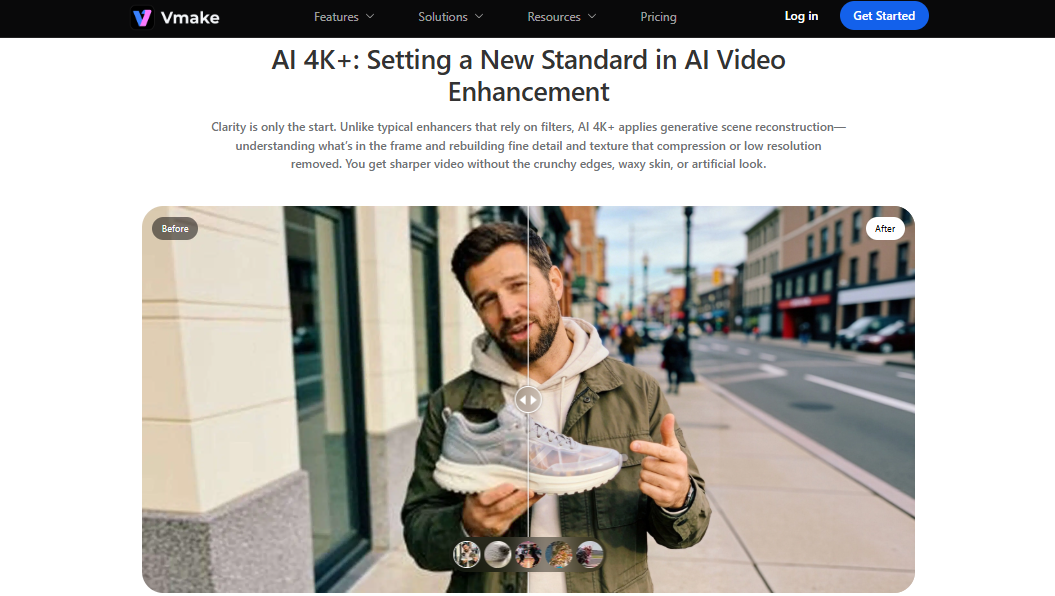
Vmake 4K Video Enhancer is a great tool to instantly enhance the quality of your video without the need for an expensive camera or shooting it again, especially if you are really thinking of updating your old videos to the new ones.
Main features:
- AI-fueled detail restoration: Recovers fabrics, outlines, and facial features for more defined, top-tier images
- 4K export feature: Upgrade 480p or 720p videos to HD, 2K, or 4K content
- Artifact filter: Fixes blurry and noisy images caused by over-compression to give a detailed and nice image
- Easy workflow: Runs on browser and is newbie-friendly with no need for any editing skills
Upscale old videos with Vmake AI Video Upscaler
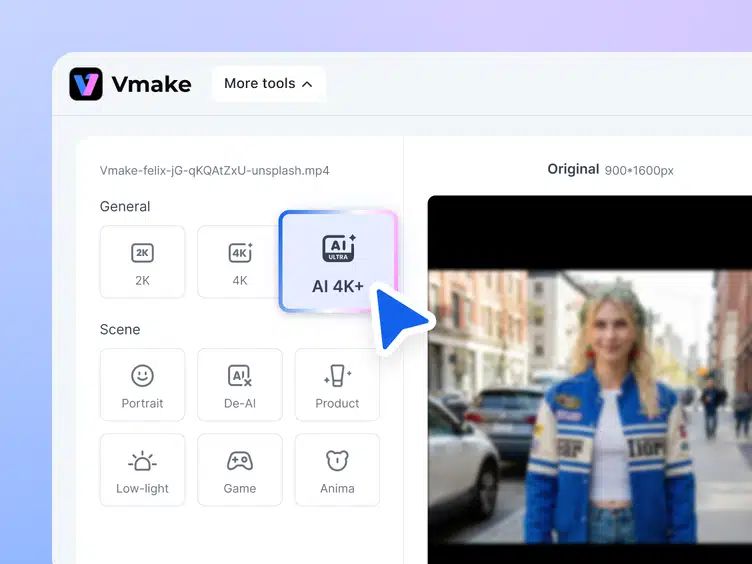
If you desire to push the resolution limits a little more, Vmake AI Video Upscaler is an advanced AI tool that smartly recreates the lost details and can breathe new life into your footage.
Main advantages:
- Achieve conversion 480p → 1080p or 720p → 4K while preserving natural detail
- Enhanced video quality & texture recovery: Less blur, jagged edges, and compression artifacts
- Various resolution choices: 1080p, 2K, or 4K can be selected, depending on your platform needs
Cost Comparison: New Gear vs AI Upscaling
| Expense/Factor | New Gear & Reshoot | AI Upscaling |
| Camera | $1,000 – $3,000+ | $0 (uses existing footage) |
| Lighting Setup | $300 – $1,000 | $0 |
| Editing & Reshoot Time | Hours to days | Minutes |
| Talent/Actors | Additional cost if needed | $0 |
| Result | High-resolution, but costly & time-consuming | High-resolution, fast, preserves original performance |
Conclusion
Old videos need not be thrown away and remade with great expenses only to look professional. Nowadays, AI video upscaling and enhancement tools such as Vmake help even the 480p or 720p videos to be turned into clean, high-resolution content in no time. Be it tutorials, product demos, or social media clips, Vmake not only retains your original performance’s authenticity but also gives your videos a fresh, classy appearance.

