
A Detailed Review of Repairit App: All-in-one AI Tool for Android & iOS

Think about the times when the market wasn’t full of editing apps or there were not multiple solutions to one problem. It was relatively more straightforward to select an app without thinking twice as much. Now, there are unlimited AI photo enhancer apps, but the question lies in their reliability, productivity, and results.
Therefore, this article highlights a single yet full-scale solution to AI-powered photo repair using the Repairit App. When it comes to photo repair, it covers everything from the base to the end, ensuring a seamless experience.
Part 1. A Brief Overview of the Repairit App – All-in-one Solution for Photos
The best AI photo restore app is the one that caters to multiple problems at once using a single platform. Repairit App has advanced algorithms and AI-integrated features, making the process as simple as a tap. Users do not need to learn about multiple aspects of editing because AI handles that for them.
Whether it’s old photos that need to be restored or flaws like blurriness or poor lighting that need to be enhanced, it covers all. Additionally, users get an instant view using a swipe gesture and can compare the before and after seamlessly. In addition to smartphones, the platform supports photos from 2000 devices, including SD cards, storage disks, and cameras.
Compatibility: Android 7.0 and higher, iOS 15 and higher.
Part 2. AI-Powered Features of Repairit App That Stand Out (Android & iOS)
Repairit App has a user-friendly interface and a comprehensive set of features that are ideal for creators, social media marketers, and more. However, you cannot know that for sure unless you start exploring its features and see what it can do:
1. Old Photo Restoration
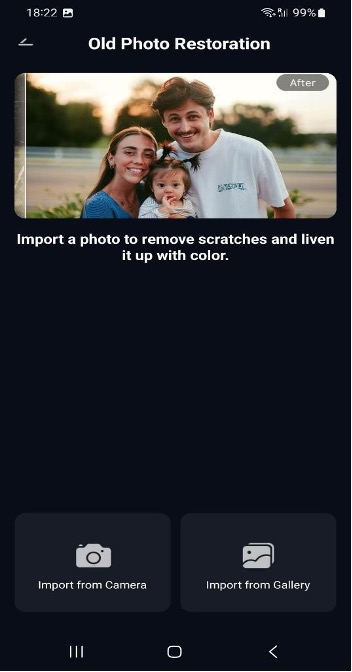
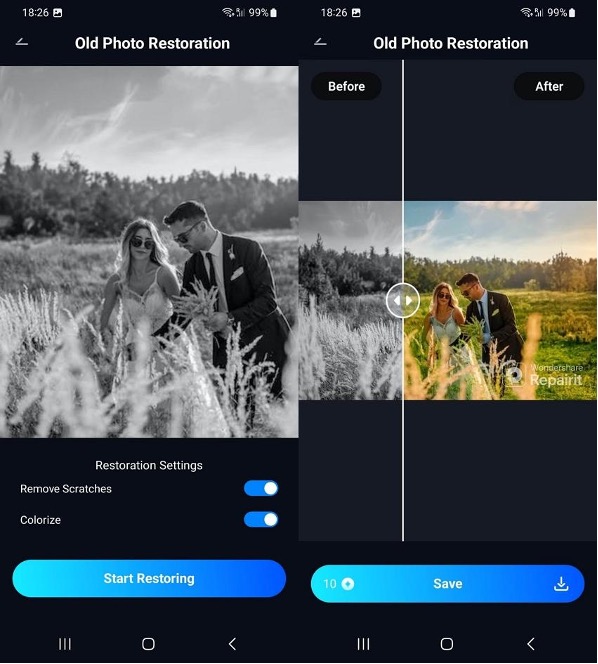
Vintage cameras usually didn’t have the leverage to capture colorful photos, but that isn’t an excuse to not relive them anymore with Repairit App AI photo restore. Not only does it bring colors to photos, but it also customizes objects and background hues that fit the best. This feature automatically detects flaws like stains, fades, and scratches and restores the photo to its original state.
2. Smart Eraser/AI Object Removal
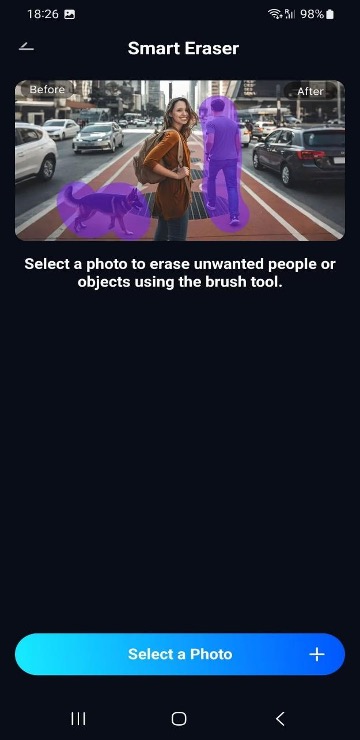
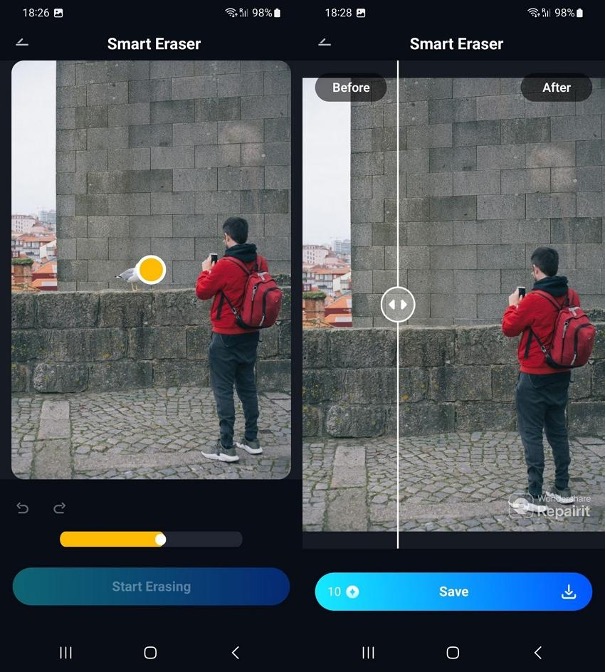
Unwanted objects, backgrounds, and even people are now simpler to remove with this app’s AI object removal. It is a one-tap process, and users can even select multiple visual components to be removed at once. The AI is optimized for quick erasing of unwanted objects and later blending the background texture or reconstructing it.
3. Quality Enhancer
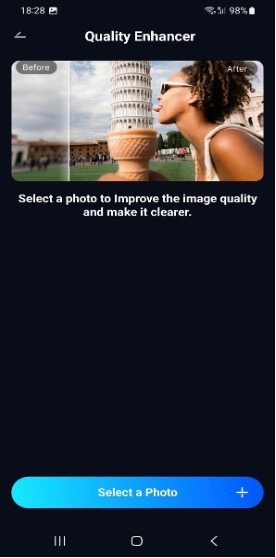
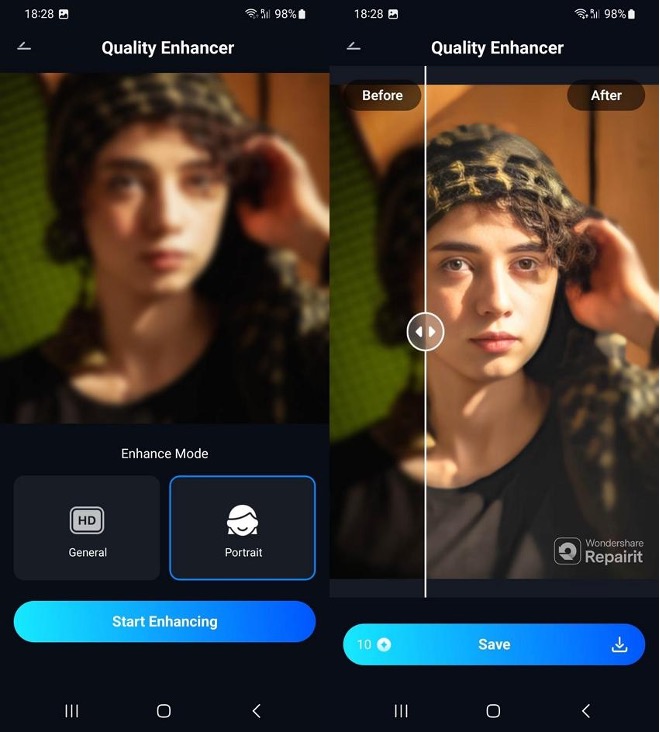
Losing image quality and clarity during transfer or editing is a real hassle, but this AI photo enhancer app takes that away. It works by enhancing the sharpness and details while decreasing the blurriness to a significant level. The app processes the level of blur and noise in images and restores the original resolution of the shot.
4. Corrupted Photo Repair
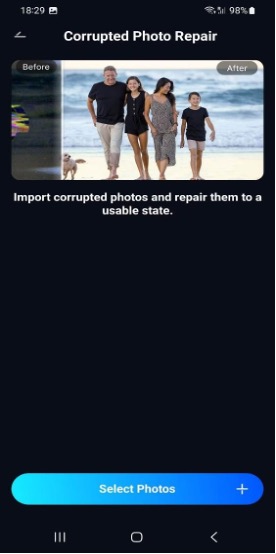
Specific scenarios, like unstable photo transfer or battery issues, not only corrupt pixels but also add glitches to the images. Repairit AI photo restore app repairs such images using one-tap AI photo repair that supports 17+ major image formats. It can help retrieve images that are partially downloaded, have missing visuals, or are even in RAW formats.
5. Text to Edit
The app now has an AI text-to-edit feature, which means you can describe the change you want to make, and the AI identifies it. It can fix damaged and blurry photos just by using the prompts. Additionally, it solves and edits images across multiple scenarios, retouching portraits or transforming photos into cartoons or 3D avatars through prompts.
Part 3. Performance Review: Does Repairit Deliver Precise Results
Now that you have learned about the features of Repairit App, let’s analyze its performance to see real-time results:
1. Testing the AI Photo Enhancer App – Before vs. After Results
Once you add a picture to enhance, the Repairit App gives two modes of enhancement: General and Portrait. It enhances a photo in less than a minute and even reveals the before and after differences. Moreover, you can really evaluate the accuracy and difference between enhanced and unenhanced images.
2. Using AI Photo Restore – How Well Does it Recover Old Memories?
Once you add a photo to be restored, you can customize two settings: Remove Scratches and Colorize. Not only does this AI photo restore app restore the image in less than a minute, but it also adds vibrant colors to it with a before and after preview.
3. Trying AI Object Removal – Accuracy and Ease of Use
Users can simply start by adding the image and selecting objects, animals, or backgrounds to remove. The AI object removal processes fast, precisely removes objects, and reconstructs the background.
Part 4. Who Should Use Repairit? 3 Usage Scenarios You Must Know
Repairit AI photo enhancer app is for all those who are enthusiastic about taking pictures and posting them. However, it is not limited to personal or professional use but can also be used in the following situations:
- Content Creators for Flawless Photos: Whether you are attending brand events or collaborating with them, you can use Repairit photo enhancer app to post flawless and HD photos. Not only does it improve the visuals, but it can also turn basic images into portraits.
- Restoring Old Family Photos: Losing your grandparents or even parents make us want to look at old B&W photos. However, you can bring those photos to colour and remove flaws using old photo restoration features.
- Fixing Damaged Photo Files: You can repair digitally corrupted photos that suffered from device errors, data transfer, power outage, or any such reasons. Repairit App can perform instant repair on multiple formats, including RAW, NEF, or HEIC.
- For Travel Vloggers: For travel creators who post content regularly, this AI object removal is a must-have digital editing assistant. This is because it can eliminate people, animals, and unwanted objects faster, and they can post instantly.
- For Professionals: If you want to change the background of a passport-sized photo, this app is for you. You can simply upload the image, give the AI text to edit feature a command, and it will turn the background into the required colors.
Part 5. Pros & Cons of Repairit App on iOS & Android (Unbiased Review)
Following the detailed review of Repairit App, let’s see the pros and cons of using it, along with what the users are saying:
Pros
- No technical skills required, as the user interface has seamless navigation with AI.
- Increases productivity as the processing speed to perform enhancements or other settings completes in a few seconds.
- Allows users to test and trial all features before buying a subscription, to evaluate their requirements, and to build trust.
Cons
- Free trial is limited to preview; download access is usually granted after buying a subscription.
Reviews/User Feedback
“This App Worked Miracles on My Parents’ Photo! ….. Highly recommended to anyone wanting to relive their precious memories. ” – ChaunceyChan99
“Grayscale cleanup to color – Does a better job than several others I’ve tried.” – Otapus
“Impressive AI Fixes – The AI enhancements looked natural and sharp. Loved how it handled scratches and blur automatically.” – Lazarus420
Conclusion
Now that you’ve reviewed the article, you are familiar with every aspect of this mobile app. The features excel in the elements of accuracy in results and processing speed. Repairit AI photo enhancer app is recommended for all types of social media users or those obsessed with aesthetics, as it eliminates the hassle of manual adjustment.

