
New ColorOS 17 Update: OSee Upgrades, Flexible Export, and More. Full List of Eligible Devices
Hot on the heels of a busy October—which saw the early release of ColorOS 17 for the Find X9 series and the debut of the Find X10 and Find X10 Pro Max—Oppo is already pushing its next major software enhancement. Throughout November, the tech giant is deploying a comprehensive monthly feature drop in India aimed at refining the ColorOS 17 experience with advanced photo controls, productivity tweaks, and deep multi-device integration.
Slated for a phased rollout between November 1 and November 30, this update is specifically designed as a feature enhancement for devices already running ColorOS 17, rather than a baseline OS upgrade.
The update is currently arriving on nine premium handsets:
-
Find X10 and Find X10 Pro Max
-
Find X9, Find X9s, Find X9 Pro, and Find X9 Ultra
-
Find X8 and Find X8 Pro
-
Reno 16 5G
Advanced Photography and Gallery Controls
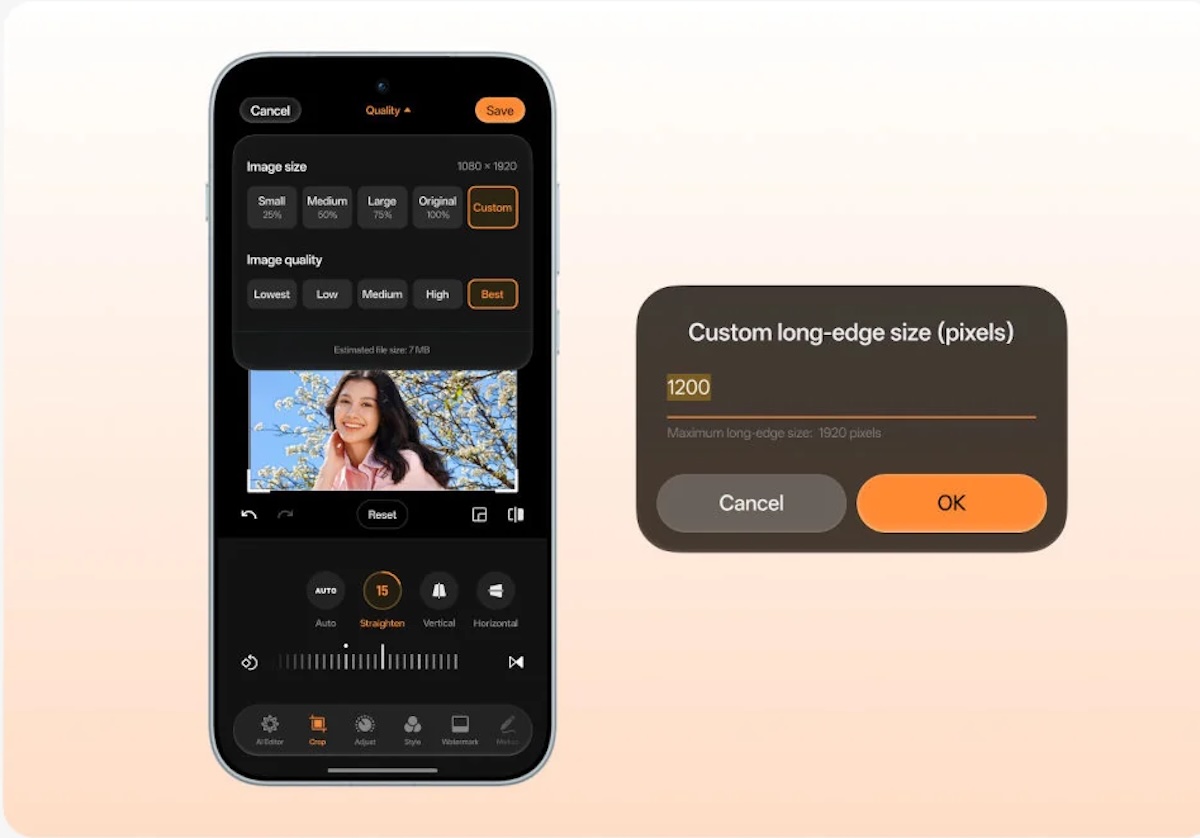
At the heart of this month’s patch is a heavy focus on media management. The Photos app introduces “Flexible Image Export,” a highly requested tool that allows users to manually dial in resolution and compression levels—or set a custom size while retaining the original aspect ratio—before sharing. This is a crucial quality-of-life upgrade for users looking to bypass the aggressive compression algorithms of messaging apps.
Storage management also gets smarter. Users can now choose to delete images globally (across the device and the cloud) or simply clear the local copy to free up space. Additionally, cloud-backed photos will now remain in the “Recently Deleted” folder for an extended 60-day grace period, while strictly local files will stick to the standard 30-day retention.
Oppo’s integrated camera assistant, OSee, has also been upgraded. The tool now seamlessly supports landscape orientation and features real-time object identification directly within the camera viewfinder.
Productivity and Ecosystem Integration
For multitaskers embedded in the Oppo ecosystem, the O+ Connect platform (version 17.100.10 and newer) takes a massive leap forward. Users can now simultaneously mirror both their smartphone and tablet on a single PC. Furthermore, remote sessions can now seamlessly unlock a connected PC using a saved password.
Day-to-day utilities haven’t been ignored. The native Calculator app has undergone a complete UI overhaul, introducing a fluid toggle between Basic, Scientific, and Converter modes, alongside a new History list. For global communicators, the native text translation tool has been fine-tuned to preserve the original tone of the text and now includes a built-in dictionary for quick word lookups.
UI Refinements and System Stability
Rounding out the November update are several intuitive interface tweaks. The Phone app gains a customizable call announcement feature, allowing the device to read out incoming caller names either at all times or exclusively when connected to Bluetooth headphones (availability may vary based on the pre-installed dialer).
On the home screen, users will find a new suite of resizable widgets, including One-tap Boost, Storage Cleaner, Battery Usage, and Contacts. Finally, Oppo has added a privacy-focused toggle for hidden applications that automatically boots the user back to the home screen immediately upon closing a hidden app, supplemented by under-the-hood system stability fixes.
Related Posts
-
 HMD Touch 4G launched in India: a tiny phone with a 3.2″ touchscreen, Wi-Fi hotspot, and 30-hour battery
-
 Lava Bold N4 Pro 5G Amazon India Sale: Launch Price and Specifications
-
 HMD and Xplora Go Pad: Specs, Features, and Advanced Parental Controls
-
 Realme 17 Pro Leak Points to a 10,000mAh Battery and Simpler Camera Setup