
How AI Image and Video Tools Are Changing Smartphone Concept Design
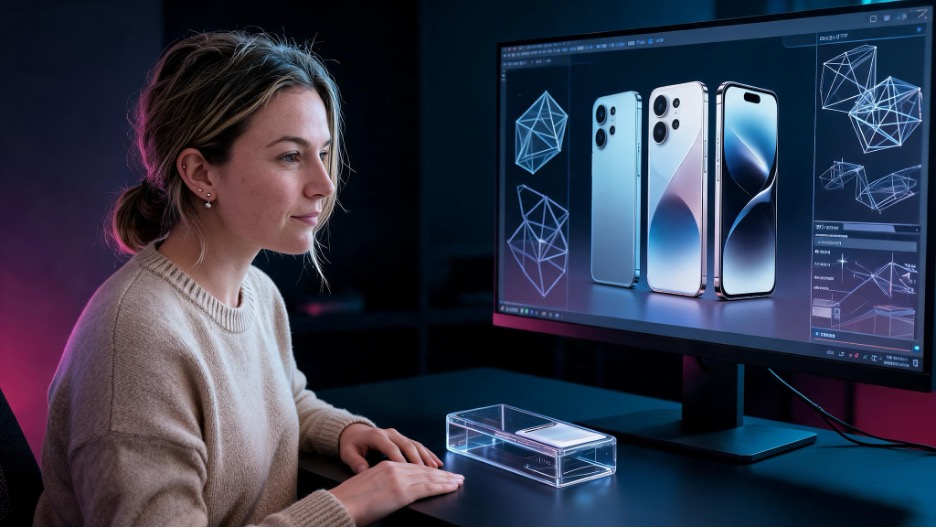
Concept phones have always occupied a space between engineering and imagination. Designers use them to explore what future devices might look like before every technical problem has been solved.
Some concepts examine realistic ideas such as new hinge designs, camera placements, screen shapes, or materials. Others deliberately push beyond current manufacturing limits to create something speculative and visually memorable.
AI image and video tools make this kind of exploration faster. A designer can move from a written idea to several visual directions in minutes. The technology is useful, but it also introduces a new problem: producing an impressive image is much easier than producing a believable product concept.
AI Is Useful at the Exploration Stage
The early stage of concept design is often about quantity. A designer may want to compare several camera layouts, frame materials, button placements, and screen proportions before developing one direction.
An AI image generator can help create initial references for these discussions. Instead of spending hours rendering every rough idea, designers can test combinations such as:
- A compact phone with a sliding camera cover
- A foldable device with an external notification strip
- A rugged smartphone with protected camera lenses
- A transparent rear panel showing internal components
- A phone designed around detachable camera hardware
- A gaming device with integrated physical controls
These images should be treated as visual brainstorming rather than finished industrial designs. Their purpose is to help the designer identify promising forms, proportions, and visual themes.
Begin With a Product Brief
A weak prompt often produces a generic glass rectangle with oversized camera rings and random futuristic details. A product brief creates better constraints.
Before generating images, define:
- The intended user
- The main problem the device solves
- Approximate dimensions
- Display type and size
- Camera requirements
- Materials
- Durability expectations
- Battery priorities
- Input methods
- Ports and buttons
- Manufacturing limitations
- Brand personality
For example, a phone intended for outdoor photographers should not be described only as “rugged and futuristic.” The brief might specify a reinforced frame, textured grip areas, protected lenses, physical camera controls, a display that remains visible outdoors, and a body thick enough to support a larger battery.
These constraints give the concept a reason to look the way it does.
Generate Several Directions
The first image should rarely become the final concept.
Create several versions that change one major design decision at a time. One version might use a horizontal camera bar, another a centered circular module, and another separate lenses. Comparing controlled variations makes it easier to understand which design is strongest.
It is also useful to generate the same concept from multiple viewpoints:
- Front
- Rear
- Side profile
- Three-quarter view
- Folded and unfolded positions
- Close-up of the camera system
- Close-up of buttons and ports
A concept that looks convincing from one angle may fall apart when viewed from another. Multiple perspectives reveal whether the design has a coherent structure.
Watch for Common AI Design Errors
AI-generated phone concepts often look polished at first glance. Closer inspection may reveal that the device could not function as shown.
Common problems include:
- Camera lenses changing position between images
- Buttons appearing and disappearing
- Inconsistent device thickness
- Impossible hinge geometry
- Screens wrapping around unusable surfaces
- Speakers placed where they would be blocked
- Ports with no internal space
- Random sensors without a purpose
- Unreadable branding
- Reflections that do not match the environment
Another common issue is specification inflation. A concept may be presented with a 300-megapixel camera, extreme charging speed, enormous battery, desktop-level processing, and an ultra-thin body, even though those features would conflict with each other.
A credible design does not need the largest possible number in every category. It needs a clear set of priorities.
Separate Visual Concept From Engineering Claim
An attractive AI render is not evidence that a device can be manufactured.
If the design has not been reviewed by engineers, describe it as a concept, visual study, or speculative proposal. Avoid presenting fictional specifications as confirmed features.
This distinction is especially important when publishing images online. AI-generated phone renders are frequently reposted without context and later mistaken for leaks.
A concept article should clearly explain:
- Who created the design
- Whether AI tools were used
- Whether the product is official
- Which details are speculative
- Whether the specifications are fictional
- What design question the concept is exploring
Clear labeling protects the publication and gives readers a better framework for evaluating the design.
Use Video to Explain the Idea
Static renders can show shape and surface treatment, but some ideas are easier to understand through movement.
A short video can demonstrate:
- How a foldable mechanism opens
- How a sliding camera cover moves
- How a secondary display activates
- How a modular accessory attaches
- How the interface responds to a physical control
- How the device looks from several angles
Designers can also turn a static render into a short video to communicate the intended experience. The movement should remain simple and consistent with the information visible in the source image.
AI video should not be used to hide an unresolved mechanism. If the hinge, sliding component, or camera module cannot be explained clearly in still images, a dramatic animation may make the concept look more complete than it really is.
Use video as an explanation, not as proof of engineering feasibility.
Refine the Concept Manually
AI output becomes more useful when it is followed by deliberate editing.
After selecting a promising direction, clean up the design in an image editor or 3D application. Correct the camera layout, dimensions, buttons, branding, ports, and material transitions. Rebuild important details instead of asking the generator to guess them repeatedly.
A simple refinement process might include:
- Select the strongest generated direction.
- Establish realistic device dimensions.
- Redraw the front, rear, and side views.
- Standardize camera and button placement.
- Check internal space for major components.
- Define materials and manufacturing seams.
- Create final presentation renders.
- Produce a short animation if movement is important.
This process turns an AI-generated idea into an authored design proposal.
Keep a Record of the Design Process
Save the prompts, selected outputs, rejected variations, edited files, and final renderings. This record helps demonstrate how the concept developed and which decisions were made by the designer.
It also makes revisions easier. If feedback suggests changing the camera layout or reducing the device thickness, the team can return to the relevant stage rather than starting over.
For professional work, maintain clear records of reference images and avoid prompting the system to reproduce a specific designer’s work too closely.
APOB AI Workflow Example
- Describe the concept as a product brief, including the device category, signature design feature, materials, lighting, viewpoint, and presentation style.
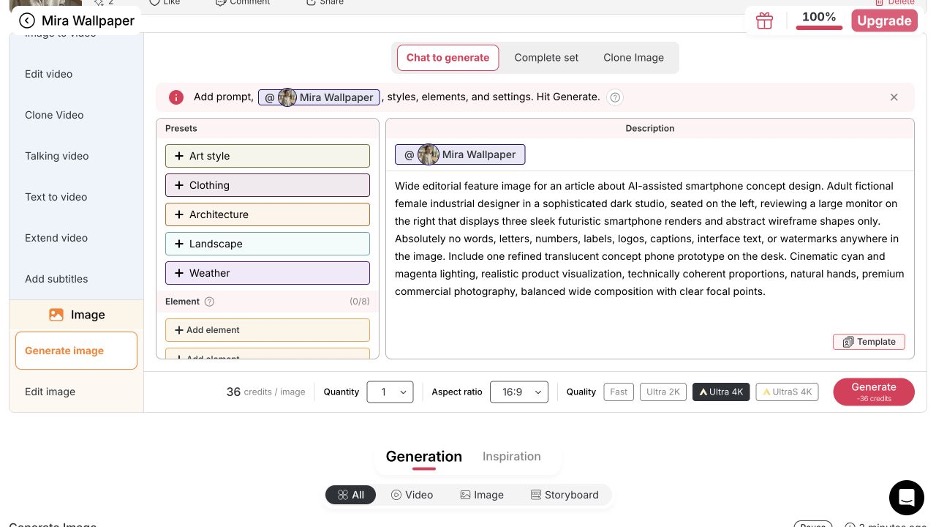
Guide screenshot 1: Smartphone concept prompt and image settings in APOB AI.
- Review the result like an industrial designer, checking silhouette, proportions, seams, camera logic, reflections, and brand consistency.
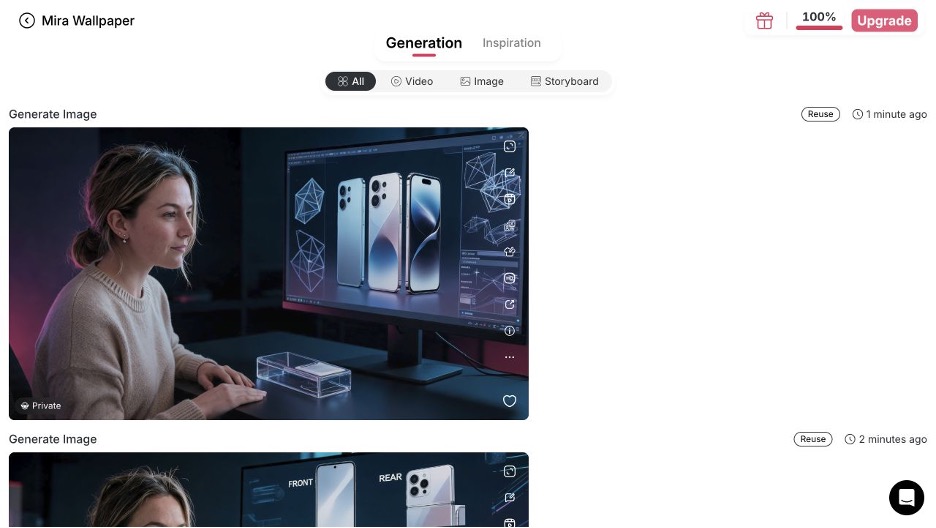
Guide screenshot 2: Generated smartphone concept image ready for evaluation.
Final Thoughts
AI tools can expand the range of smartphone concepts that designers are able to explore. They make early experimentation faster and help turn written ideas into visual material for discussion.
Their real value, however, depends on what happens after generation. Strong concept design still requires a clear product brief, consistent geometry, realistic priorities, transparent labeling, and human judgment.
A futuristic phone should not be memorable only because it has more cameras, a larger battery, or a more dramatic render. The best concepts show how a device could solve a real problem in a thoughtful and visually coherent way.


