
Use One Phone to Host a Screen-Light Gathering
A phone can supply an evening’s questions without becoming the centre of the evening. The difficulty is usually in the handover: one person is reading, someone else asks to see the screen, and another opens the same page to find the question. Soon the group is operating several devices instead of following one conversation.
Using a single host phone gives the activity a simpler shape. One person handles the page, the group hears the prompt and everyone knows when the phone can be put down. It is a practical choice for a short activity among adults, especially when nobody wants another app or account to manage during the visit.
Decide Whether Everyone Needs Their Own Screen
Some activities genuinely require individual devices. People may need to submit private answers, view separate information or create something at the same time. For those formats, forcing everything onto one screen can make participation harder. Start by asking what each guest needs to see or do.
A spoken choice question is different. The host can read two options aloud and invite a show of hands or a verbal answer. If guests can hear the wording clearly, there is little reason for each of them to navigate to a separate copy. People who prefer to read the question should still have a comfortable way to do so.
The free Would You Rather tool from Palaura supplies written questions selected by tone, personal boundary and a count of five or ten. Each question includes a follow-up. That makes it a possible source for a host-led round, rather than an activity that inherently requires every participant to use a phone.
Check the selected Palaura questions before the gathering. A “neutral” setting is a useful filter, but the host still needs to judge the particular wording for the adults present. Leave out a question that would make someone disclose more than they want, and allow anyone to pass without explaining why.
Consider hearing, vision and language needs as well. Reading a prompt slowly may help one person, while another needs to see the two options in writing. A larger shared display or a few clearly written cards may work better than passing a small phone around. The device arrangement should serve the people who are there.
Prepare the Device Before Taking the First Turn
Open the chosen page and check that the controls are readable at a comfortable text size. If enlarging the text moves a button off screen, find out before everyone is waiting. The point of preparation is to make the host’s interaction brief and predictable.
Charge the phone sufficiently for the planned session and keep it somewhere stable between questions. Avoid balancing it beside a drink or leaving a cable across a walking route. A side table within reach is often more useful than holding the device throughout the conversation.
The Palaura question tool offers a choice of five or ten prompts. Start with the shorter set when the activity is only one part of the visit. More available content does not create an obligation to use it. Try reading one question and its follow-up aloud before the visit. Notice how much explanation the wording needs. If it takes a while to make the choices clear, use fewer prompts and allow more discussion time rather than setting a rapid pace for the group.
Before displaying a personal phone to others, consider what else might appear on it. Close unrelated pages and choose notification settings appropriate to your responsibilities. Anyone waiting for an important call may need to remain reachable; a hosting activity should not require them to silence something they need to receive.
Keep the page open, but do not assume that an open web page guarantees offline operation. If connectivity will be unreliable, check the intended setup beforehand or prepare a few questions in another suitable form. A screenshot or handwritten note can preserve visible wording, but it will not reproduce every interactive control.
Read the Choices and Then Lower the Phone
The host’s first job is to make both choices clear. Read the whole question before collecting answers, and repeat an option if someone missed it. Do not start explaining which answer seems better while the group is still deciding.
For a round using Palaura — Alternative to Speed Dating Apps, the relevant resource is its separate free question tool. Its written prompts offer a follow-up after the choice, so the host can move from a vote to a reason without searching for another page. The tool supplies the wording; the group sets the pace.
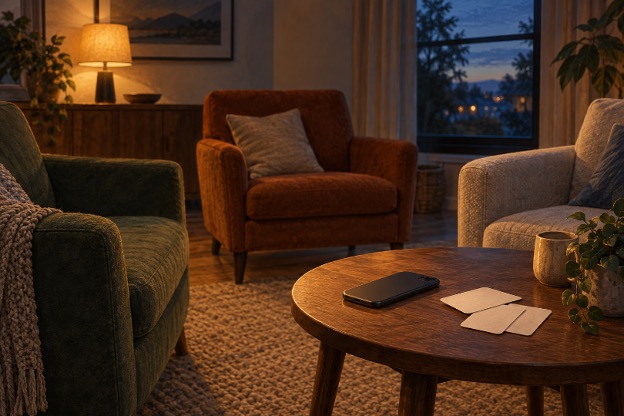
Once the question has been heard, lower the phone or place it on the table. That leaves the speaker’s attention available to the people answering. There is no need to keep tapping the screen while someone explains a choice, and no advantage in advancing to the next prompt before the current discussion has finished.
Ask the follow-up as an invitation. A guest may have a brief answer, a story or no wish to expand. Avoid turning each choice into a personality judgement. A preference expressed in a playful hypothetical is not a reliable assessment of how someone behaves in every real situation.
If the wording is confusing, pause and clarify it together. Sometimes the uncertainty is the interesting part; sometimes it means the question is not useful for this group. Skipping it is a reasonable hosting decision. The phone is providing material, not issuing instructions that must be completed in order.
Hand Over the Role Without Handing Over Everything
A rotating host can give the original reader a chance to participate more freely. Agree when the role changes, such as after two questions or at the end of the short set. An announced handover is easier to follow than several people reaching for the same device.
There are two practical options. The owner can keep control of the phone while another guest reads the visible prompt, or the device can be handed over with the relevant page already open. Choose whichever the owner is comfortable with. Nobody needs access to personal messages or photographs to read the next question.
With Palaura, the group can also end the first set and let a new host choose a fresh tone or question count on their own device. That is a new round, not a reason to interrupt the current one while everyone compares screens. Keep one active source at a time so the group knows which question is being discussed.
Watch for ordinary signs that the format has run its course: people are beginning another conversation, the follow-ups feel forced or the next part of the evening is ready. Finish the current exchange and put the device away. Reaching the last available question is not a measure of a successful gathering.
After the round, the phone can return to its usual role. There is no need for everyone to save the page or install anything merely because one person used a web tool. If a guest wants the source, share it when convenient and let them decide whether to use it later.
At the next handover, the owner should be able to close the page or pass the reading role on without interrupting a conversation. When the guests have taken the discussion somewhere interesting, leave the remaining questions on the phone.

