
4 Best Tools to Remove iCloud Activation Lock in 2026
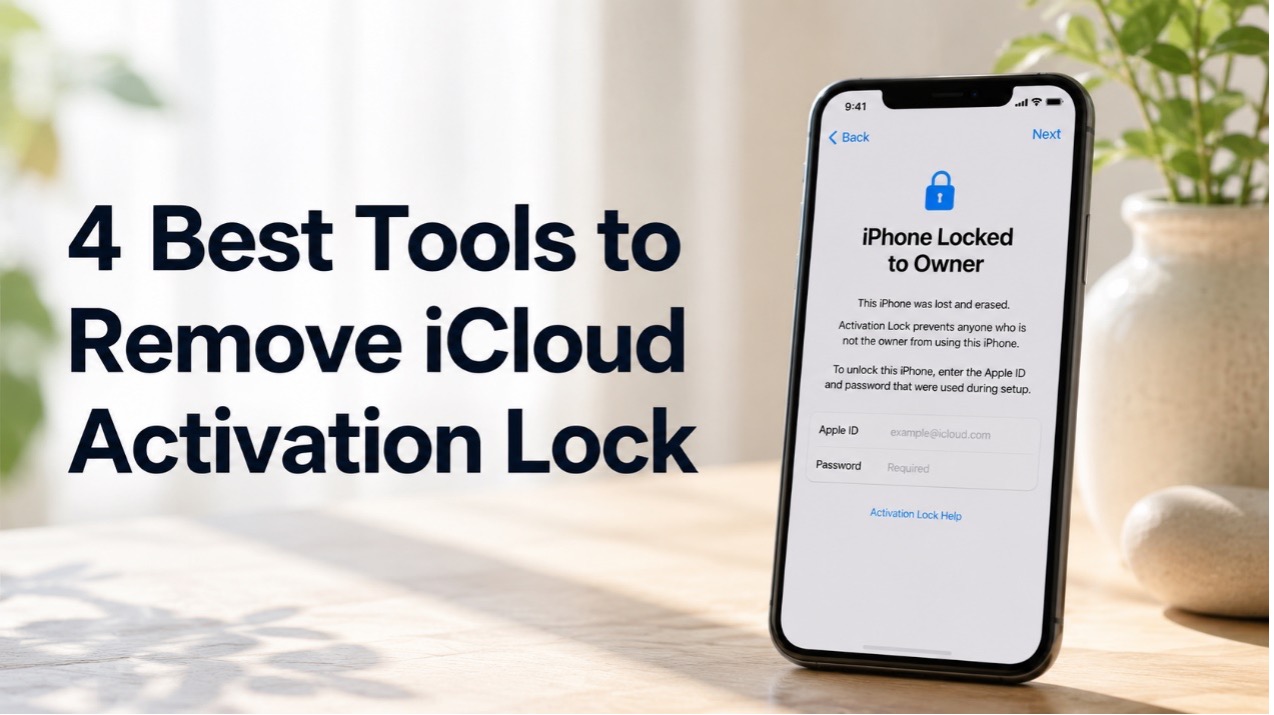
Are you struggling with the “iPhone Locked to Owner” or Activation Lock screen? This situation can be worse if you have forgotten your Apple Account credentials or purchased a second-hand iPhone that is still linked to the previous owner. While Apple provides official ways to remove Activation Lock, they may not always be practical in every situation.
Fortunately, several specialized iPhone unlocking tools can help users deal with different types of device locks. In this guide, we’ll introduce four popular options to remove iCloud Activation Lock without previous owner and explain what each tool offers.
What Is iCloud Activation Lock?
iCloud Activation Lock is part of Apple’s Find My security feature. When Find My is enabled on an iPhone, the device becomes associated with its owner’s Apple Account. Even after the iPhone is erased or reset, Activation Lock can remain enabled and request the Apple Account and password previously associated with the device.
The most straightforward solution is for the original owner to enter their credentials or remove the device from their Apple Account. However, if the previous owner is unavailable or you have forgotten your own account information, specialized unlocking software may provide another option depending on the device model and iOS version.
Best iPhone Unlocking Tools to Remove iCloud Activation Lock
- TunesKit iPhone Unlocker (Top Choice)
TunesKit iPhone Unlocker is an all-in-one iOS unlocking solution designed to handle several common iOS lock situations. Besides screen passcodes, it also supports to bypass Activation Lock screen without jailbreaking on supported devices. Recent updates have also added compatibility improvements for newer iOS versions.
What Makes TunesKit Stand Out?
- All-in-one unlocking solution: Supports multiple iOS unlocking scenarios, including Activation Lock, forgot iPhone passcode, Screen Time restrictions, and MDM locks.
- Easy to use: Provides a simple, step-by-step unlocking process.
- Dedicated Activation Lock mode: Offers a specific workflow for dealing with Activation Lock on supported devices.
- Beginner-friendly: No advanced technical knowledge is required.
- Wide compatibility: Continues to update to support newer iOS versions and devices
- iMyFone iBypasser
iMyFone iBypasser is a desktop-based tool primarily designed to bypass iCloud Activation Lock without requiring the original Apple Account password. It also provides features related to screen locks and SIM restrictions on selected devices.
Pros:
- Provides a straightforward, step-by-step unlocking process.
- Supports Activation Lock bypass on selected iPhone and iPad models.
- Also offers screen lock and SIM-related unlocking features.
Cons:
- Compatibility varies considerably by device and iOS version.
- The process may require jailbreaking, which comes with additional risks.
- Some features and functionality may be limited after the bypass.
- WooTechy iSalvor
WooTechy iSalvor is another specialized tool for bypassing iCloud Activation Lock. It supports several unlocking modes, including Activation Lock bypass, screen lock removal, camera shutter sound control, and SIM lock removal.
Pros:
- Specifically designed for iCloud Activation Lock bypass.
- Provides step-by-step instructions throughout the process.
- Available for both Windows and Mac.
Cons:
- Activation Lock support is mainly focused on older devices and iOS versions.
- Jailbreaking is required for the Activation Lock bypass process.
- Some functions on iPhone may not work after bypassing.
- Tenorshare 4uKey
Tenorshare 4uKey is a well-known iPhone unlocking program that primarily focuses on removing screen passcodes and Apple Account-related locks. It also offers an Activation Lock solution, though availability and functionality can vary by device and iOS version.
Pros:
- Supports various types of iPhone screen locks.
- Simple interface with a guided unlocking process.
- Continues to receive compatibility updates.
Cons:
- Activation Lock removal has more limitations.
- Features and compatibility can vary depending on the iPhone model and iOS version.
- Users should verify that their specific Activation Lock scenario is supported before purchasing.
How to Remove iCloud Activation Lock Using an iPhone Unlocker
The process is straightforward. Here, we’ll use TunesKit iPhone Unlocker as an example:
Step 1: Download and install TunesKit iPhone Unlocker on a Windows or Mac PC. Connect the locked iPhone to the computer with a USB cable.
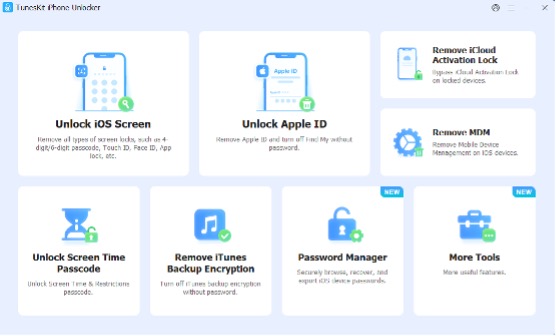
Step 2: Select the Remove iCloud Activation Lock feature. Follow the on-screen instructions to put the iPhone into DFU mode.
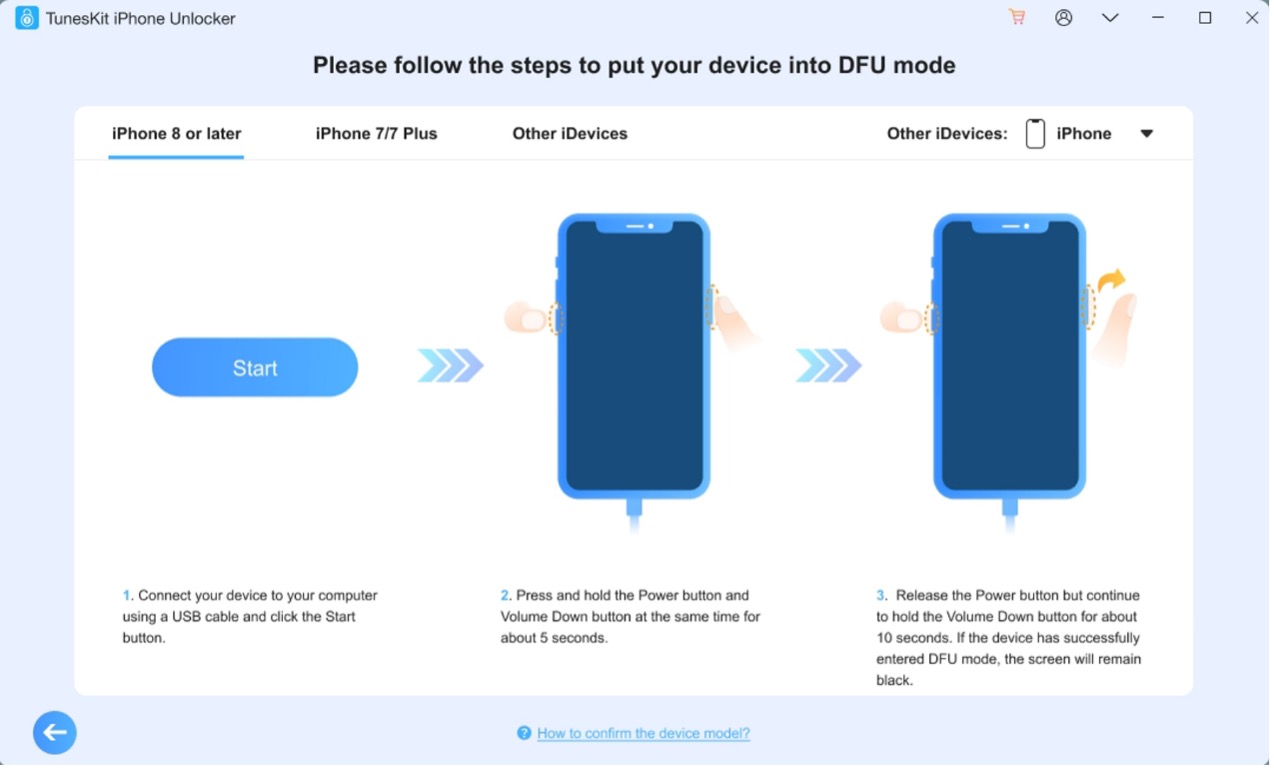
Step 3: Once detected, TunesKit will start the removal process. Wait for the process to finish, which may take 10 to 20 minutes. Then you can set up your device after the Activation Lock has been removed.
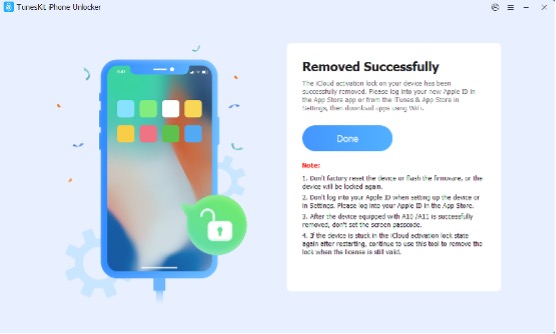
The exact requirements and supported devices can vary depending on the iPhone model and iOS version, so check the software’s current compatibility information before starting.
How to Choose the Right Activation Lock Removal Tool
Before choosing an Activation Lock removal tool, consider several factors.
- Check compatibility. Not every tool supports every iPhone model or iOS version. This is especially important with newer versions of iOS.
- Consider the features you actually need. Some programs specialize in Activation Lock, while others also support screen passcodes, iPhone unavailable fix, and other types of device locks.
- Look at ease of use. A clear, step-by-step interface can make a significant difference if you have limited technical experience.
- Check the tool’s limitations and pricing before purchasing. Activation Lock removal may vary depending on the device, and different tools may have different prices.
Frequently Asked Questions
- Can Activation Lock Be Removed Without the Previous Owner?
In some situations, third-party unlocking tools can offer a way to deal with Activation Lock without contacting the previous owner. If you purchased a used iPhone, contacting the previous owner and asking them to remove the device from their Apple Account remains the safest and most reliable solution.
- Is It Possible to Remove Activation Lock Without an Apple ID?
Yes. Some third-party tools offer solutions that do not require the original account credentials. Before using one, check its supported models, iOS versions, and limitations carefully.
- Are iCloud Activation Lock Removal Tools Safe?
The safety of third-party unlocking tools depends on the provider and the specific software. Download programs only from their official websites and avoid unknown tools that request unnecessary personal information or suspicious permissions.
Final Thought
An iCloud Activation Lock can make an otherwise usable iPhone difficult to access. While contacting the original owner or Apple is always the preferred solution, specialized tools can provide additional options for eligible devices.
Among the four tools reviewed, TunesKit iPhone Unlocker stands out for its combination of Activation Lock removal, multiple unlocking features, ease of use, and broad device support. For users looking for a versatile iPhone unlocking solution rather than a tool limited to one specific lock, TunesKit is worth considering

