
How to bypass FRP lock on Android without a PC 2026
Introduction — Why are you locked out?
Many people have a very annoying experience after a factory reset on their Android device or getting a second-hand phone. They are suddenly locked out of the phone since it requires the Google account that was used for syncing. This is the result of Factory Reset Protection (FRP) that prevents users from accessing the device even after a reset. The good part is that there are several ways to regain access via FRP bypass without using a PC, which we will cover in this guide.
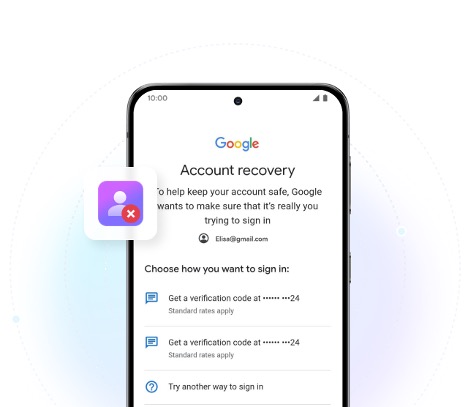
What is FRP and when does it trigger?
Factory Reset Protection (FRP) is a security feature Google implemented to connect an Android device. Its main purpose is to safeguard your information in case your phone is lost or stolen.
FRP gets activated if the device is factory reset using recovery mode or even through the settings if the Google account is not removed beforehand. This security feature works for all Android devices with versions 5.1 Lollipop and later, including popular brands such as Samsung, Xiaomi, Oppo, etc.
How to Bypass FRP lock on Android Easily
Method 1 — Use Dr.Fone online unlock (recommended)
Among the methods to get around FRP lock in 2026, using Dr.Fone Screen Unlock (Android) is one of the simplest and most trustworthy. This AI-driven software can undo Google verification and, in countless situations, doesn’t even need a computer for the user as it features an online unlock option. It can handle numerous models from Samsung, Xiaomi, Oppo, Vivo, OnePlus, and others, plus it works with Android versions from 5.0 to 16 and above.
The tool can bypass FRP lock, remove different kinds of device locks (such as PIN, pattern, password, fingerprint, and face), and help users get total control over their gadgets again after several easy, step-by-step instructions. Thanks to the highest effectiveness levels on Samsung Snapdragon devices, safe handling, and no requirement of technical knowledge, it has become most likely a first choice for the people who are looking for quick and easy recovery.
Steps to bypass FRP lock using Dr.Fone
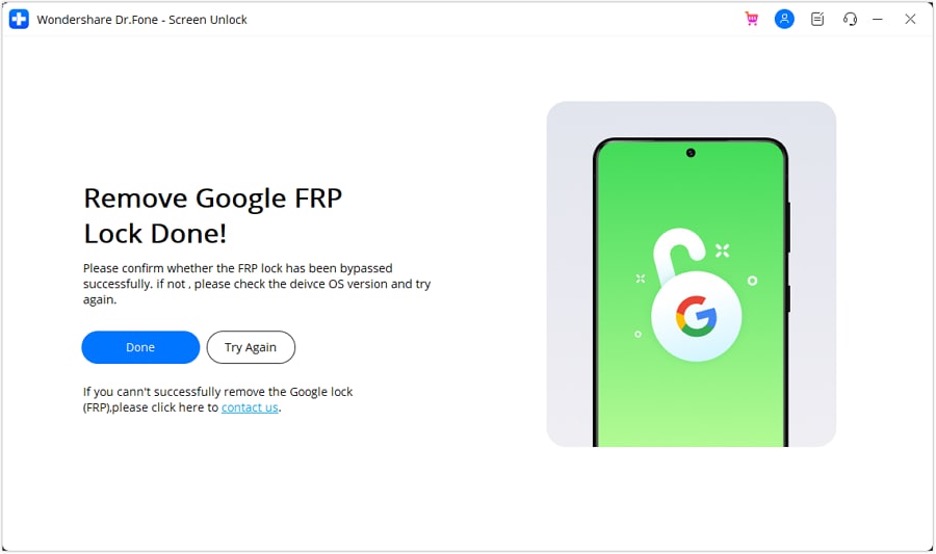
Step 1: Open Wondershare Dr.Fone – Screen Unlock, connect your Samsung device, then go to Toolbox > Screen Unlock and select Android.
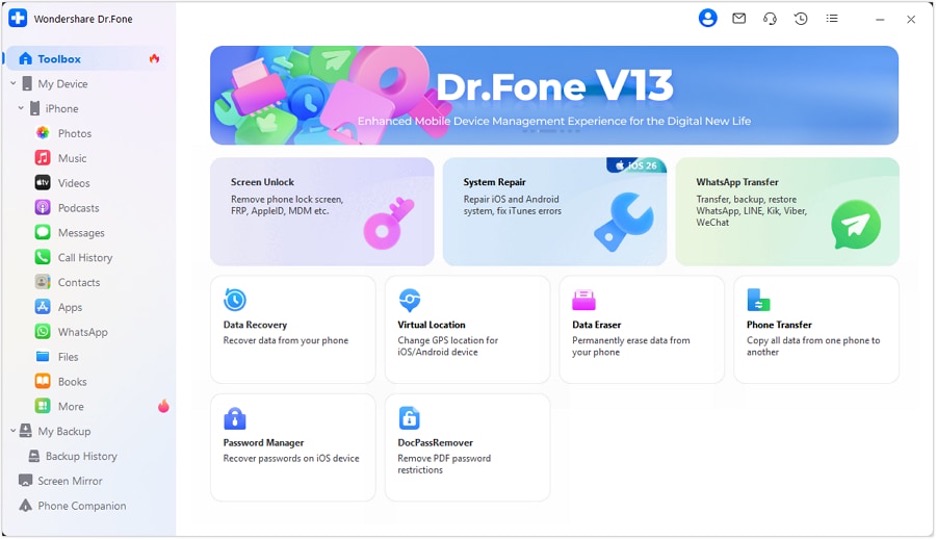
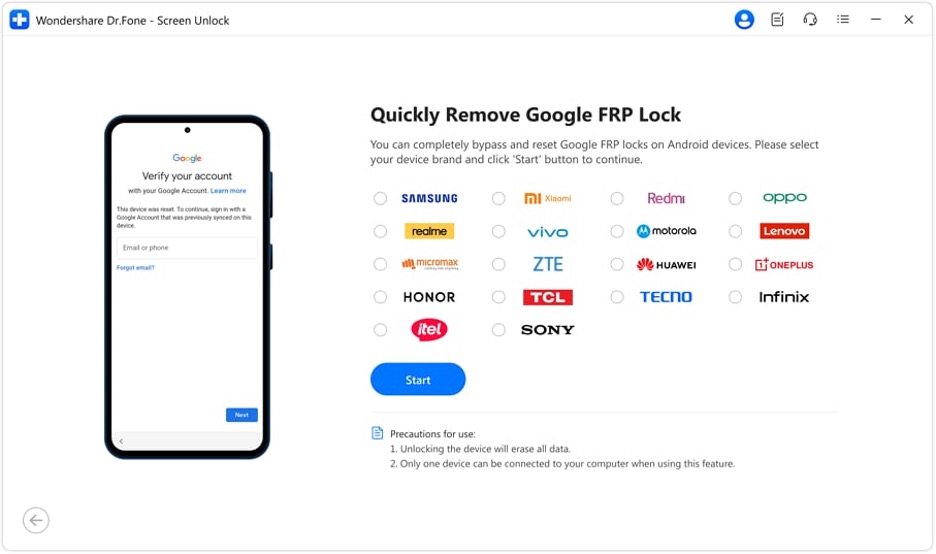
Step 2: Choose Remove Google FRP Lock, then select Device Brand and click Start to continue.
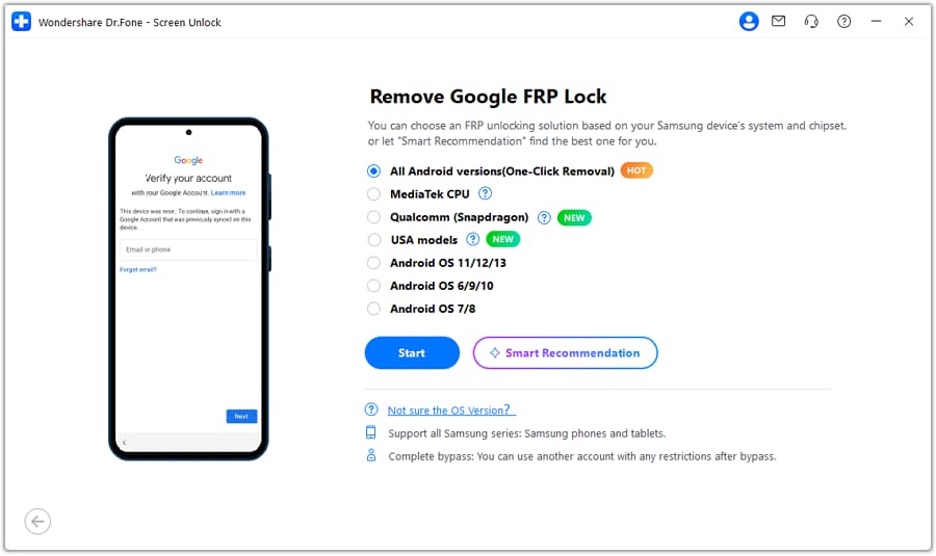
Step 3: Select “All Android versions (One-Click Removal)”, then follow the instructions and open Emergency Call, dial *#0*# to access the hidden menu.
Step 4: Enable USB debugging when prompted, authorize the connection on PC, and wait for the tool to remove the FRP lock successfully.
Method 2 — Bypass FRP via the Settings shortcut
In fact, for some Android devices, especially if they are old or have not been updated, FRP can be bypassed through hidden system shortcuts that offer limited access to the Settings menu. Taking advantage of accessibility features such as TalkBack or keyboard settings allows users to temporarily unlock system settings and handle Google-related services.
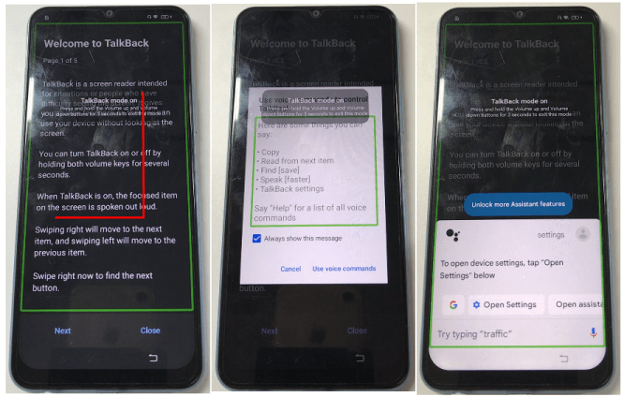
This method uses the TalkBack accessibility feature of Android to reach system settings using voice commands.
Step 1: Press and hold the Volume Up + Volume Down buttons simultaneously to turn on TalkBack mode.
Step 2: Draw an L-shaped pattern on the black tutorial screen to access the “Use voice commands”.
Step 3: On the new screen, click the keyboard button, type Settings, and double tap “Open Settings”.
Step 4: After Settings have been launched, press the Volume Up + Down buttons once again to disable TalkBack and continue with setting up your device.
Method 3 — Use Samsung SmartThings Find (Samsung devices only)
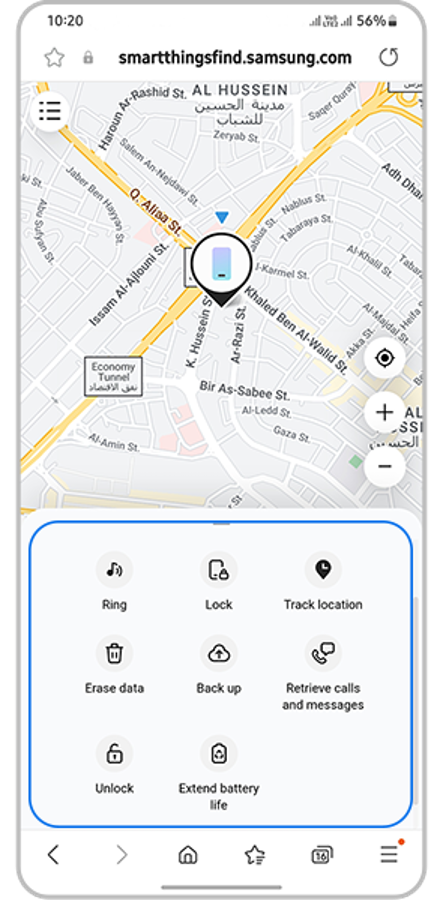
Samsung SmartThings Find (previously Find My Mobile) can be a very handy tool when it comes to removing FRP locks if the device was linked to a Samsung account beforehand. This official solution is ideal when the phone was registered at an earlier point, since it enables unlocking of the phone or the removal of some security features remotely without using a computer.
Step 1: Access SmartThings Find on another device and log in with the same Samsung account that the locked phone is registered with.
Step 2: In the list of your devices, locate and select the locked one.
Step 3: If the feature is supported, click the Unlock option and type your Samsung account password to verify your identity.
Things To Know Before Attempting A Bypass
- Only legally owned devices: You should only do FRP bypass on devices you either own completely or have been given clear permission to use.
- Do not install pirated software: Avoid downloading APKs or hacking tools from suspicious sites as they might contain viruses or harm the security of your device.
- Warranty and data risks: Certain bypass ways may cancel manufacturer warranty or lead to data loss which is irreversible.
- Use official recovery option: It is best to recover your Google account using the official path at: account.google.com/signin/recovery.
Conclusion
Currently, there are several ways to bypass FRP lock on Android 2026. These include official Samsung tools as well as accessibility-based tricks such as TalkBack besides third-party solutions that are specifically designed for locked devices. However, each method is limited in different aspects because not all of them work on every Android version or device.
If you want a more detailed and reliable step-by-step method, Dr.Fone Screen Unlock (Android) and the like offer very thorough instructions on how to remove FRP and retrieve your phone easily.
