Best AI Image Extender: How to Expand Images AI Without Losing Quality
We’ve all been there: a perfect shot ruined by tight framing. Whether your subject is cut off on Instagram, your YouTube thumbnail looks off, or your website banner lacks space, traditional resizing often leads to distortion. Fortunately, you can now use a professional AI image extender to expand image AI naturally. This technology intelligently generates missing content, allowing you to resize photos without sacrificing clarity. In this guide, we’ll show you how to expand your images using the best AI tools available.
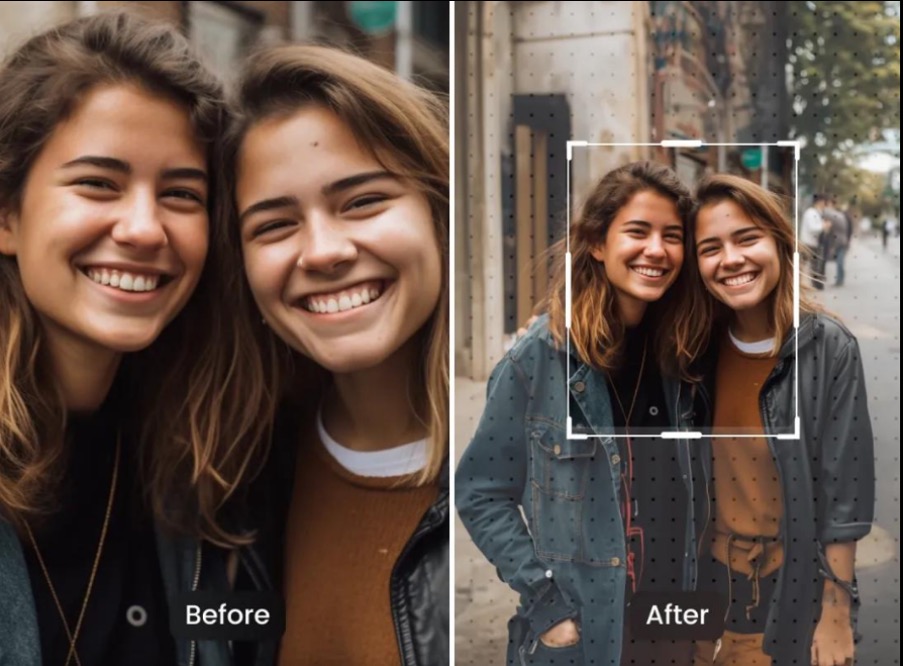
Fortunately, this is not the only answer anymore. Nowadays, you can extend image ai quickly without sacrificing image clarity with an ai image extender.
AI-powered outpainting technology can smartly generate missing content in an image, assisting you in cropping without any intervention within seconds. Here in this guide, we’ll walk you through the process of AI image expansion, discuss why it’s superior to standard resizing, and guide you through the steps of expanding an image with AI.
What Is an AI Image Extender & How Does It Work?
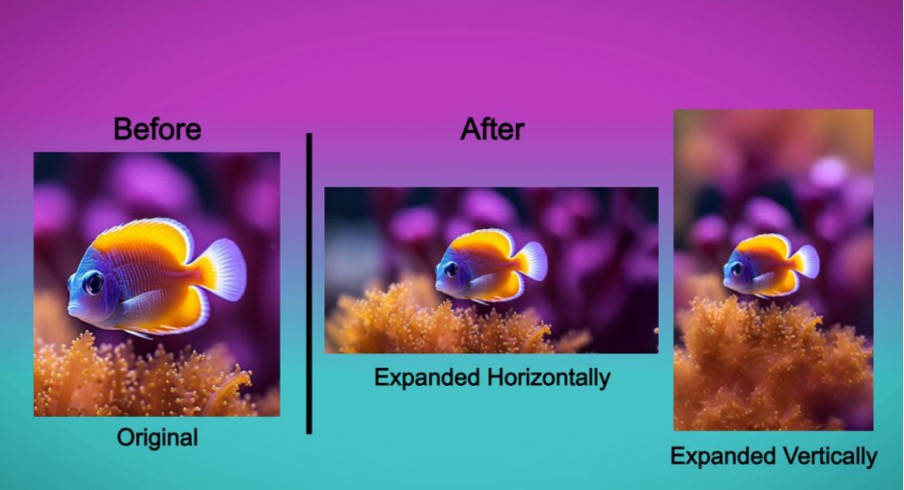
An AI image extender is a smart extension tool that leverages AI to enlarge the borders of an image. Unlike the traditional pixel stretching method, the AI creates new visual spaces that seamlessly integrate with the original image.
Basically, it “imagines” what is supposed to be in the background and automatically generates realistic background extensions.
For example:
- Add more sky to landscape images.
- Extend portrait backgrounds
- Convert vertical images into widescreen format
- Fix social media cropped posts
The AI image extender analyzes key elements like colors, patterns, lighting, textures, and depth. Thereafter, the expanded image AI technology intelligently fills in the missing areas, ensuring your final result looks professional and natural.
Not clear yet? Let’s see the table:
| Method | What It Does | Result |
| Cropping | Removes parts of image | Loss of content |
| Traditional Resizing | Stretches pixels | Distorted visuals |
| AI Expansion | Generates new areas naturally | Maintains quality |
This is exactly why AI image expansion has become so popular among creators, marketers, and businesses.
Why Traditional Image Resizing Reduces Quality
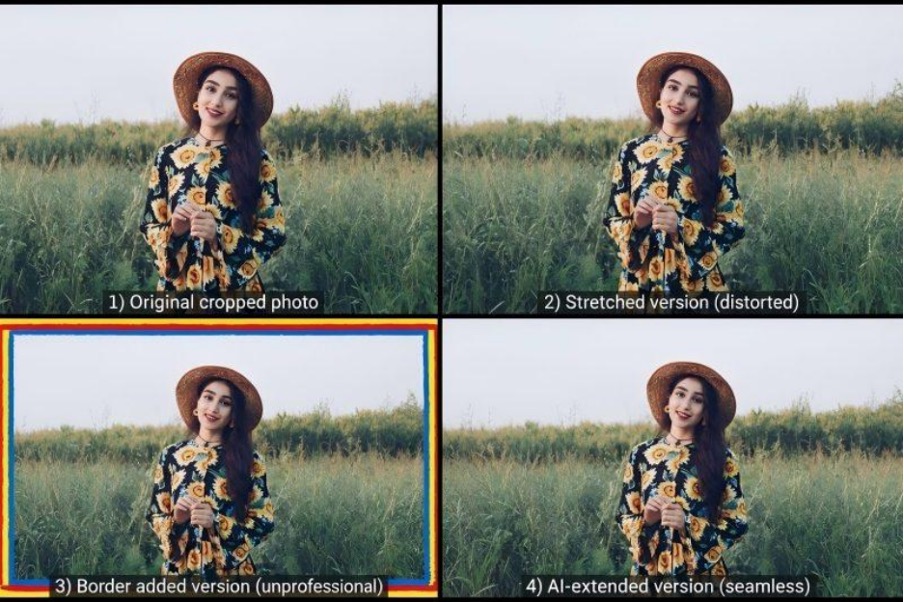
Traditional resizing of photos was not intended to do a smart job of enlarging pictures. Instead, it just extends existing pixels, which can result in noticeable quality problems.
1. Stretching Pixels Causes Distortion
Manually enlarging an image fills the new area with the same pixels. This causes the lengths of the shots to be out of scale and the images to be distorted.
Faces, objects, or backgrounds may be elongated or fuzzy.
2. Loss of Sharpness
Oftentimes, when you resize an image, you lose the fine details and clarity of the image. This is particularly apparent on:
- Social media banners
- Product photos
- Website headers
- YouTube thumbnails
- Poor visuals make for a bad impression in an instant.
3. Poor Composition
You don’t always want to enlarge the subject. Sometimes you just want to add more background space. The traditional resizing method cannot make up for the missing parts and frequently destroys the general composition of the image. This is where AI Outpainting tools perform better.
Benefits of Using an AI Image Extender
Unlike traditional editing tools, AI-based image expansion tackles numerous challenges, including the need for larger image sizes, complex backgrounds, and intricate compositions.
1. Maintains Original Quality
AI generates new image regions instead of stretching pixels, and maintains the sharpness of the original photo. This will ensure that the appearance of the professional results are maintained.
2. Generates Realistic Backgrounds
AI tools of the modern era make a smart analysis of the context of images. The backgrounds created typically seamlessly integrate with:
- Lighting
- Shadows
- Colors
- Patterns
This results in smooth extensions of images.
3. Saves Time
Time can be spent editing in software programs such as Photoshop. An AI image extender will do this in seconds.
4. Beginner-Friendly
The most significant benefit is its simplicity. You don’t need design experience, editing skills, or technical knowledge. Most of the tools operate on the premise of a simple:
Upload → Expand → Download.
Step-by-Step: How to Expand Image AI Using Media.io
If you’re looking for a quick and easy answer, Media.io is one of the simplest AI image expansion tools online for beginners.
Users can use the ‘Expand image AI’ feature to naturally expand photos without compromising on quality.
Here’s how to use it.
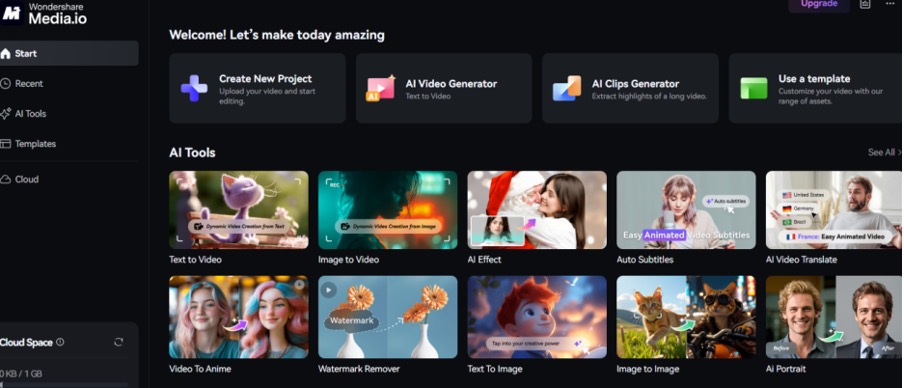
Step 1: Upload Your Image
Open the Media.io AI Image Extender and upload the image you want to expand. The tool supports common image formats and works directly in your browser.
Step 2: Choose Expansion Direction
Select where you want to expand the image. You can extend:
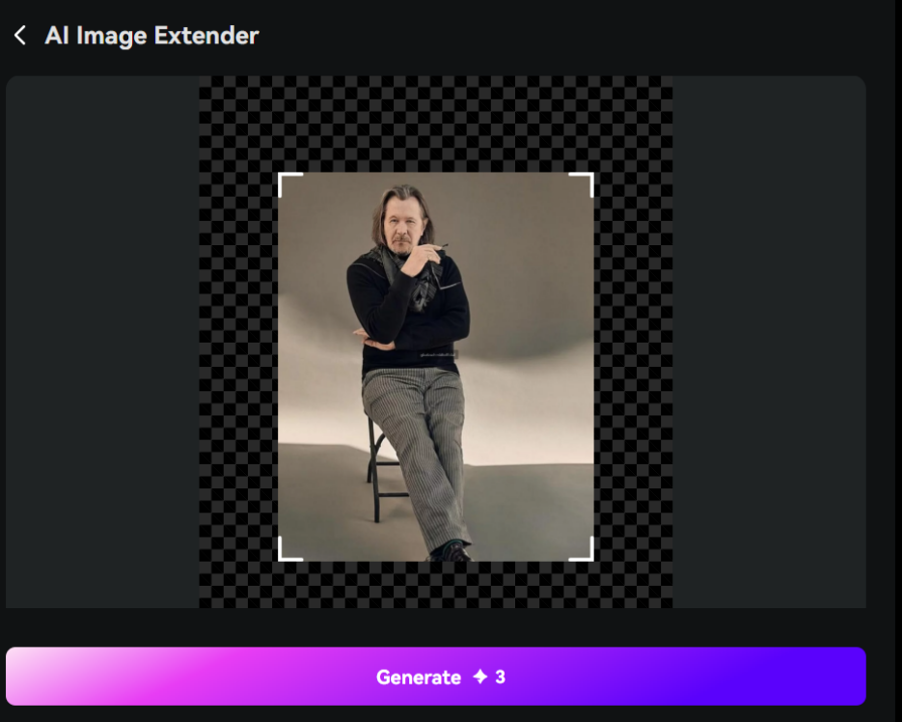
- Top
- Bottom
- Left
- Right
- Full canvas
This is especially useful for converting images into Instagram posts, YouTube thumbnails, or website banners.
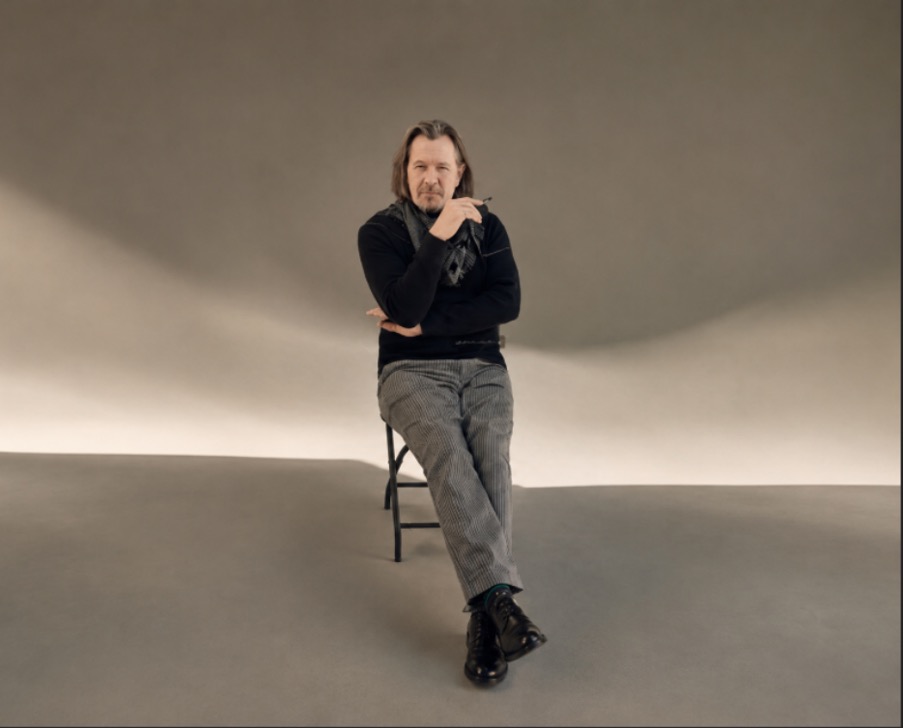
Step 3: AI Generate Missing Areas
Once selected, the AI analyzes the image and automatically generates realistic background extensions. The process usually takes only a few seconds.
Step 4: Download the Final Image
Preview the expanded image and download the final version instantly. However, if you want to make it more impressive, use animate, background remover, or the AI talking photo feature.
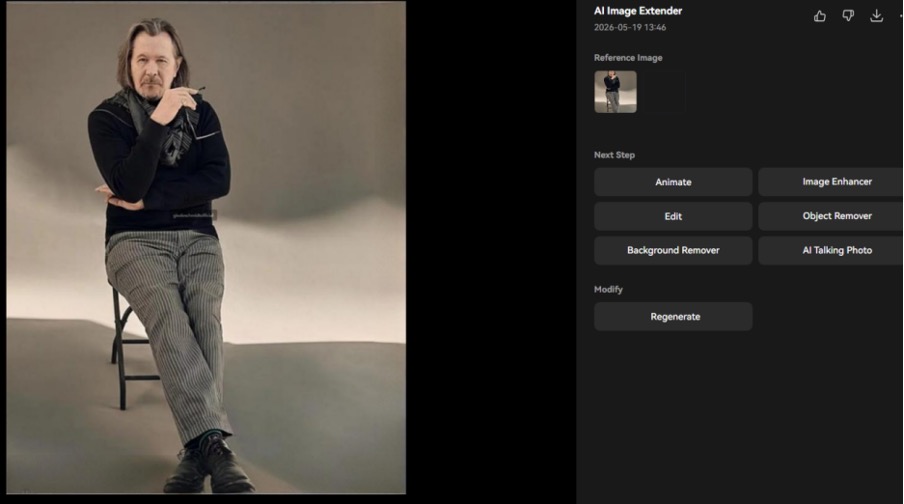
To get the best results, we recommend using the Media.io AI Image Extender. It’s a potent tool that can be used to grow image AI smoothly, and is ideal for modifying a portrait photograph to appear in a landscape format while maintaining sharpness.
Now give this AI image extender a try to get rid of your cropped visuals!
Best Use Cases for Expand Image AI
AI image expansion is useful across many industries and content formats.
1. Social Media Posts
Creators often use AI expansion to fit Instagram aspect ratios, create YouTube thumbnails, and resize Facebook banners without cropping important subjects.
2. E-commerce Product Images
Product photos often require additional background space for:
- Website layouts
- Ads
- Marketplace listings
AI tools help create cleaner compositions quickly.
3. Website Banners
Wide website headers require landscape-oriented visuals. AI image extenders can convert portrait photos into banner-friendly images naturally.
4. Fixing Cropped Photos
Old photos or tightly framed images can easily be restored by adding missing background areas.
5. Marketing Creatives
Designers and marketers frequently use AI image expansion for:
- Ad creatives
- Promotional banners
- Presentations
- Email graphics
AI Image Extender vs Photoshop – Which Is Better?
Both tools can expand images, but they work very differently. Photoshop offers advanced manual editing and greater creative control, while an AI image extender focuses on speed, simplicity, and automatic results.
For beginners, creators, and marketers who want quick, high-quality image expansion without learning complex editing skills, AI tools are often the more practical choice.
Let’s figure out in the table below:
| Feature | AI Image Extender | Photoshop |
| Ease of Use | Very beginner-friendly | Requires skills |
| Time Required | Seconds | Longer manual process |
| Editing Knowledge | Not needed | Necessary |
| AI Automation | Yes | Partial/manual |
| Output Quality | Excellent for quick edits | Advanced professional control |
| Best For | Creators & marketers | Professional designers |
Common Mistakes to Avoid
Even the most effective AI tools work better when applied correctly.
1. Uploading Low-Quality Images
Sometimes the AI will not produce clean images if the image being used is blurry or pixelated. Always begin with the best quality image you can.
2. Taking a leap Beyond Reality
When expanding too much beyond the frame, sometimes it can be difficult to set up a realistic backdrop. Moderate extensions are most natural.
3. Ignoring Preview Before Download
Check the preview of the image prior to downloading. A slight imperfection may occur in some images, depending on the complexity of the image.
Final Thoughts
As you can see, you no longer need to worry about the image resizing in a distorted way or manually editing the images. An expand image AI tool can do it instantly while preserving image quality and natural backgrounds.
For a fast and efficient solution, check out the powerful AI image extender that will help you enlarge your images without compromising their quality.
FAQs
Q: Is there an AI image extender free for beginners?
Yes! Media.io provides an AI image extender free version that allows you to expand image AI with simple clicks. It’s perfect for social media creators and marketers.
Q: How can I expand image AI for Instagram without cropping?
By using an AI image extender, you can intelligently fill the background to fit Instagram’s aspect ratios without losing any part of your original subject.
Q: Can I expand images for social media formats?
Yes, you can resize images for Instagram, YouTube, and more.
Q: Is AI better than manual editing?
For speed and ease, AI is significantly better.

