
Image to Video AI: Is the Gap Between Free and Paid Tools Finally Closing?
If you’ve ever searched for an image-to-video AI tool, you already know how overwhelming it is. Every platform claims to be the best. Some say “100% free,” others push premium upgrades, and somewhere in between, you ask yourself- Do free tools actually deliver results, or is paid worth it?
Nobody wants to waste time testing tools that produce low-quality videos. At the same time, not everyone is ready to jump into a paid subscription without knowing if it’s worth it.
That’s why platforms like Media.io are gaining attention. Here you will have free access and premium features, and you will find it easier to test and purchase. In this article, we will get to know paid image-to-video AI tools comparison, and in this way, you are able to make a smart decision, based on what you want to achieve.
Understanding Image-to-Video AI Tools
Before we compare free and premium versions, we should discuss the way these tools actually work.
An AI video generator from an image uses artificial intelligence to convert still images into videos. The AI does everything from cutting, speeding up, or slowing down video clips, and adding motion effects.
This is how it works:
You upload an image, and it generates. It will insert effects, transitions, animations, and even music and text in some instances.
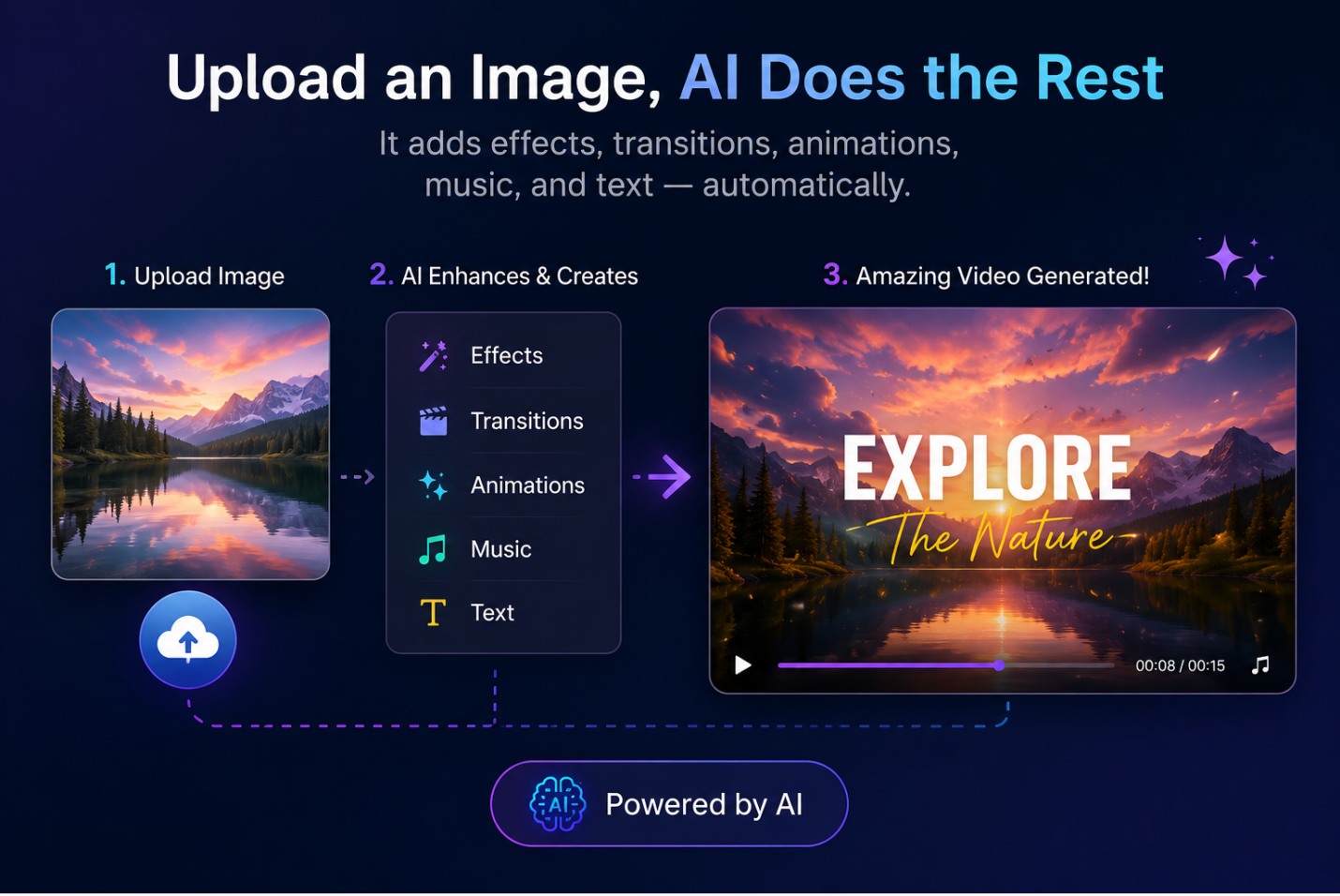
Today’s free image-to-video AI generators make it easy for anyone to create videos. You no longer have to be an expert editor to create videos, regardless of whether you’re a novice, marketer, or content creator.
However, what is more interesting is the fact that not every tool will yield the same good results. And that’s where the free vs premium tools come into play.
Free Image-to-Video AI Tools: What You Really Get (Pros & Limitations)
Free tools are available to all. On the internet, you can search for the free image-to-video AI tool and select the one you feel good about. The best part? You do not have to spend initial money. That is why it is ideal for beginners who simply want to play around.
Pros:
- Testing ideas quickly
- Knowing the process of AI video generation
- Producing simple content for personal use
Cons:
- Watermark
- Lower quality output
- Limited features
- Slower processing
Other tools, such as Media.io, have a Pro-level free trial, where users can experience higher quality, faster processing, and more before upgrading. It is a wiser approach to try out the tools without being bound by constraints.
Paid Image-to-Video AI Tools: Are They Worth the Upgrade
When it comes to paid image-to-video tools, you will have all the control and the liberty to create. These benefits:
- Less time taken to process through priority server access – no longer have to wait in line.
- Ability to create numerous videos simultaneously – ideal when you have numerous videos to create
- Greater customizations – more ability to control design.
- Workflow without interruption – no pauses, no limitations to export.
Commercial Value for Businesses
When using AI to do business or to make money on something, paid tools can become even more useful:
- Commercial usage rights: safe to use in ads, work with clients, and monetize content
- Export 4K high-definition: high-quality images
- No watermarks: more business-like and brand-ready production.
- Scalability: fits aptly to agencies, ecommerce brands, and content teams.
Note: paid tools are not merely a feature-enhancing tool but a powerful tool in terms of speed, quality, and ROI. To anybody who is producing content on a regular basis, the upgrade can easily pay for itself.
Key Differences That Actually Impact Results
To simplify things, we can turn down the music and concentrate on what is really important to you.
Free Tools
- Output Quality: Basic, sometimes inconsistent
- Speed: Slower, often queue-based
- Customization: Limited options
Paid Tools
- Output Quality: High-quality and polished
- Speed: Fast with priority processing
- Customization: Advanced control and flexibility
These differences directly impact how your content performs. For example, a watermark can reduce trust. Low-quality visuals can hurt engagement, and slow processing can delay your content schedule.
So if you’re choosing a free image-to-video AI generator, don’t just look at price, but look at results.
When Free Tools Are Enough
Free tools are actually very helpful in the right situations. They work well if you:
- Are just starting out
- Want to test content ideas
- Create videos occasionally
- Don’t need professional output
If your goal is learning or experimenting, free tools are more than enough.
In fact, starting with free tools is a smart move. It helps you understand what you need before spending money.
When You Should Upgrade to Paid Tools
Consider upgrading when:
- You are publishing it on a regular basis.
- You must have uniform quality.
- You’re creating ads or branded content
- You desire quicker production.
This has nothing to do with being made to pay, but with growing. As soon as your content has started working, it will be natural to take the next step of investing in better tools.
Recommended Tool for Best Results
If you’re looking for a balanced solution, then Media.io is worth considering. It is an all-in-one AI creative suite where you can easily turn images into videos, add AI-generated background music, and include auto-subtitles to boost engagement, all on the same platform.
What is more, you do not have to alternate between the uses of various tools or to make your working process more complex. All this is simplified to be quick and easy. That is what makes the paid version so worth it- you are not only getting a single feature unlocked, you are also getting a whole, effective system of content creation that will save on time and deliver on consistent and professional output.
This is how it works:
Step 1: Go on media.io and select Image to Video option.
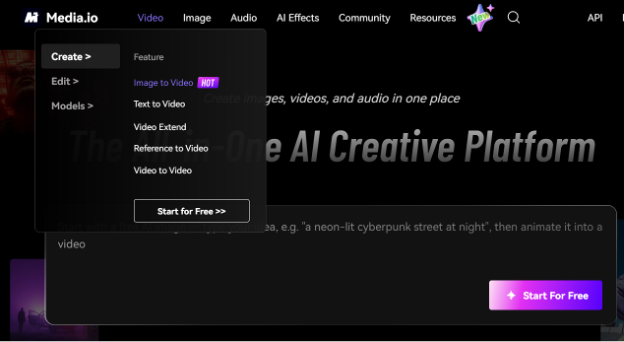
Step 2: Upload the images you want to create a video with. Remember this: the maximum size you can upload is 20 MB, with a minimum width and height of 300px.
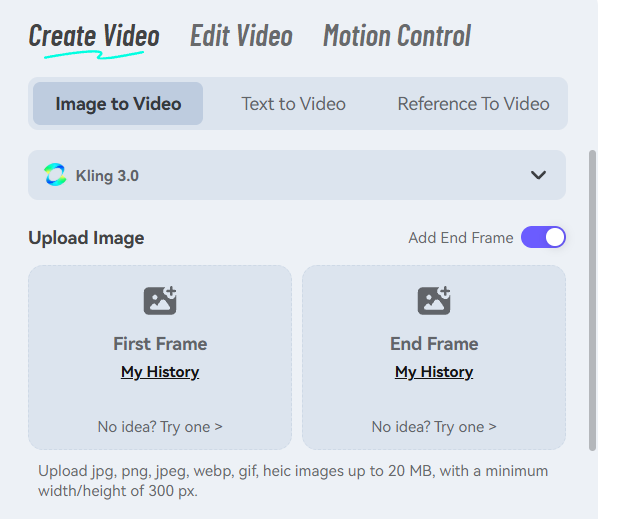
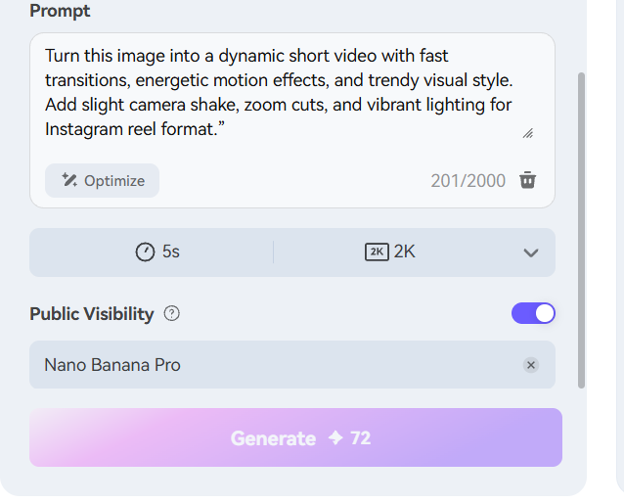
Step 3: Next, enter a powerful prompt by mentioning what kind of video you want it to generate for you. Make sure your prompt is clear.
Once you’re ready with the prompt, click on the generate button.
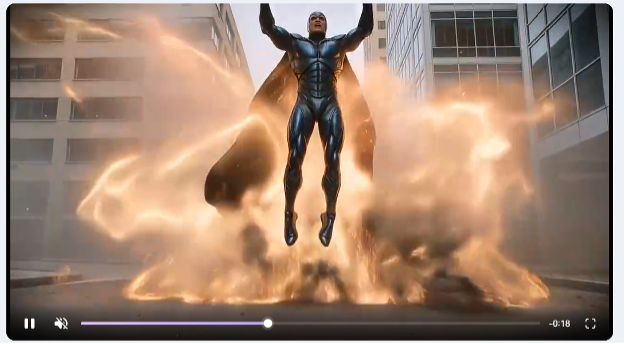
Step 4: Within a few minutes, your video gets ready. Look at the preview and download the video.
Final Verdict: Free vs Paid—What Should You Choose?
Free tools are good for getting started while paid tools are better if you want to scale and see real results.
However, if you’re just testing, learning, or experimenting, turn image into video AI free tools are enough. But if you’re aiming for better quality, faster output, and consistent performance, paid tools clearly offer the advantage.
Conclusion
There’s no shortage of image-to-video AI tools today, but not all of them deliver results.
Free tools are great for beginners, but they come with limitations that can slow you down. Paid tools, on the other hand, unlock speed, quality, and real growth potential.
If you’re serious about creating content that stands out, it’s time to stop experimenting with low-quality tools. Start your first professional project with Media.io today—and see the difference for yourself.
FAQ’s
1. Are free image to video AI tools good enough for professional use?
Free tools can work for basic content, but they usually lack the quality and features needed for professional use. Watermarks and limited resolution can affect branding and performance.
- What is the main difference between free and paid image to video AI tools
The biggest difference is quality and performance. Paid tools offer better output, faster processing, no watermarks, and advanced customization.
- When should I switch from a free to a paid image to video AI tool?
You should upgrade when you start creating content regularly, need consistent quality, or use videos for business, ads, or branding.

