
Create Music with AI Using Filmora App: The Ultimate AI Music Generator
A content creator struggles to find the perfect background track while editing a video on a tight deadline. Traditional music production can feel complex, time-consuming, and expensive for quick projects. This is where AI-powered tools step in to simplify the process. Filmora App’s AI Music Generator lets users create unique, high-quality music in minutes with no technical skills.
From selecting moods to customizing duration, everything becomes seamless and intuitive. In this guide, discover how Wondershare Filmora makes AI music creation faster, smarter, and more creative.
Part 1. Create Music with AI: How Filmora App Makes It Easy for Everyone
Creating music has never been easier thanks to Filmora’s AI song generator, available on both iOS and Android devices. This app lets anyone compose professional-quality tracks directly from their smartphone or tablet, with no technical skills required. Users can personalize their music by selecting the mood, choosing from options like energetic, happy, or calm, to match the tone of their project perfectly.
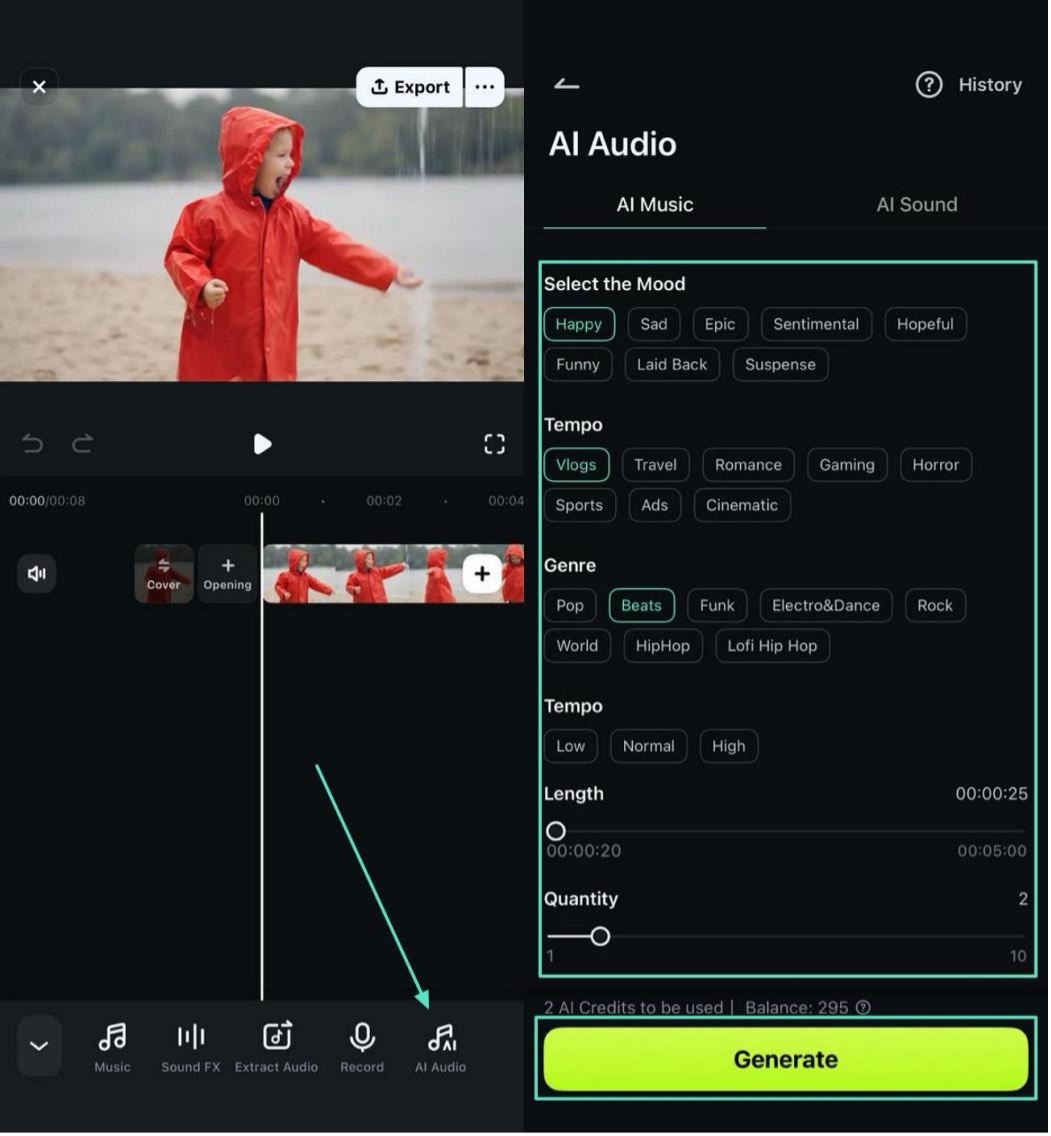
They can also adjust the tempo, setting the track’s speed to create fast-paced excitement or slow, relaxing rhythms depending on the content. Additionally, the track length can be customized to fit videos, presentations, or social media posts precisely. Moreover, the app allows you to select the number of outputs as well as the genre of music according to your preferences.
Part 2. How to Use Filmora App to Generate AI Music from Ideas
As discussed, the Filmora App [iOS/Android] allows users to create high-quality music in no time. To learn how to create music with AI using this app, read the steps provided below:
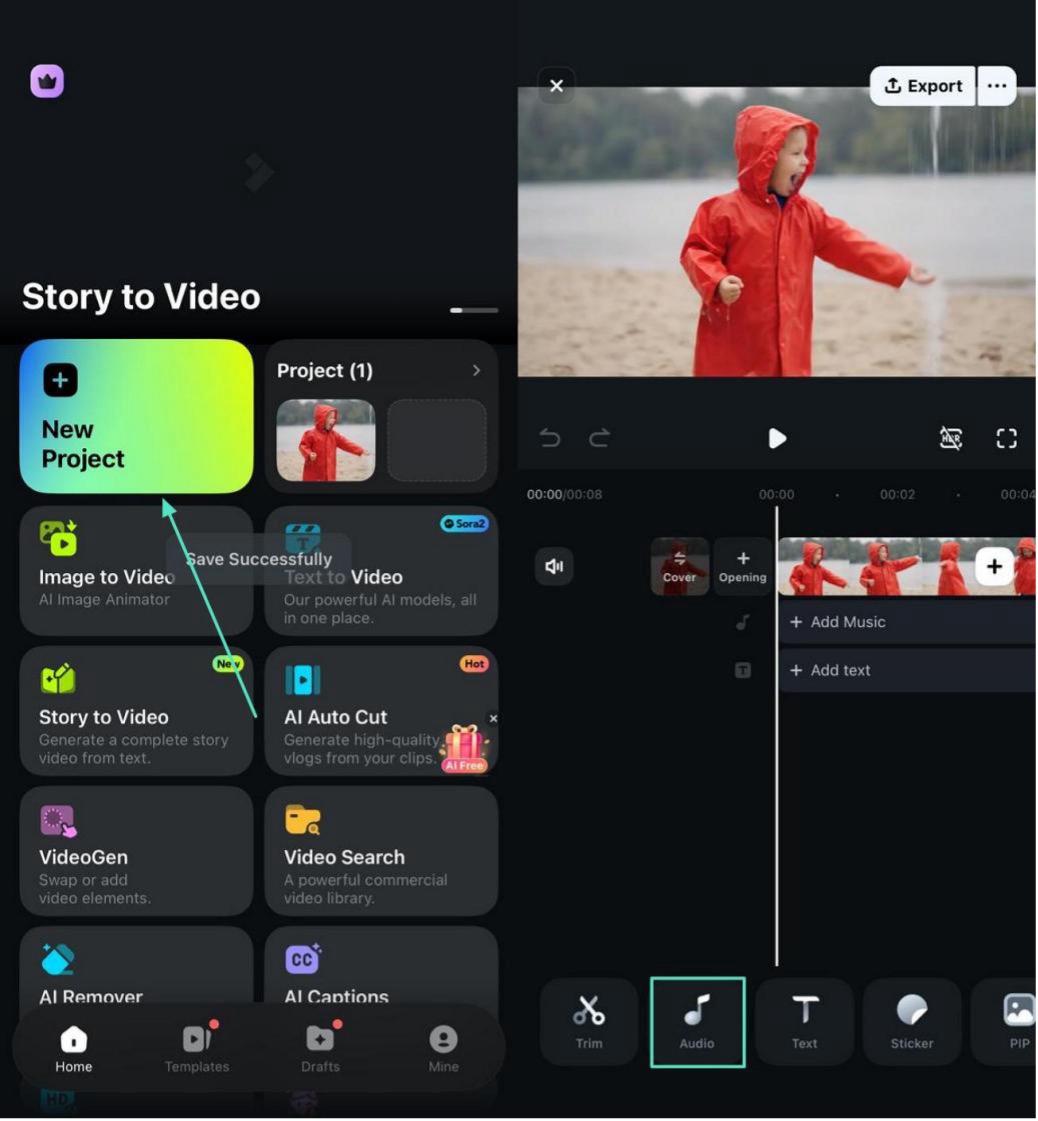
Step 1. Create Project Import Video
Initiate the process by launching the app and selecting “New Project” from the homepage. Next, import the video from your phone’s storage and tap on the “Audio” option from the toolbar located at the bottom.
Step 2. Choose AI Music and Generate
Next, tap on the “AI Music” option and select “Mood Tempo,” “Length” from the next interface. Press the “Generate” button after selecting the length and quality to execute the process.
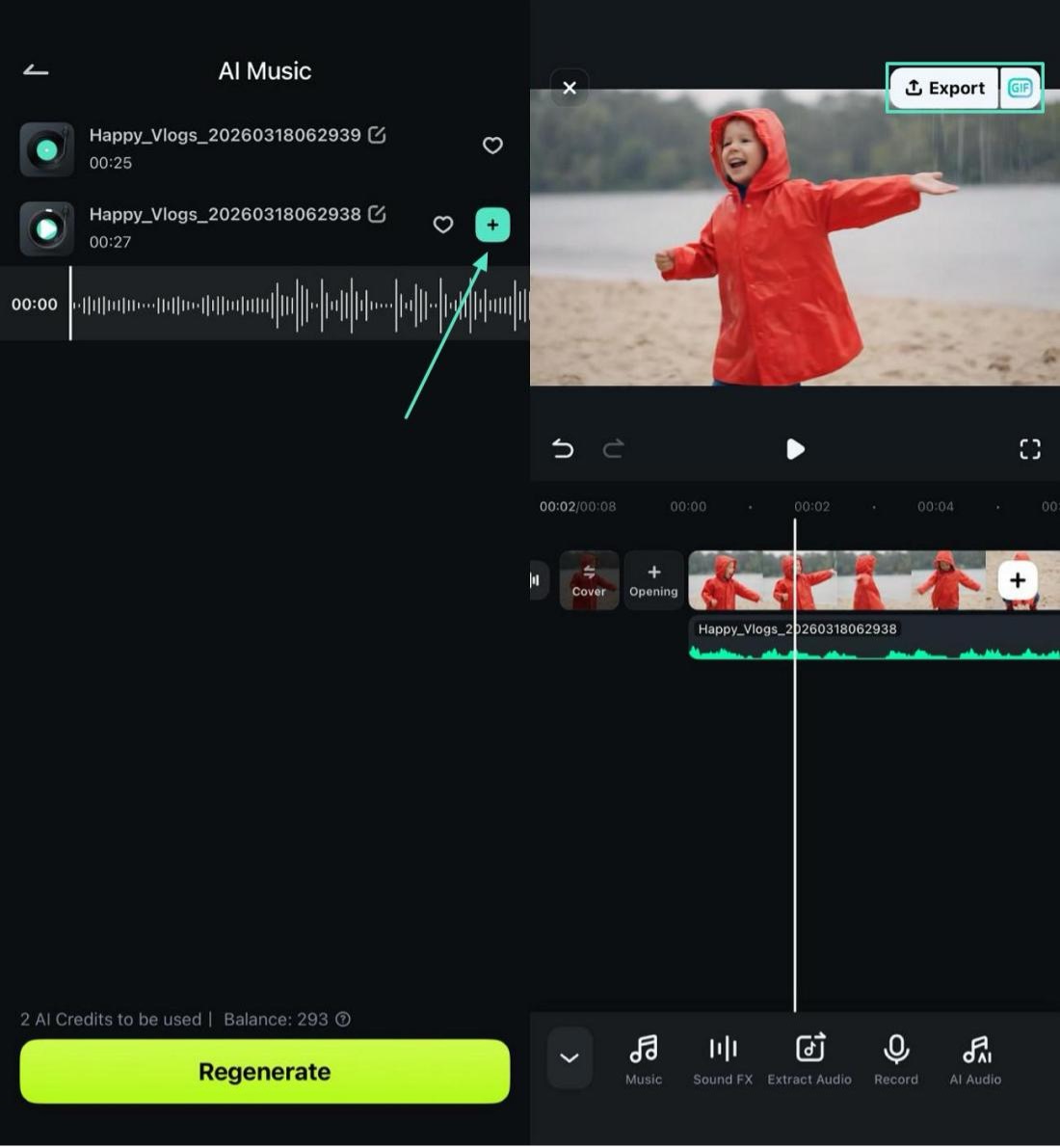
Step 3. Select Audio and Add
When the audio is generated, play and choose the one you like the most by tapping on the “+” icon. When done, preview and edit the audio and tap on “Export” to save the results.
Part 3. Tips for Creating High-Quality Music with Filmora App AI Tools
Once you’ve familiarized yourself with Filmora’s AI Music Generator, applying a few simple strategies can help you create even higher-quality tracks. Below are practical tips to make the most of Filmora’s AI tools:
- Choose the Right Mood: Select a mood that complements your video or project. Happy, calm, or energetic moods set the tone and evoke the intended emotion in your audience.
- Adjust Tempo Carefully: Match the tempo to the pace of your content for music generation. Fast tempos energize action scenes, while slower tempos work well for storytelling or relaxing sequences.
- Set Accurate Length: Customize the track duration while generation to fit your video perfectly. This avoids awkward cuts and ensures seamless integration.
- Experiment with Variations: Generate multiple versions of the same track to find the one that best matches your vision.
- Combine with Effects: Use AI-generated sound effects alongside your track to enhance depth and atmosphere.
Conclusion
To sum it up, this article provided a complete guide on using Filmora App’s AI Music Generator, showing how to create professional-quality tracks effortlessly on iOS and Android. With its intuitive interface and AI-powered features, Filmora makes music creation accessible, fast, and enjoyable for creators of all levels. This helps in turning ideas into ready-to-use tracks for videos, social media, or personal projects.
