
Apple iCloud Activation Lock Bypass: What Works and What Doesn’t in 2026
Introduction
Apple iCloud Activation Lock is a strong security feature. It protects iPhones and other Apple devices from theft. But sometimes, it also locks real users out. This often happens after buying a used device or forgetting Apple ID details.
In 2025, many old bypass tricks no longer work. Apple has made the system stronger with each update. In this guide, you will learn what Activation Lock is, why it appears, and which bypass icloud activation lock methods are safe and real today.
What Is Apple iCloud Activation Lock?
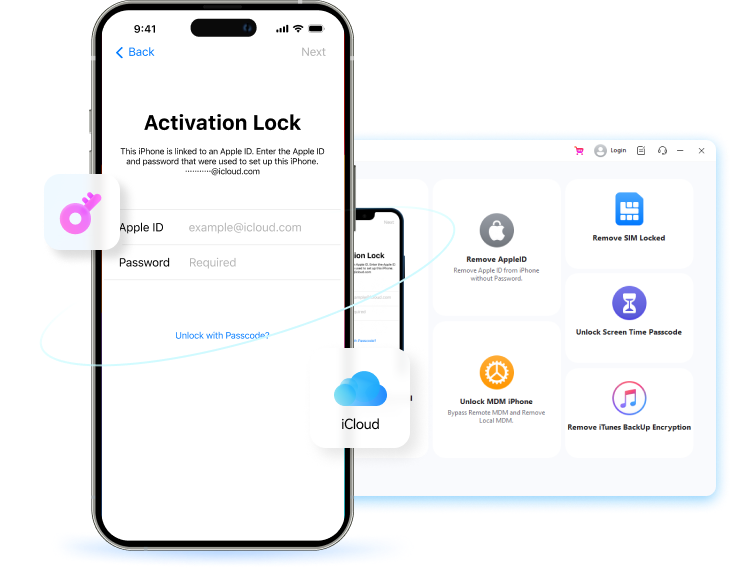
iCloud Activation Lock is one of the security features developed by Apple. Basically, the feature gets activated automatically when users enable “Find My” on their phones. When the phone is reset, the Apple ID and password associated with the phone will be requested again in the setup process.
Activation Lock is initiated when someone erases a device without first signing out of iCloud. Removing a device from the factory, system restoring the device, or even using recovery mode can cause this. The lock presents a barrier to anyone who might try to use the device without the owner’s consent.
Why Users Look for an Apple iCloud Activation Lock Bypass
Many users search for an iCloud Activation Lock bypass because they are locked out of their own device.
- One common reason is buying a second-hand iPhone. If the previous owner did not remove their iCloud account, the new user gets stuck at the activation screen.
- Another reason is forgotten Apple ID details. Some users forget their email, password, or recovery information. Without this data, the device cannot be unlocked through normal setup.
- In some cases, the previous owner cannot be contacted. This often happens with online purchases, gifts, or devices bought from local sellers. Without the owner’s help, Activation Lock becomes a big problem.
- Business and company devices also face this issue. Sometimes, enterprise phones are reset without removing the company Apple ID. When employees leave or systems change, devices may become locked by mistake.
Methods That Work in 2025
Below are the simple steps for each working method in 2025. These steps are written in easy words so anyone can follow them without stress.
Official Apple Activation Lock Removal (Steps)
This is the safest method, but it only works if you have valid details.
Steps:
Step 1. Turn on the iPhone or iPad.
Step 2. When the Activation Lock screen appears, enter the original Apple ID and password.
Step 3. If login is successful, the device unlocks instantly.
Step 4. If you forgot your Apple ID, visit “Apple Support” on another device.

Step 5. Submit a request for Activation Lock removal.
Step 6. Upload proof of purchase (receipt with serial number).
Step 7. Wait for Apple’s response (this may take a few days).
Important Note:
If you do not have proof of purchase, Apple usually refuses the request.
3.2 Dr.Fone – Screen Unlock (iOS)
For users who don’t have an Apple ID, access to Dr.Fone – Screen Unlock (iOS) is a reliable solution in 2025. It supports the latest iOS/iPadOS 26 and works with devices from the iPhone 12 series up to the 17 series.
Dr. Fone can be used for iCloud Activation Lock bypass without the original Apple ID and password. The method is very straightforward and suitable for a novice user. You simply have to connect your device to a computer, follow the instructions given on the screen, and allow the tool to handle the rest.
Key benefits include:
- iCloud Activation Lock Bypass on iPhone and iPad without the previous owner’s Apple ID or password.
- Wide range of compatibility supports iPhone 5S, iPhone 17 series, iPads, iPods, and works with iOS 26 and later.
- Jailbreak is not needed with a simple 3-step process, thus it is beginner-friendly and fast.
- All-in-one unlocking toolkit to facilitate removal of the iOS screen lock, Apple ID, MDM, SIM lock, Screen Time, and iTunes backup passwords.
- 100% safe local unlocking method assurance of high success rate, refer to user data and privacy protection.
Steps:
Step 1. Download and install Dr.Fone – Screen Unlock (iOS) on your computer. Open the tool and go to “Toolbox > Screen Unlock > iOS.” Select “iCloud Activation Lock Removal.”
 Step 2. Click “Start” and connect your iPhone or iPad using a USB cable. Confirm the device details shown on the screen, then click “Unlock Now.”
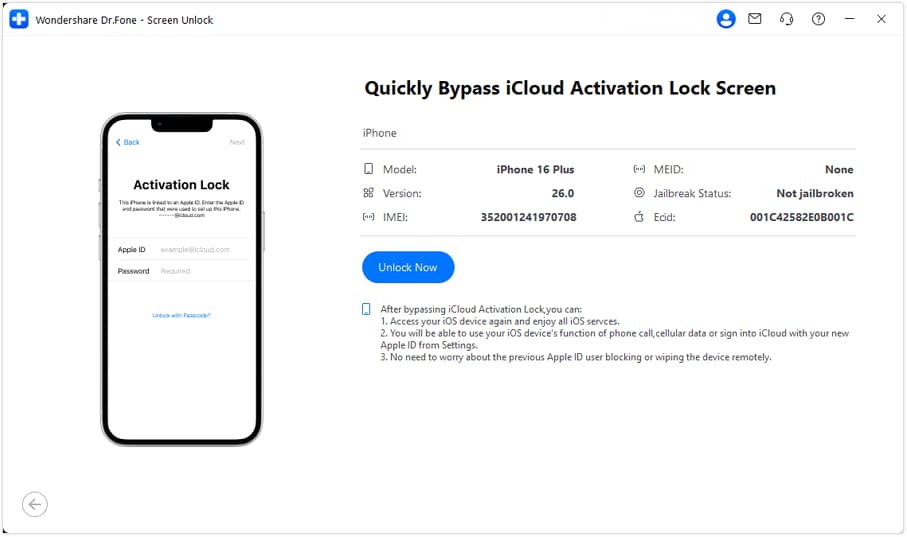
Step 3. Follow the simple on-screen instructions. Wait while the tool bypasses the Activation Lock.

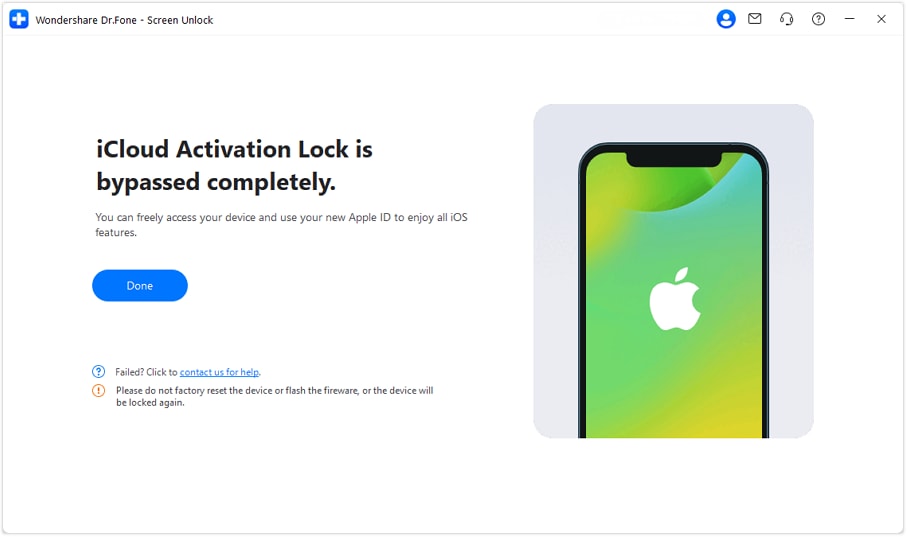
Step 4. When finished, click “Done” and restart the device. Set up the device using a new Apple ID.
DNS Bypass (Limited Access Only)
This method gives temporary access only, not a full unlock.
Steps:
Step 1. Turn on the device and choose the language and country.
Step 2. On the Wi-Fi screen, tap the “i” icon next to the network.
Step 3. Tap “Forget This Network.”
Step 4. Tap the “i” icon again and choose “Configure DNS.”
Step 5. Select Manual and enter a DNS server:
- USA: 104.154.51.7
- Europe: 104.155.28.90
- Asia: 104.155.220.58

Step 6. Tap Save and reconnect to Wi-Fi. Go back and tap Activation Help.
Methods That Don’t Work (or Are Risky)
As Apple makes security stronger each year, many shortcuts no longer work. Before trying unsafe tricks, it helps to know what to avoid and why these methods often fail.
“Free iCloud Activation Lock Bypass” Tools
Many users search for free tools online, hoping for a quick fix. Sadly, most of these tools cause more harm than help.
Why they don’t work:
- Most free tools are outdated and cannot beat Apple’s security.
- Many are fake apps that only show error messages.
- Some install viruses or spyware on your computer.
- Websites show fake success reviews to trick users.
Steps to stay safe:
- Avoid tools that ask for no details at all.
- Do not download unknown files or APKs.
- Never trust tools that promise “100% free unlock.”
Online IMEI-Based Unlock Promises
Some websites say they can unlock iCloud using only the IMEI number. This sounds easy, but it rarely works.
Why IMEI-only unlocks fail:
- IMEI does not control iCloud locks.
- Apple does not allow third parties to unlock using IMEI.
- Many sites disappear after payment.
Common red flags:
- No refund policy
- No real company address
- Requests for quick payment
Steps to avoid loss:
- Never pay upfront without proof.
- Avoid sites with no customer support.
- Ignore “instant unlock” promises.
Jailbreak-Only Workarounds
Jailbreaking looks smart, but it creates new problems.
Why is this method risky?
- Jailbreak gives temporary access only.
- iOS updates can re-lock the device.
- The phone may crash or stop working well.
- Security and privacy become weak.
Steps to think twice:
- Know that updates may break the phone.
- Expect app errors and system bugs.
- Understand this is not a permanent fix.
Comparison Table: What Works vs What Doesn’t in 2025
Here is a simple table to help you choose the safest option.
| Method | Works in 2025 | Permanent | Risk Level | Recommended |
| Apple Official Removal | Yes | Yes | Low | Yes |
| Dr.Fone – Screen Unlock (iOS) | Yes | Yes | Low | Yes |
| DNS Bypass | Risky | No | Medium | Limited |
| Free Online Tools | No | No | High | No |
How to Avoid iCloud Activation Lock Issues in the Future
Before buying a used iPhone, always check for Activation Lock. Turn on the phone and see if it asks for an Apple ID during setup.
Step 1. Before selling or giving away your iPhone, remove “iCloud” properly.
Step 2. Go to “Settings,” tap your name, choose “Sign Out,” and enter your Apple ID password.
Step 3. This step removes the device from your account and protects the next user.
Step 4. For Apple ID safety, keep your email and phone number updated.
Step 5. Please write down your login details and store them safely. Turn on account recovery options.
These small steps can save you from big problems later.
Conclusion
iCloud Activation Lock is a security feature designed to protect users, not to create problems. There are only a couple of safe methods that really work in 2025. Official Apple support and trusted tools are the best options. By far, the safest methods to take back your device are via the official Apple support or by using trusted tools like Dr.Fone – Screen Unlock (iOS). Dr.Fone provides a dependable, easy-to-use solution for bypassing iCloud Activation Lock, removing screen locks, Apple ID, MDM, SIM lock, etc. If you follow the instructions correctly and take proper care of your device, you can unlock it safely and keep away from Activation Lock problems in the Future.

