
Pixel FRP Bypass: How to Handle Google’s Hardest Security Lock
Introduction: Why Pixel FRP Is So Difficult
Factory Reset Protection, or FRP, is a security feature built into Android phones. It protects your data after a reset. Google Pixel phones enforce FRP more strictly than most brands. This is because Pixel devices run clean Android with direct Google control. Pixel phones do not allow many setup shortcuts. They block access to settings and apps during setup. Android 13 and Android 14 updates also closed many old tricks. Methods that worked before now fail fast.
Many users face this lock after forgetting their Google account details. Others buy a used Pixel phone that still has the old account. Some get stuck in a reset loop after repairs. FRP bypass should only be used on phones you own. Never try it on lost or stolen devices. This article explains safe and tested options only.
Why Pixel FRP Is Considered Google’s Hardest Security Lock
Google Pixel phones are known for strong security. This is why Pixel FRP is very hard to bypass. From the start, Google limits what you can access during setup. There are no extra OEM apps or shortcuts like on some other brands. You cannot easily open settings, a browser, or system menus.
Most old tricks no longer work. Methods using TalkBack, Google Assistant, or the dialer were common before. Now, these paths are blocked. Google has patched almost all known gaps. This makes quick bypass attempts fail.
Android updates also play a big role. With Android 14, 15, and 16, Google improved FRP checks. Each update closes more doors. The phone talks directly to Google servers. If the account does not match, the lock stays. This is why Pixel FRP has a very low success rate with manual tricks today.
Common Situations Where Pixel FRP Bypass Is Needed
Many users face FRP issues without bad intent. One common case is forgetting Google account details. After a reset, the phone asks for the old login.
Another case is buying a second-hand Pixel phone. If the previous owner did not remove their account, the phone becomes locked. This often surprises new buyers.
Some users also lose access to their recovery email or phone number. This makes account recovery hard. Others get stuck in a reset loop. The phone keeps showing the “Verify your account” screen after a factory reset.
In all these cases, the device is real and owned by the user. Still, FRP blocks access and causes stress.
Pixel FRP Bypass Methods: What Works Today (2025)
When a Google Pixel phone is locked by FRP, choices are limited. Pixel security is very strict. Still, a few methods can help in real cases. Below are the options that still work in 2025, from safest to most limited.
5.1 Google Account Recovery (Official Method)
The safest way is Google’s official account recovery. This method does not bypass security. It restores access the right way.
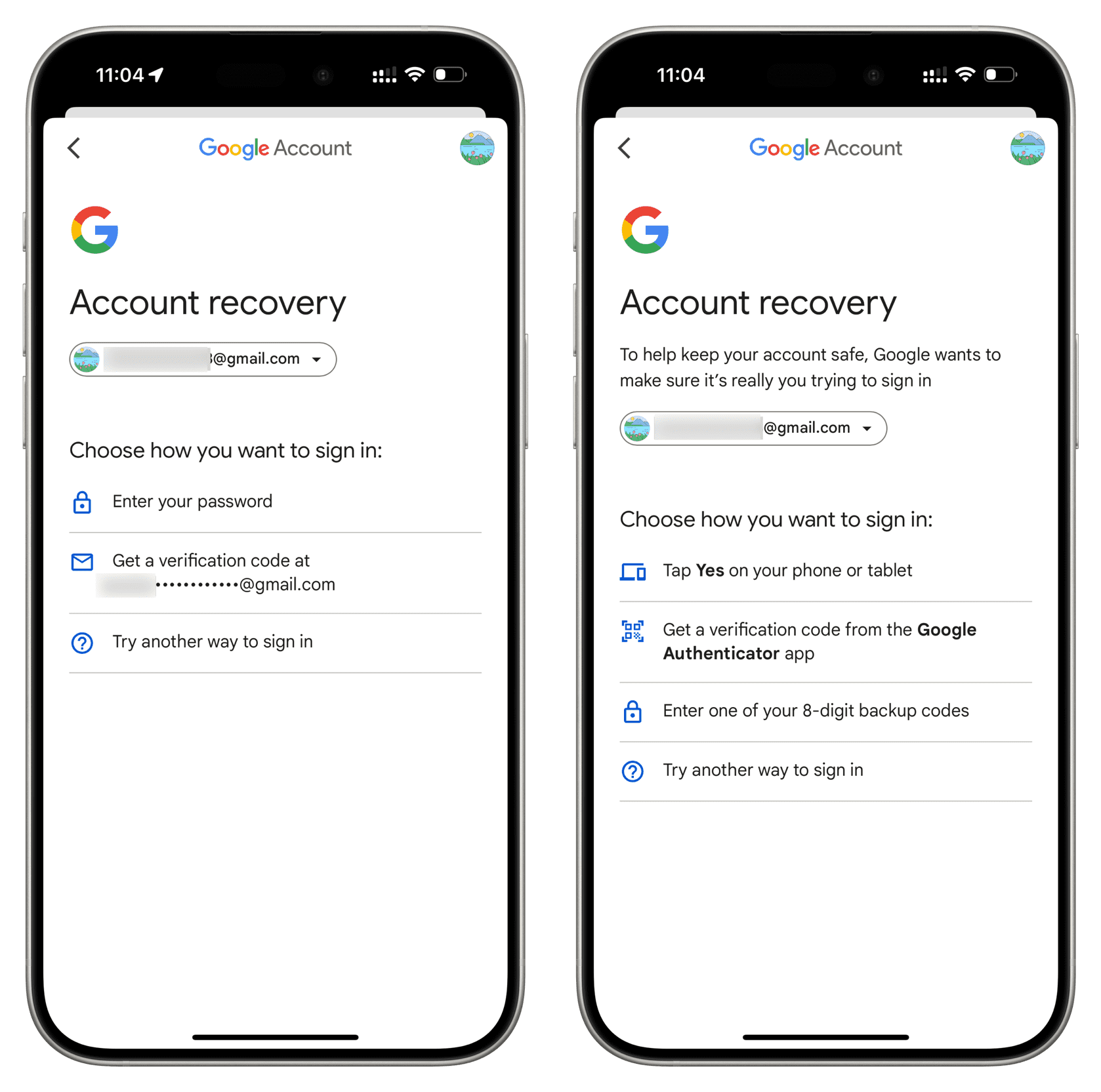
If you forgot your Google account password, visit Google’s recovery page from any browser. Enter the email or phone number linked to the account. Google will ask simple questions to confirm identity. Follow the steps:
Step 1. Open Google Account Recovery on any phone or computer.
Step 2. Enter the Gmail address linked to your Xiaomi or Redmi device.
Step 3. Click “Try another way to sign in” and choose phone number, recovery email, or security questions.
Step 4. Verify your identity and tap “Update password.”
Step 5. After resetting the password. Then sign in on the Pixel phone. This waiting time is normal. It protects against theft. This method is slow, but it is the most secure and legal option.
5.2 Pixel FRP Bypass Without PC (Limited)
Some older Pixel phones had small gaps in accessibility features. These included TalkBack or voice actions. Most of these tricks no longer work.
On Android 14, 15, and 16, Google patched these gaps. Access to settings and browsers is blocked during setup. Because of this, no-PC methods are unreliable in 2025. They may work only on very old Pixel versions.
5.3 Contacting the Original Owner
This is the best option for used Pixel phones. Ask the previous owner to help.
They can sign in once on the device, or remove the Pixel from their Google account online.
Once removed, reset the phone again. The FRP lock will be gone. This method is simple and fully safe when possible.
Most Reliable Solution: Dr.Fone – Screen Unlock (Android)
When Pixel FRP bypass methods stop working, a trusted tool becomes important. Dr.Fone – Screen Unlock (Android) is one of the most reliable options in 2025. Google keeps improving Pixel security, and many manual tricks no longer work. Dr.Fone is updated often, so it stays compatible with newer Android versions and Pixel devices. It is made for normal users and does not need technical skills.
Why This Tool Is Relevant for Pixel FRP
Dr.Fone is designed to remove Google account and FRP locks safely. It supports Pixel phones along with many other Android brands. The tool gives clear, guided steps on screen. You do not need risky APK files or hidden tricks. Everything is done in a controlled and simple way.
Key benefits include:
- FRP bypass made easy: Remove Google FRP on 18+ Android brands without passwords.
- Unlock all screen locks: PIN, pattern, password, and fingerprint supported.
- Data safe & secure: Regain access without risking your data.
- Beginner-friendly: No technical skills required, step-by-step guidance included.
When to Consider Using It
You should consider Dr.Fone if other options fail. It is helpful when:
- Google account recovery does not work
- Your Pixel is stuck on the verification screen
- Manual and no-PC methods fail
Step-by-Step Guide
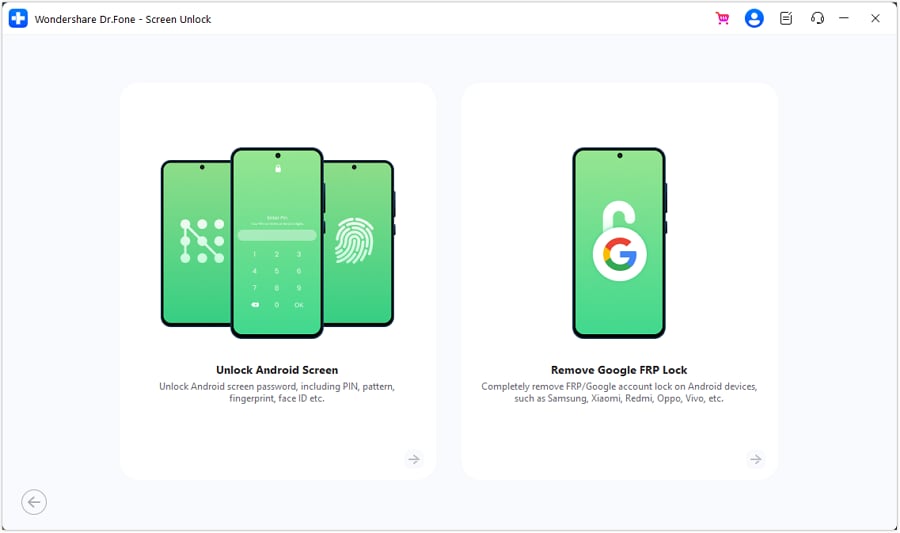
Step 1. Install and open Dr.Fone on your computer. Go to “Toolbox,” then choose “Screen Unlock,” choose “Android” device and select the “Remove Google FRP Lock” option.
Step 2. Select your phone brand, such as Google Pixel. Choose the correct Android version when asked.
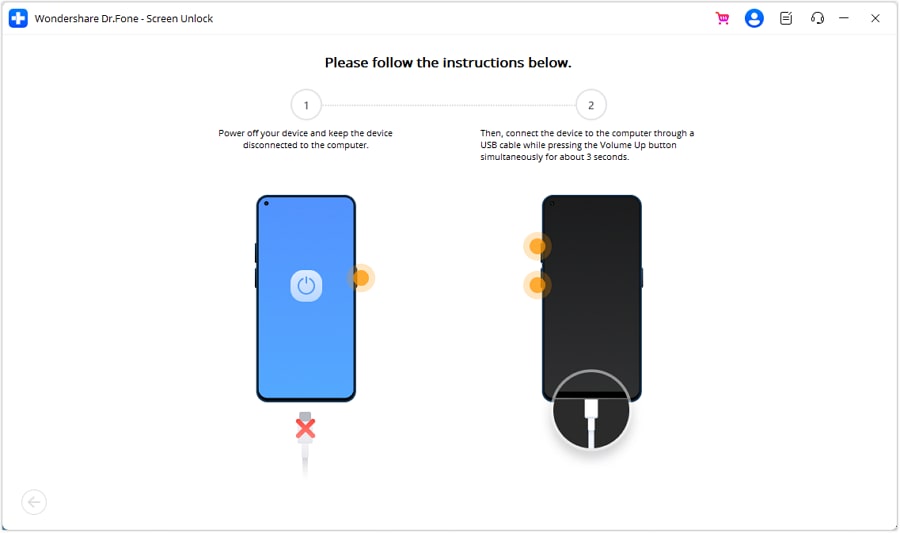
Step 3. Connect your Pixel phone using a USB cable. Follow the on-screen steps to enter the required mode.
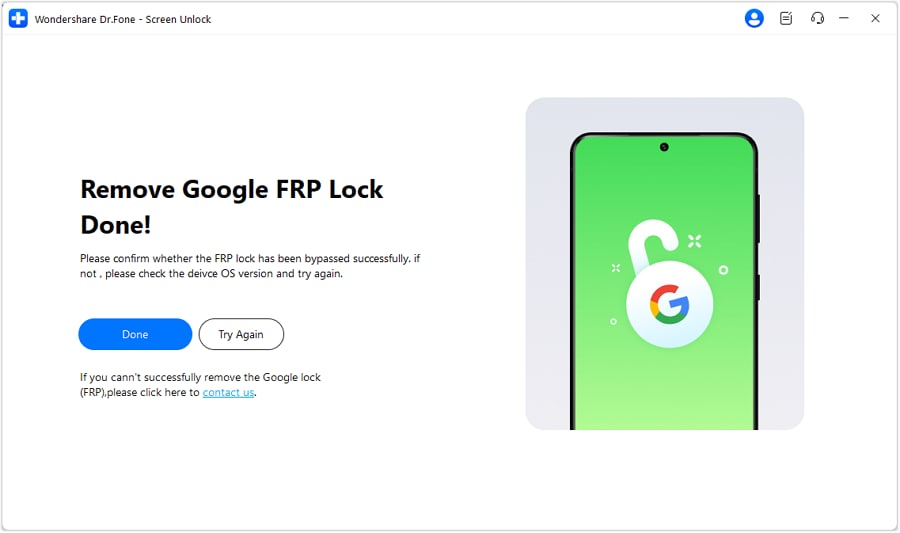
Step 4. Wait while Dr.Fone removes the FRP lock. When finished, click “Done” and set up your phone again.
Risks & Limitations of Pixel FRP Bypass
Before trying any Pixel FRP bypass method, it is important to understand the risks. These locks exist to protect users, so bypassing them is never fully risk-free.
- Malware and fake tools: Many FRP tools online are unsafe. They may install viruses or steal personal data.
- Data loss risk: Most bypass methods erase all data on the phone. Lost data usually cannot be recovered.
- Android update issues: New Android updates can block methods that worked before. A working trick may fail later.
- Privacy concerns: Some tools ask for deep access, which can expose private information.
- Legal risk: If you cannot prove ownership, bypassing FRP may cause legal trouble.
How to Avoid Pixel FRP Lock in the Future
To avoid Pixel FRP problems later, take simple steps. Always remove your Google account before doing a factory reset. Keep your recovery email and phone number updated. This helps if you forget your password. When buying a used Pixel phone, make sure the old account is fully removed. Check the setup screen before paying. Avoid resetting your phone unless needed. These small habits can save time and stress in the future.
Conclusion
Pixel FRP is one of the strongest phone locks today. Google designed it to protect users from theft and misuse. This also makes it hard for real owners who forget their account details. Official recovery is the safest option, but it takes time. Manual tricks rarely work on new Android versions. Tools like Dr.Fone can help when other options fail, but they must be used carefully. The best solution is prevention. Manage your accounts well and confirm account removal before resets or resale. This keeps your Pixel easy to use and safe.


